

The last couple of weeks, I have been going over tips on TikTok. If you missed last week’s lesson, you can find it here:
How To Use TikTok Accessibility Features
This week, I want to jump over to another social media app. ‘What app are we learning about this week?’ Great question, my friends! We are going to show how to stop Instagram from using your content with AI. That is right, by default, the Instagram app allows others to use your posts and reels for remixes, sequences, templates, or stickers, and to download the content as part of their posts or reels. If you would like to learn how to stop this, keep reading. Before we start our new lesson, make sure to check out these other articles I have written:
- How To Clear TikTok Search History
- How To Find TikTok Comment History
- How To Change Google Calendar Appearance
- How To Stop Samsung Battery Drain
- How To Download Marco Polo Videos
The bell has rung, and it is time to start the class.
How To Stop AI on Instagram
In this article, I will show you how to do this on my Motorola Edge Android Phone using the Instagram app.
Step 1: Find the Instagram app on your device. Tap it.
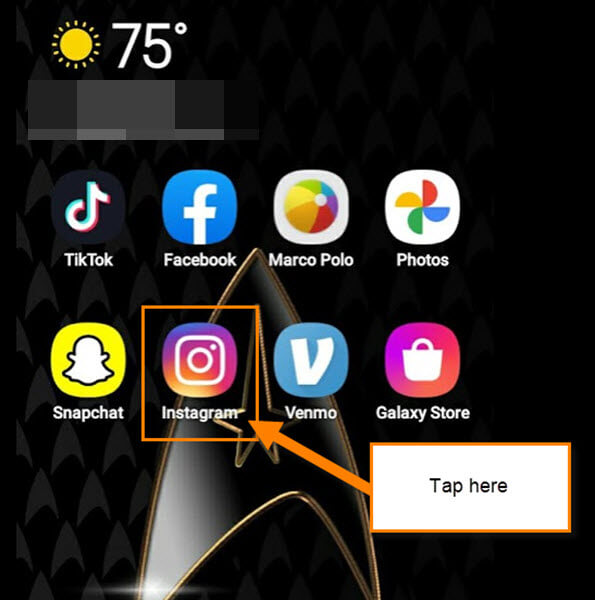
Step 2: Once on your account look to the bottom right. You will see a Profile icon. Tap it.

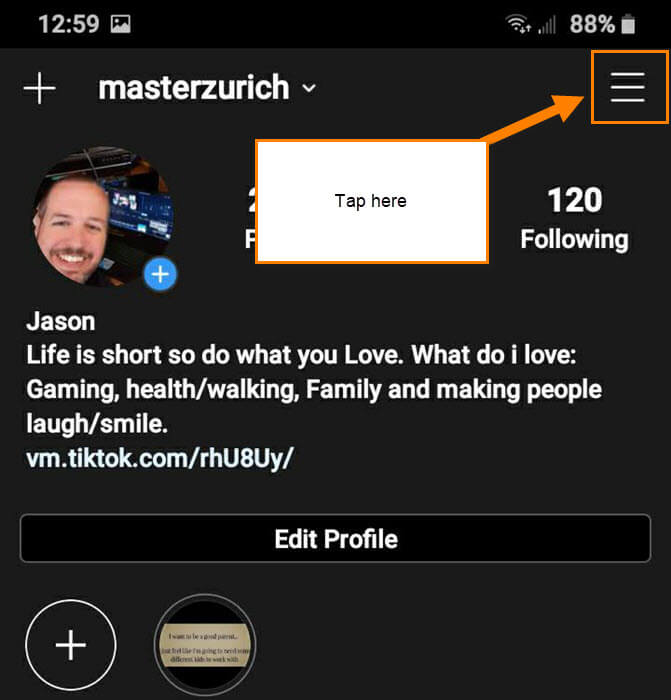
Step 3: On your Profile screen, look to the top right. Here you will see the 3 horizontal menu lines. Tap them.
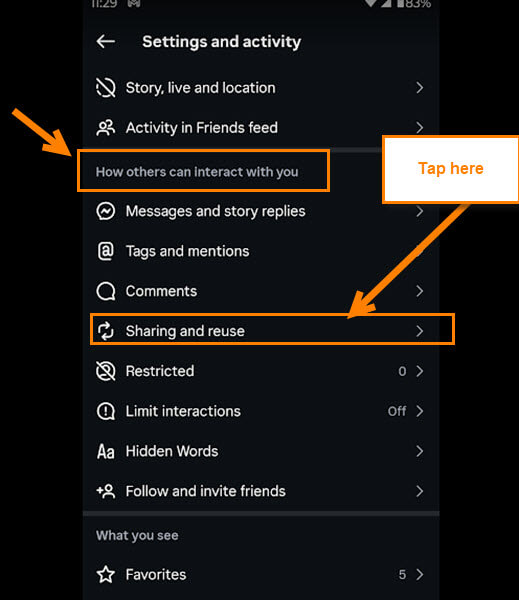
Step 4: The Settings and Privacy menu will appear. Find the section called How others can interact with you. Under that, find the Sharing and reuse option and tap it.
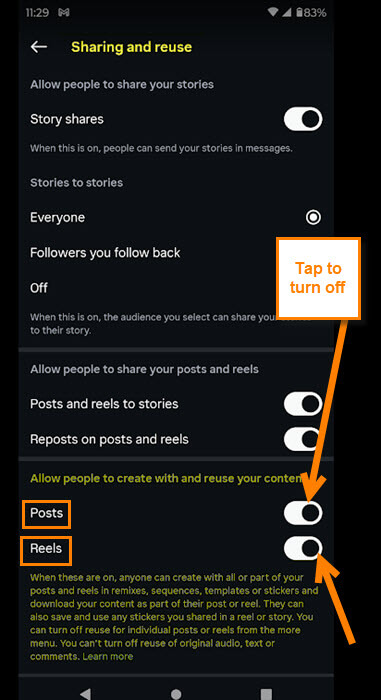
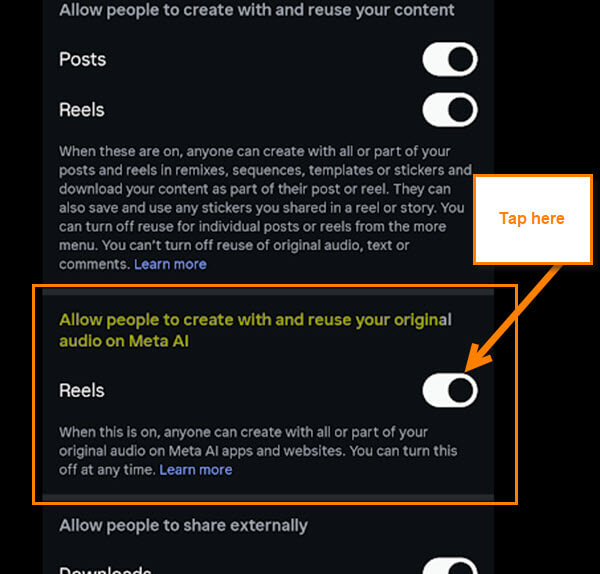
Step 5: Here on the Sharing and reuse menu, we are looking for the section called Allow people to create with and reuse your content.
When these are on, anyone can create with all or part of your posts and reels in remixes, sequences, templates or stickers and download your content as part of their post or reel. They can also save and use any stickers you shared un a reel or story. You can turn off reuse for individual posts or reels from the more menu. you can’t turn off reuse of original audio, text or comment.
When I started writing this article, they mention AI in the section title. Looks like they have removed the wording, but they are still having AI use it. What you need to do is tap the off switches to the right of Posts and Reels. Now that is done, we have one more to switch off.
Step 6: Right below the section we were working on, there is this one.
Allow people to create with and reuse your original audio on meta AI.
All you will need to do for this one is tap the switch to the right of Reels. DONE!
You now know how to stop AI from using your content on your Instagram account. Time to share your new knowledge with the world.
—

If you can, please show me via WebBrowser how to do this, sooo many menus!
Thnk you!