

My uncle wanted me to upload a video to Facebook. It would not go through. Here are some troubleshooting methods for upload issues. But first, here is how to upload a video to Facebook.
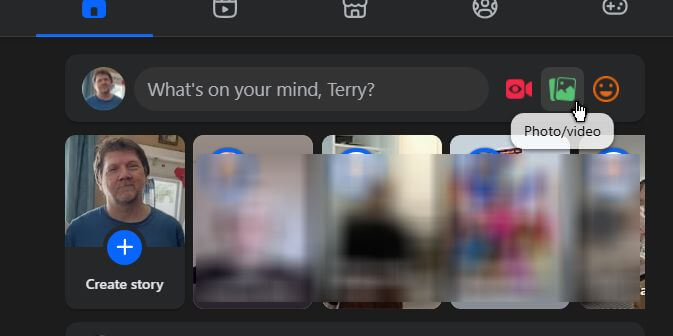
On your Facebook page, at the top where it says, “What’s on your mind…?” – click the second icon. It’s green on mine. When you hover over it, it says “Photo/Video”.
Select your video from your computer. Then you will see something like this.
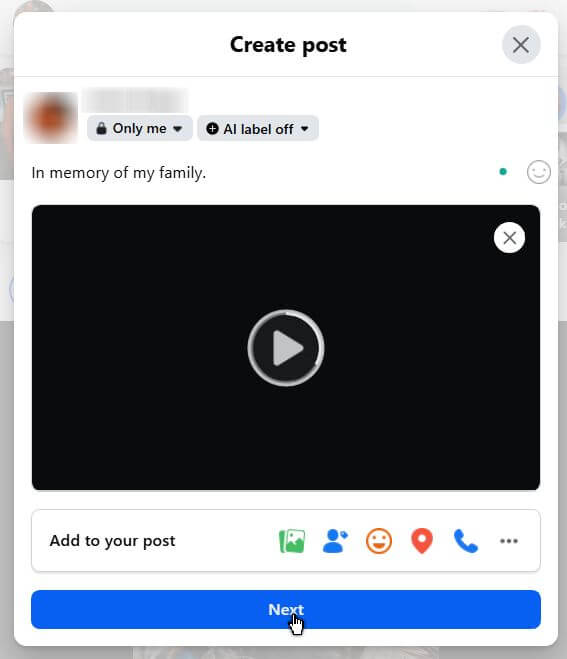
You can select who sees it; by default, I think it’s set to “Public”. You can type in a message. Then click “Next”. Not sure what the “AI label” is about right now.
Then you get another bunch of options to edit your video. You can trim the video, add closed captions, or add text transcripts. Or, add music. I clicked on “Next”.
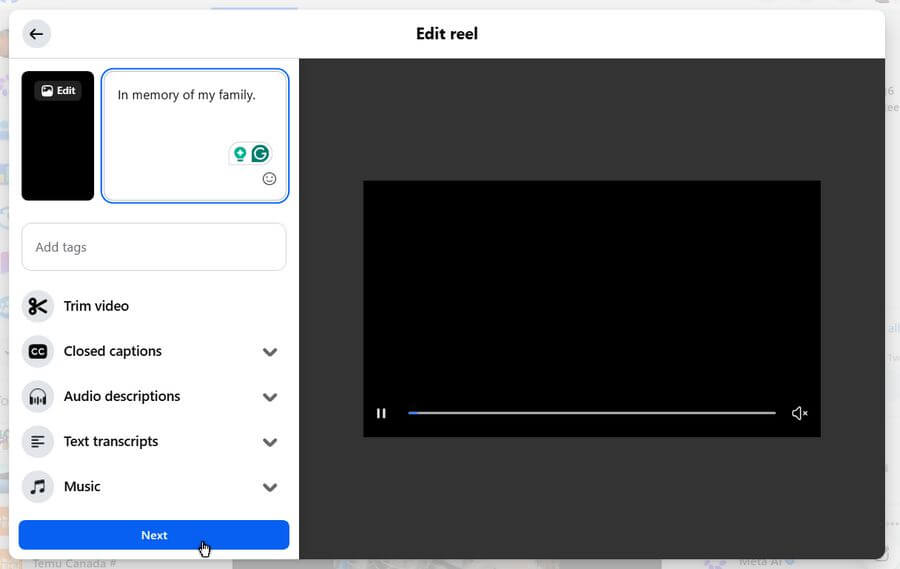
Then a few more options. Play around with these as you see fit. Apparently, if you’re using AI-generated realistic content, you have to label it. So much for that mystery. 🙂
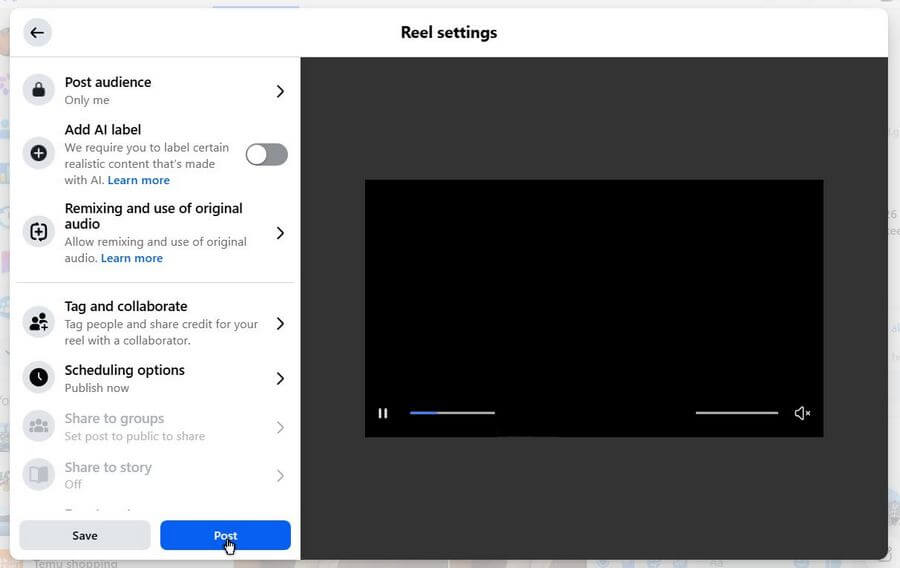
Now click “Post”.
Your screen might go white for a bit, and you’ll see the “Posting” message.
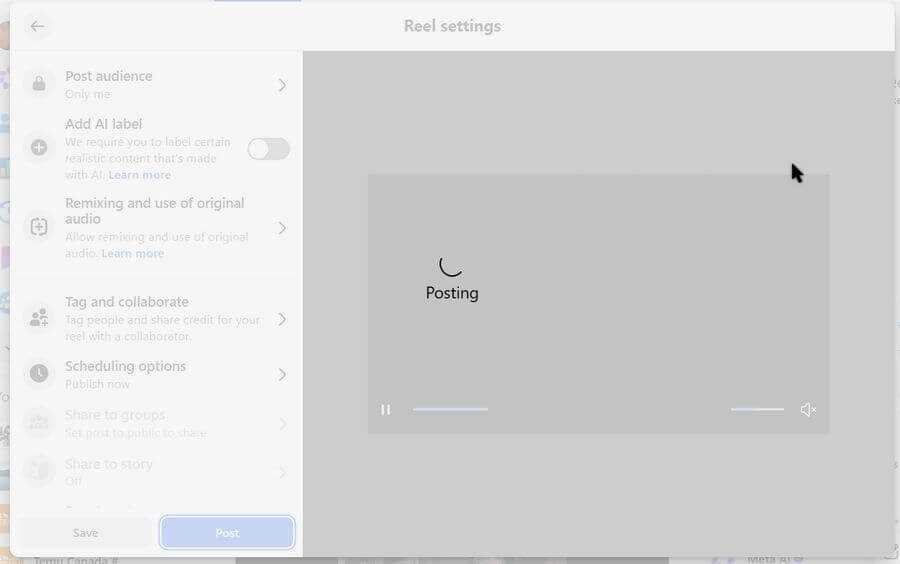
If everything goes well, your screen will return to normal, and you’ll see a pop-up message in the bottom-left corner of your screen.
“Your post is being processed. We’ll let you know when it’s ready to view.”

It’s done. Unless it doesn’t work and that buffering white screen with the posting notice never goes away. I waited over an hour, and nothing. Tried it a couple more times. Same result. No error message, just constant posting.
So when things go wrong on Facebook, here are some things you can try:
- Curse and swear on Facebook. Get it out of your system 🙂
- Log out of Facebook and then log back in
- Restart your browser
- Clear caches/history and other temporary files
- Disable extensions
- Try a private mode window
- Reset your browser
- Try another browser
- Restart your computer
- Videos have to be less than 4 GB in size. Mine was only 50 MB
I was reading online that this could be an internet problem. Even though my internet seemed to be working fine, I ran an internet speed test.
My download speed was OK, but my upload speed was shot. It was less than 1 Mbps.
The best way to fix this is to pull the power cord on your modem/router. Wait about 10-60 seconds. Plug it back in. As I’m writing this, it’s clocked at 17.69 Mbps.
So, check your internet. For all other problems, click here.
—
