

Last week, I taught all of you how to change the Google Calendar appearance. If you missed that lesson, you can find it here:
How To Change Google Calendar Appearance
This week, I wanted to teach you a tip on the app, TikTok. Yes, some of us think this is the worst app ever, but many people still use it, and I have to admit I’m one of those people. What I want to show you is how you can find your comment history. You might want to find a comment you left on someone’s video. This does not give you a search option, but it will give you a place where all your comments live. Before I start today’s class, make sure to check out these other articles I have written for you:
- How To Stop Samsung Battery Drain
- How To Download Marco Polo Videos
- How To Disable Microsoft Copilot In Word
- How To Share Phone Contact On Android
- How To Share Text Messages On Android
Time to pull out those notepads and start the class.
How To Find TikTok Comment History
This will be shown on a Motorola Edge Android using the TikTok app.
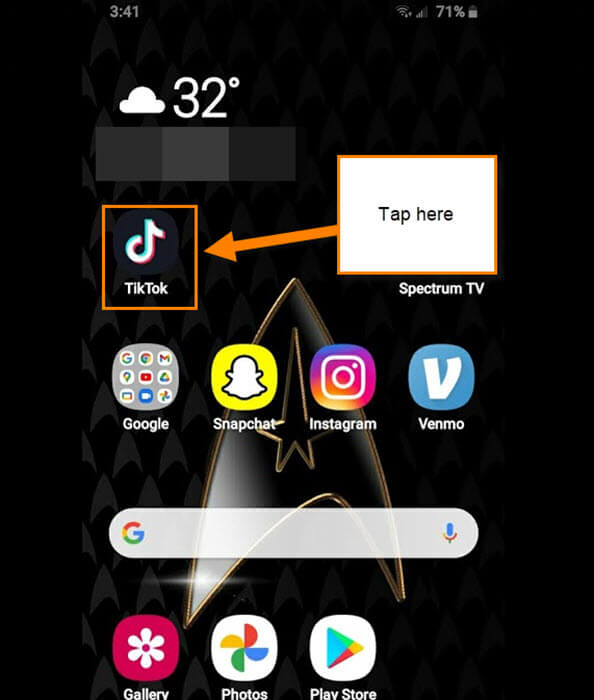
Step 1: Find the TikTok app on your mobile device and tap on it.
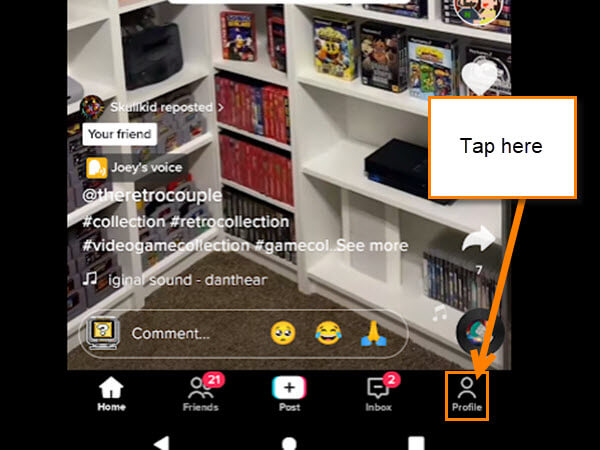
Step 2: Once on your account, look to the bottom right corner. You will see your Profile link, and you will need to tap it.
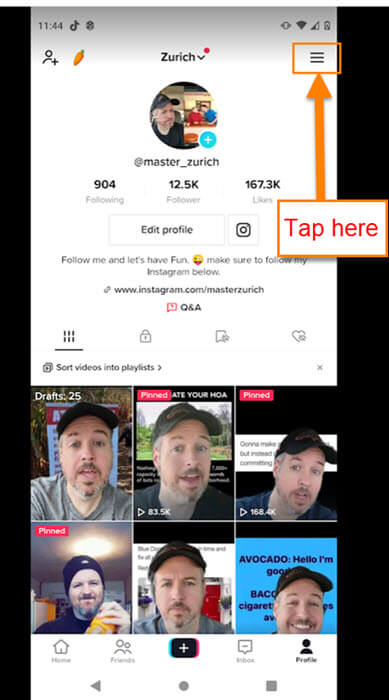
Step 3: On the Profile screen, look to the top right. There you will see 3 horizontal lines. Tap those.
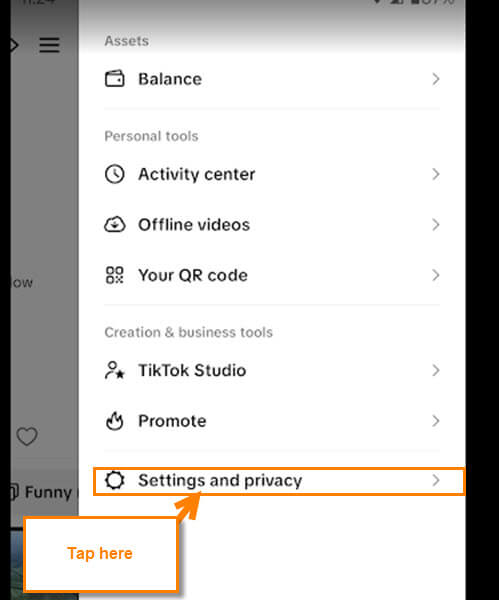
Step 4: A menu will appear, and on this menu, you need to find Settings and Privacy. This will be under the section called Creation & Business tools. Tap it.
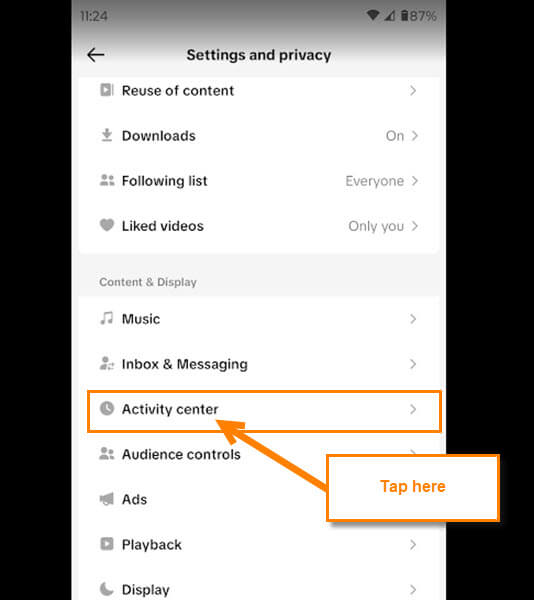
Step 5: Here, in the Settings and Privacy menu, you need to find the section called Content & Display. Under that, tap on the option called Activity center.
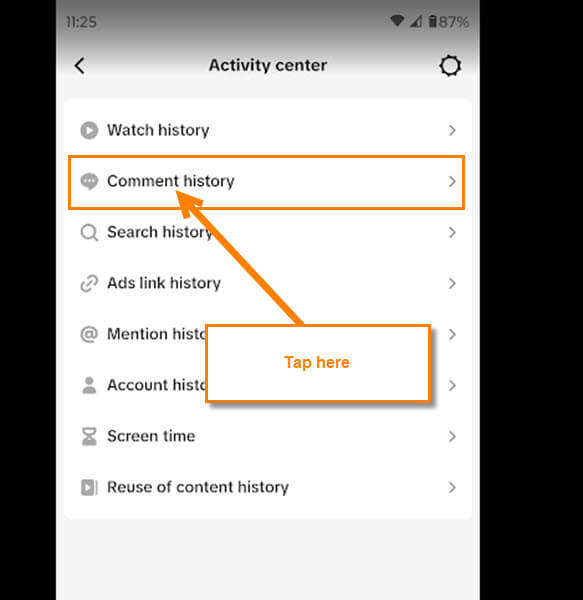
Step 6: The Activity center screen will appear, and they give you many choices, but we are looking for the Comment History one. Tap it.
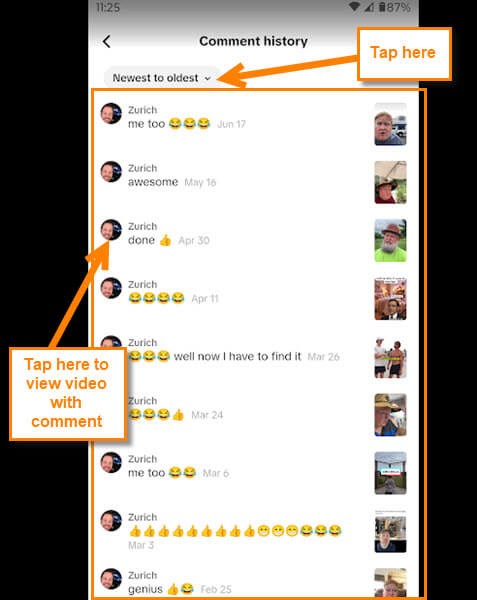
Step 7: Here are all the comments I have made on these TikTok videos. The two main options you have here are these:
- Filter – this is at the top, which shows Newest to oldest, or you can do oldest to newest. Tap the arrow next to the option, and you can choose
- Lastly, you can tap on the comment, and it will take you to the video with the comment on it
That is all they allow you to do on this screen. Wish they would offer more options like editing your post. What options would you like to see on this screen?
You have now learned how to find your TikTok comments that you left on those videos. Time to take your new knowledge and share it with the world.
—

Thanks for this helpful guide! TikTok’s comment history feature is useful for finding previously posted comments, especially for users who interact with lots of videos. It would be even better if TikTok offered more options to search, organize, or manage comments in one place. As TikTok continues to evolve, clear guides like this make its features easier for users to understand and navigate.