
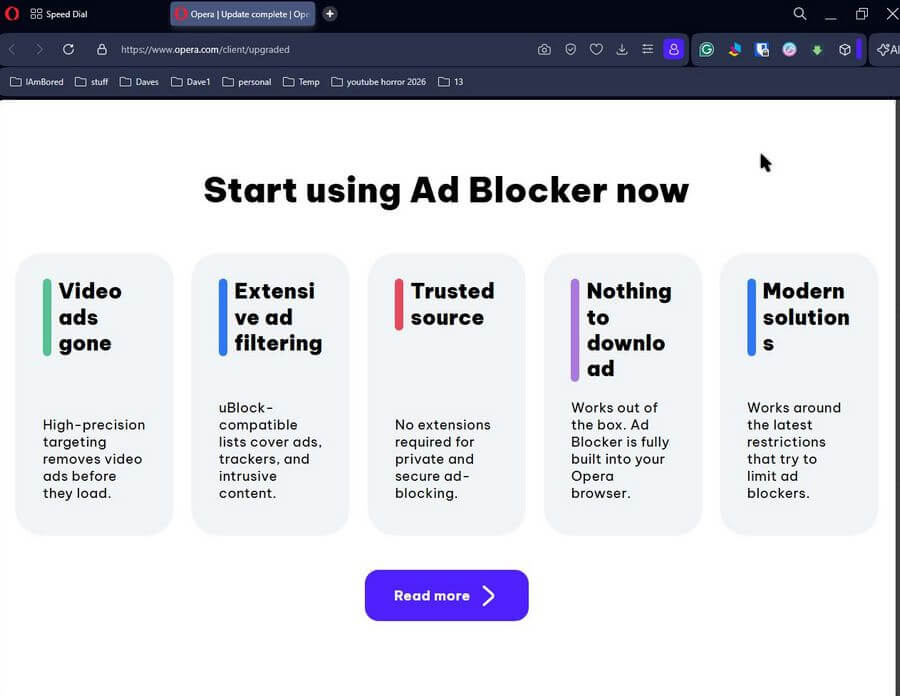
Opera updated today, and the main emphasis seems to be on their new and approved “Ad Blocker”. I’ll let their web page speak for itself:
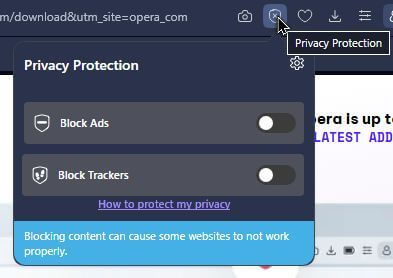
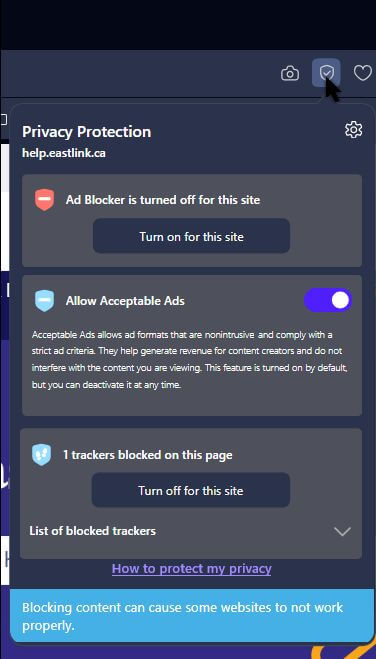
They also made it easier to access the controls to enable or disable them. When you open a web page, at the top of the browser window to the right, you will see an icon resembling a shield with a check mark. Click on that.
Click on the switches to “Block Ads” and “Block Trackers”. If you turn it on, you’ll get a second option to “Allow Acceptable Ads”. The page will automatically reload with ads either on or off.
This is from my Asus computer:
And this is what it looks like on my CyberPC, since I already had trackers blocked:
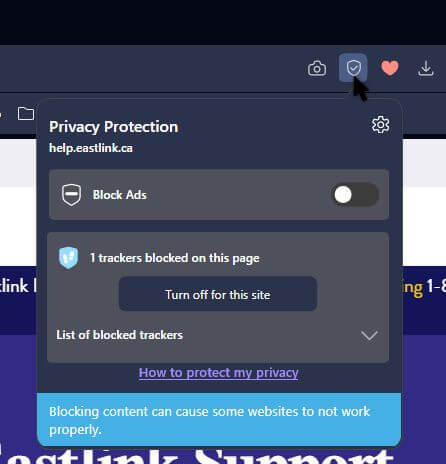
This is on a site-by-site basis:
I’ve considered advertising a necessary evil, and even though Opera has had an ad blocker embedded for years now, I’ve never used it. I don’t use any ad blocker. I do block trackers. Use at your own discretion.
Do you block ads? And what do you use? Let us know in the comments.
Note: Just tried it on YouTube; it might be temporary, but it seemed to block the ads without warnings.
For more Opera articles, search here.
For more Ad Blocker articles, search here.
—
