How To Undo App Icon Changes Android
A few weeks ago I showed you how you can change the App Icon’s theme on your Samsung phone. After posting that I noticed that I had not shown you how you can undo this. It is good to know how you can change that
Last week I showed all of you how to change the Icon shapes on Motorola Edge Android. If you missed that one, or another one, here it is: How To Change Icon Shapes On Motorola In that article, you could change the bubble shape around
I took a week off and during that time I learned something new about my Motorola Edge Android phone. Do you know the bubble around your Apps? That can be changed to six to seven different shapes which is a great way to customize your
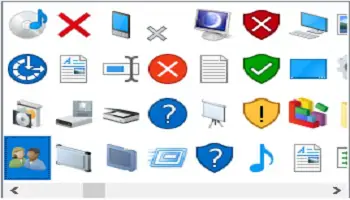
Make Icons Look The Way You Want The icons used in most of the software and applications in Windows are beneficial because most people can recognize an icon quicker than only small text. However, Windows tends to make most of its icons blue for some
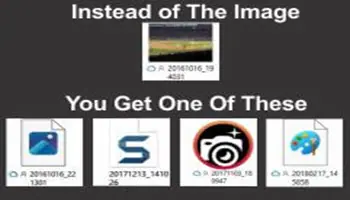
Fixing Blank Icons Have you ever experienced blank photo icons on your Desktop or in a Folder? Instead of seeing that thumbnail image of your last vacation, it appears as a blank image with an icon of the default application for opening photos on your
We saw how to create an icon for a single web page in my Elderly Computing article. Sometimes the icon that is created is an empty square– no picture. Let’s take a look at changing the icon to something else. Open your browser and locate
The Window Task Bar has an area which shows all the running background processes. It is known as the System Tray, or the newly named, Notification Area ( how hoity-toity). According to Bing, “hoit-toity” means haughty or snobbish, and that’s exactly how I respond to
Folders Microsoft used to call Folders Directories, but no longer. Now they are Folders, and sub-folders, and forever shall be unless of course, they aren’t. You never know what Microsoft will do regarding its naming conventions. You can do things with Folders in Windows 10
Over time, I’ve had a few people who have come to me because all of their icons disappeared from their desktop. Show/Hide Icons The solution is simple– right-click on the desktop and click on View. Then check the last option, Show desktop icons. If you
System Tray Icons If you have a lot of background programs running, you probably also have too many System Tray icons showing. This means you have two problems: You might have too many unneeded background programs running You have a very busy and cluttered System
System Tray The System Tray is what we used to call what is now officially known as the Notification Area. That has too many syllables and sounds too high-brow for my tastes, so System Tray, it is. The System Tray is that part of the
Shortcut Nagging Windows has all sorts of little annoyances and, for me anyways, one of them is the word “Shortcut” added to desktop shortcuts. Don’t ask me why. Maybe it’s because I’m already mad about being old and it doesn’t take much to keep me
Windows 10 Quick Tips – Remove “Shortcut” From Shortcuts Read More »
The section at far right of the Taskbar, which displays icons for active programs, is known as the Notification Area or System Tray. In previous Windows editions there have been 3 options available to manage these icons – Show icon and notifications, Hide Icon and
In the pre-windows 8 days it was very easy to customize things like icon spacing. It was just a case of opening up the Classic Appearance Options where you could play with the windowmetrics. But Microsoft, in their infinite wisdom decided to remove that option
Windows 8: Change/Customize Desktop Icon Spacing Read More »