

I signed up for YouTube Premium a couple of years ago because where I live, it’s dirt cheap at around $3 per month. But I know that it’s much more expensive elsewhere, from $9 to $16. For me, the biggest plus is no more ads, which can be infuriating and pop up several times during each video. In fact, today, some fifteen-minute videos can have up to eight ads inside, which is absolutely ridiculous. But if you don’t sign up for YouTube Premium or Premium Lite, there are ways to enjoy it without the ads.
uBlock Origin

For years, Google and adblockers have been playing cat and mouse, and before I signed up for Premium, I used uBlock Origin, and it blocked all ads on YouTube as expected. However, it’s been a couple of years since I’ve used it, and with Google constantly finding ways to knobble adblockers, the likes of uBlock Origin have had to play catch-up.
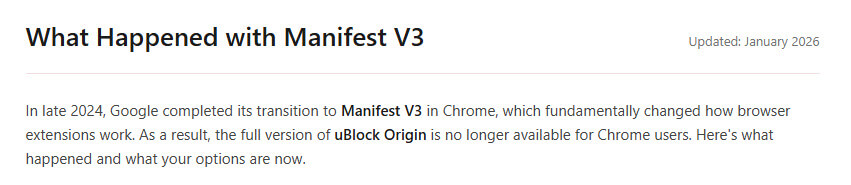
According to its website, the full version is no longer available for Chrome, and you have to use uBlock Origin Lite. It does, however, work with Firefox, Brave, and Edge. YouTube is actively cracking down on ad blockers, and some users may see warnings that video playback has been blocked, but from what I can gather, the most popular and effective is still uBlock Origin.
Other adblockers, such as the original AdBlock, are said to still work on YouTube, although, as far as I have read, you need to keep abreast of the YouTube crackdown because adblock extensions appear to need constant updates.
AdNauseam

AdNauseam has been around for over a decade, but in 2017, it was removed from the Google Web Store with the company saying that it violated policies and later flagged it as malware. AdNauseam describes its extension, built atop uBlock Origin and quietly clicks on every blocked ad, registering a visit on ad networks’ databases. The key to it is obfuscation of browsing data and protecting users from tracking by advertising networks, according to its website. In order to use the extension on Chrome, it would need to be sideloaded, but it does work correctly on other browsers.
Add A Hyphen To A YouTube URL

This is a weird one that I came across by accident. If you place a hyphen between the T and U of a YouTube link (not the share link), it will take you to youtube-nocookie.com. For example, with https://www.youtube.com/watch?v=ZPzUBLRmT0s you should adjust it to – https://www.yout-ube.com/watch?v=ZPzUBLRmT0s.
However, you would need to copy each URL for the video you want to watch because the site exists as a way for other websites to embed YouTube videos without having ads on the page or related cookies. I tried it on a clean Firefox install where I’m not subscribed to anything, and it worked perfectly without ads, but it is limited to only the video from the URL you chose. There’s no search function, no likes, comments, or similar videos. In fact, it’s quite pleasant not to be crowded out with all that stuff.
—

Thanks Marc
Sponsor Block and UBlock Origin play well for me together – at the worst I just get a whirring circle for a few seconds and then the video starts and I don’t see any more ads other than the ones inserted by the content creator – and even those are flagged and can be skipped although I rarely do that as I like to support someone who has actually made the content.
I don’t actually ever realise how many Google ads I am avoiding until I have to use a PC or Tablet without the ad-skipping – incredible then to see how many interruptions there actually are.
So suck on that Dark Lords.
Is this really safe. Not a redirect to a malware site, as some have suggested.?
I use Adblock360. It installs not in Chrome, but as normal software on your machine. It works pefectly with Youtube.
Hi Marc. I use all sorts of extensions including the AdGuard program, and now that you mentioned your trick, I too have no problem skipping commercials and/or ads on Prime, YouTube and Tubi, Mindblower!
Ultimately, the hyphen trick is a great “quick fix” if you’re on a public computer or just want to watch a single video without interruptions, but for most “power users,” the loss of features makes it a difficult long-term replacement. It doesn’t work if you’re watching YouTube on your TV.
I find it tedious to have to do this for each video. Tried adding a hyphen to the home page, but of course, it did not work. I do get full screen video this way, though. I like that.
Yes it is safe and the hyphen trick is fine for one or two videos and is not supposed to be a permanent solution, as I mentioned in the article.