

How to fix a maximized, non-resizable selection box in Opera.
When you save/upload an image (or anything else) in your browser, it opens a box to select the file to upload, or if you are downloading, it asks you to select a folder for the destination. I call this the selection box. Not sure if that’s official. 🙂
In my Opera browser, this box opens full screen. I could not resize it. Normally, I would grab the edge or a corner by moving my cursor over it, holding down the left mouse button, and dragging to enlarge or reduce it.
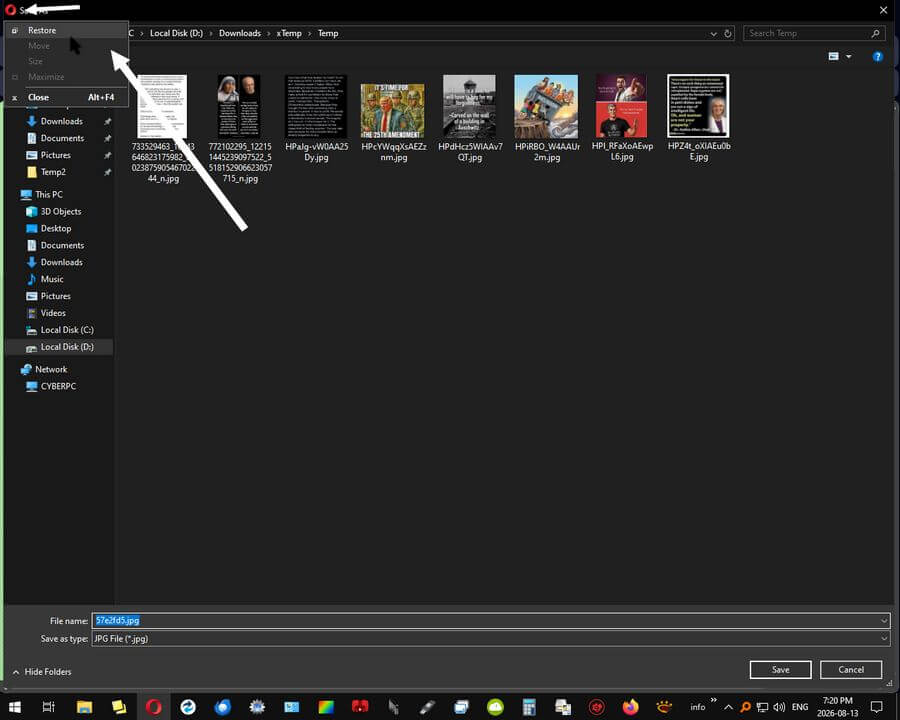
Now it doesn’t work.
Normally, I would go to the Opera Forums to look for solutions, but I couldn’t sign in. I couldn’t get past the CAPTCHA. I might not be human. 🙂
I asked the Opera AI assistant by clicking the AI icon in the top right corner of the browser. Some suggestions it made:
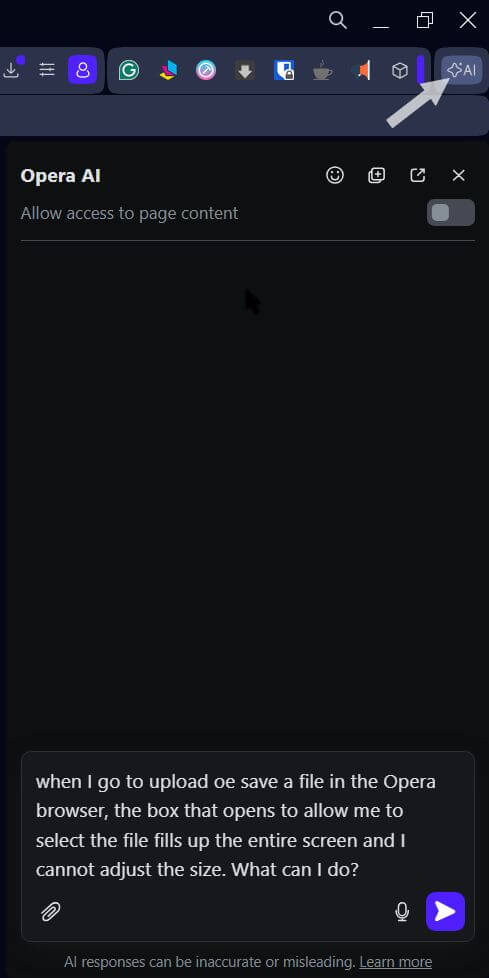
- Disable extensions – tried it – didn’t work
- Private window – didn’t work
- Try a different browser. I already did. Everything works in Firefox. So it’s an Opera problem
- Reset browser – did not try. This is Plan Z
- Restore the settings for the window. This is what worked. Here’s how to do it
I right-clicked a picture to save on a site. You don’t have to download or save anything. This is to force the selection box to open.
Now click the red Opera icon in the top left corner of the window. In the menu, click “Restore”. That’s it. It was set to “Maximize”. Not sure how that happened, but everything’s back to normal.
Note: I could still upload/save something, but couldn’t resize the box.
For more Opera articles, click here.
—
