How To Fix Printer Not Printing
My uncle called me because he had put new ink in his printer and it wouldn’t work. So I gave him a few suggestions, and it was the first one that worked. I told him to take out the cartridges and put them in again,

Articles related to Microsoft’s Windows Operating Systems
My uncle called me because he had put new ink in his printer and it wouldn’t work. So I gave him a few suggestions, and it was the first one that worked. I told him to take out the cartridges and put them in again,
When we get a new computer we think about what to do with the old one. In my county here in Florida, we have a club dedicated to refurbishing discarded computers for school children and veterans. We see on these crime shows how forensic experts
Windows 10 makes it easy enough to reset your network if you are having connection issues. Just type Network reset in the search bar and click on it when it appears on the menu. In the window that opens, click on the Reset now button.
Using the Command Prompt to turn off your Windows 10 computer will provide more options and flexibility than just using the Start menu and clicking the power button. There are several methods to shut down your computer in Windows 10. Below, you will learn the
In earlier iterations of Windows, you had to go to your Control Panel to preview fonts, opening each one to manage them. In Windows 10 however, most of the font functions have been replaced with easier to use options. Follow the steps below to see
God Mode is the name that was given to an option that has long been available in Microsoft Windows. It gives you quick access to most of the applets and commands from the Control Panel. So God Mode or Windows Master Control Panel is a
It’s not uncommon for people with desktops today to have multiple monitors set up, that is, more than one monitor hooked up to one computer. When I first experimented with this back in the early Windows XP days, I had to put two video cards
Windows offers the option of hiding file extensions. This might sound like a good idea on the face of it because it might cause less confusion for those who are less familiar with the way things work. Having file extensions displayed, however, is a way
Microsoft has sunk to new levels of bullying with its Windows S Mode. A woman brought me her new laptop to transfer the pictures and music from her old laptop to her new one. She brought two flash drives with her so part of the
This is one of those exercises that are completely useless in many practical terms, but it’s fun to do, especially if you have some 16-bit games laying around that won’t run on Windows 10. As mentioned in my previous article, My 10 Favourite Games Of
In the US, contrary to popular belief, there is no guarantee of privacy. Nowhere in the constitution is it mentioned. There are vague forms of it in some amendments, but it is never directly addressed. Do not be afraid– this is not a political diatribe.
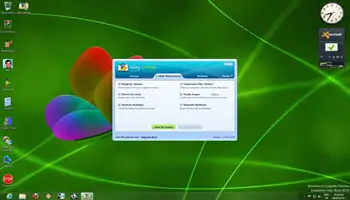
Glary is easy to use and with one click you can clean out the junk. If you want more tools, they are available. This article covers the basics. I will not drill down into all the features of this program. However, as you move through
Sharing A Keyboard And Mouse With Multiple Computers I recently wrote about sharing monitors, but it is possible to just share a mouse and keyboard. I used a program a long time ago called Mouse Without Borders. You must download and install it on all
Basic Computing 6 – Cut, Copy, and Paste It’s surprising how many users do not know how to use Cut, Copy, and Paste. Yet, of all the basic processes in Windows, Cut, Copy, and Paste are probably the most useful and important to understand and