How To Undo App Icon Changes Android
A few weeks ago I showed you how you can change the App Icon’s theme on your Samsung phone. After posting that I noticed that I had not shown you how you can undo this. It is good to know how you can change that

Articles that instruct or provide instruction
A few weeks ago I showed you how you can change the App Icon’s theme on your Samsung phone. After posting that I noticed that I had not shown you how you can undo this. It is good to know how you can change that
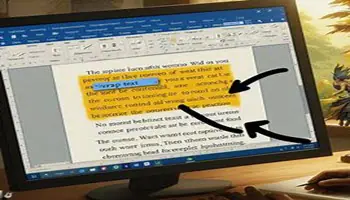
In my last post, we went over the basics of different text wrapping options. Today we will go a little deeper and go over some more detailed text-wrapping options. We now know that there are several options we can use: The first option is In
I have done other articles in the past touching on different types of illustrations, and breaks in Word, and how to add them to your documents. Somehow, I managed to forget to tell you about how to wrap text around them! So, as promised to
You may know from reading my articles that I play games with my kids. Some of the games we play are on Epic Games. As a parent, I like to keep my kids from playing games that are not age-appropriate. So this week, I decided
I was watching a video on password-protecting documents in Microsoft Word. Very brief summary – Save file, Then go to File -> Info -> Protect Document. Put in password, Reenter, and that’s it. I was curious if OpenOffice and LibreOffice had any similar features. They
Password Protect Documents OpenOffice/LibreOffice Read More »
This is yet another Windows 11 quirk, one that I discovered only recently. When you run Notepad in Windows 11 it doesn’t open a new/blank instance but instead will open a previously saved file. This, in my opinion, is strange behaviour and I have no
This last week at my day job my boss said I needed to edit book titles so they were under a specific number of characters. I said I would make sure to check that when creating titles and edit if necessary. At that time I
Ok, so I told you about adding page numbers to your footer in a previous post and promised to tell you about navigating sections in a following post. So this is it and it pertains to Microsoft Office 365 Word. If you have already created
Restoring the One-Click Option in Windows Explorer While I am a fan of Windows 11 and believe change over time is a good thing, I don’t believe adding steps to achieve the same results is a good change. Performing two steps when one step worked
I was setting up my mom’s new computer this week and noticed that the second hard drive was much bigger. The smaller one had the Windows operating system which is the C: drive but the other one had nothing on it. So I wanted to
You can connect remotely to another computer using the Chrome browser and an extension. You will need the Chrome browser, a Gmail account, and the extension, “Chrome Remote Desktop”. One downside to this method is that if you want to connect to someone’s computer remotely,
Google Desktop Remote – A Basic Getting Started Guide Read More »
One of the most important things I can stress is learning the basic quick keys. It is a skill set that will help you the most. Your mouse navigates around your screen easily, but if you can move around without taking your hand off your
For any device containing a lithium-ion battery, using it until the battery is almost to zero charge and then recharging until it is at 100% greatly reduces the overall lifespan of the battery. For devices that have very expensive lithium-ion batteries like electric vehicles, the
Last week I showed all of you how to change the Icon shapes on Motorola Edge Android. If you missed that one, or another one, here it is: How To Change Icon Shapes On Motorola In that article, you could change the bubble shape around