

A number of users have noticed that a new “SecureBoot” folder has been added following Windows 11‘s May update (KB5089549). The new folder is located in the Windows folder in the root of the system (usually “C”) drive, and it is not immediately clear exactly what it does.
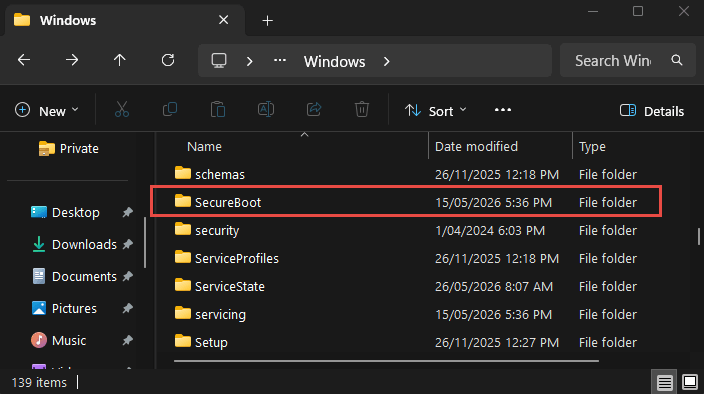
What Is This New SecureBoot Folder
You’ve probably read that some older Secure Boot certificates are due to expire in June 2026, and this new SecureBoot folder is merely a provision to help enterprise deployments update their certificates, as explained on this Microsoft Advisory Page:
This update adds a new SecureBoot folder under C:\Windows on eligible devices. The folder contains example scripts intended for organizations with IT professionals who actively manage updates across their device fleet. These scripts can be used to detect Secure Boot certificate update status and automate deployment via a safe rollout mechanism in an Active Directory environment.
It should be noted that only older machines with certificates issued in 2011 are affected, and users running newer PCs are not affected. Also, those affected users whose systems are managed by Microsoft with diagnostic data enabled will typically receive these certificate updates automatically.
Should You Delete The SecureBoot Folder?
No. The general consensus is that, even though it doesn’t do anything right now for home users, you should not delete the folder as doing so could potentially cause problems with future Windows Updates.
BOTTOM LINE:
There has been a lot written about the Secure Boot certificates expiring this coming June, but very few have actually mentioned that this only applies to older machines with certificates issued in 2011. So, now you know.
—
