

I’ve often sung the praises of Steam because of the many features it offers, but GOG goes one step further when it comes to offline play, DRM-free ownership, and classic game preservation. But one aspect of GOG I had never looked at is the offline installer. This lets you download the entire game for backup and to install and run any game you’ve bought through GOG without running it through the launcher, in this case the proprietary GOG Galaxy. In other words, completely offline.
How To Download Your GOG Games
Other game platforms and launchers allow ‘offline mode’, but GOG is the only one that offers true offline installers. You simply log in to GOG in your browser, hover over your account icon, hit ‘Games’, and all the games in your GOG library will be shown.
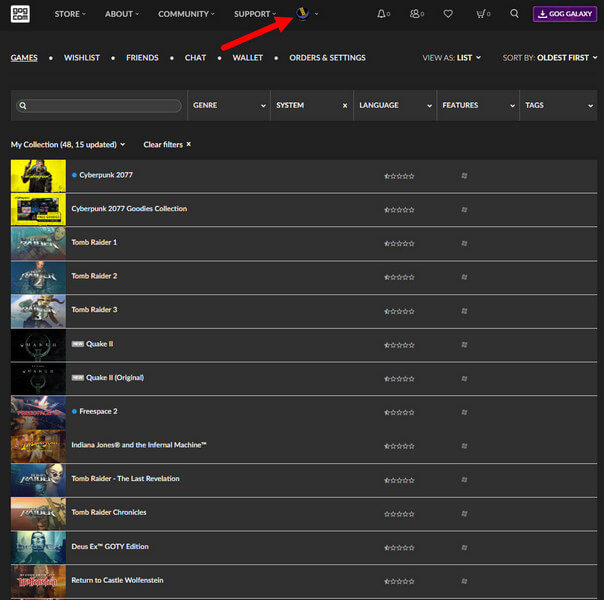
I was shocked to find that I have 48 games, many of them acquired free when I was with Amazon Prime. Next, click on a game and select Download Offline Backup Game Installers as per the image below.
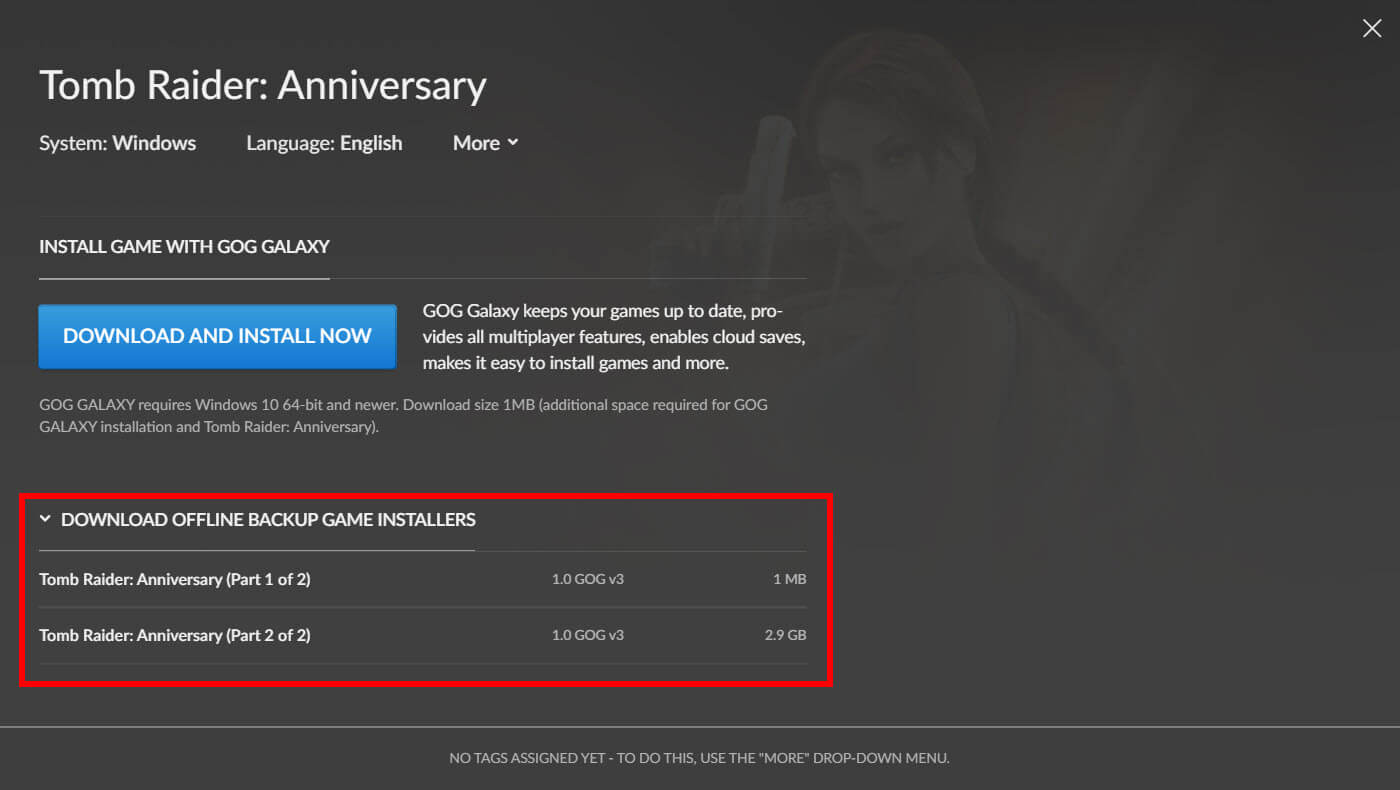
Download the files to any folder on any PC, either for archiving, installation, or both. In my case, I installed a couple of games, taking care to open each file in order (Part 1, Part 2, etc). The beauty of this system is that you don’t need to be online, or use a launcher, or be verified in any way whatsoever. This begs the question: How would GOG know if I have given/copied a game to a friend? Technically, the company wouldn’t know, but it relies on the honour system instead, of which there is still some about, believe it or not.
Both Tomb Raider: Anniversary and Medal Of Honor – Allied Assault are old games and take up very little space on my laptop, and installation takes just a few minutes.
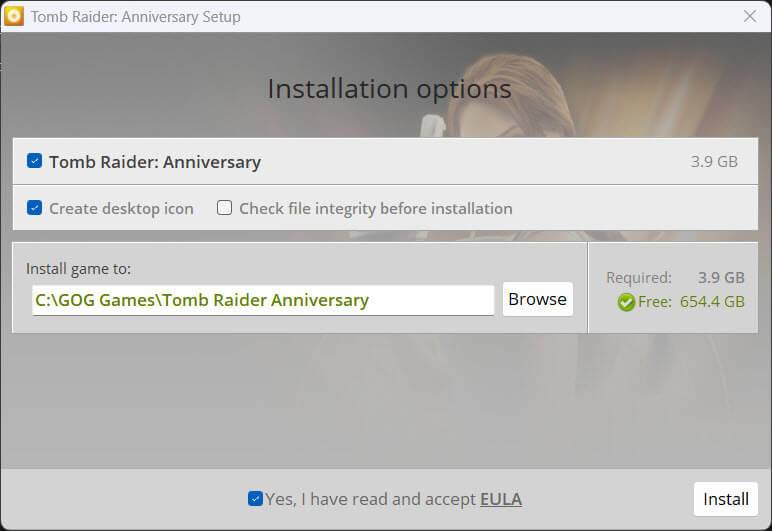
You can change the install location to one of your choosing.
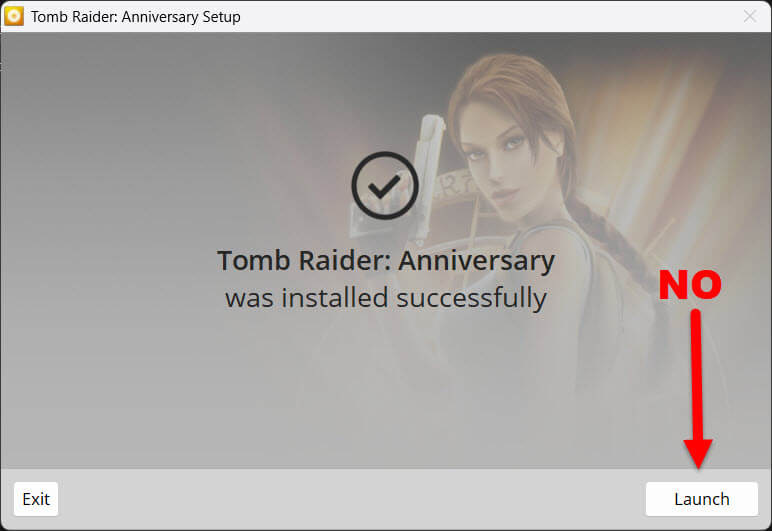
If you hit the Launch button when the installation has finished, the GOG Galaxy launcher kicks in, so if you want to play independently without the launcher, go to the game directory and hit the game exe from there. In fact, you don’t even need to have Galaxy installed. Easy peasy, lemon squeezy!
This is why so many gamers are choosing GOG, because a faith system exists and once you own a game, it can’t be taken away from you!
—

Thanks, Marc. I have GOG, but did not know about installing offline. I have enough trouble working through all the adds that take up almost half a page now. Seems to get worse as time goes on.
Glad I could help, Richard.