

Watch lots of streaming videos by downloading an online playlist. And yes, oodles is a real word. It means a great amount or number.
I came across these streaming playlists online. You will need a media player like VLC or PotPlayer that can play streaming media.
Warning: I don’t know how often these listings are updated. In some cases, they may be streaming pirated videos and channels. Make sure your security is up to date. And if you are still ready to dive in…
These are some of the links. You’ll need to copy and paste these into your streaming media player.
Main Index: https://iptv-org.github.io/iptv/index.m3u
Music: https://iptv-org.github.io/iptv/categories/music.m3u
Entertainment: https://iptv-org.github.io/iptv/categories/entertainment.m3u
Movies: https://iptv-org.github.io/iptv/categories/movies.m3u
Sports: https://iptv-org.github.io/iptv/categories/sports.m3u
VLC
Open VLC. Then click on “Media”, and then “Open Network Stream”. Highlight and copy one of the links above. Then, in the “Open media” box, right-click in the “Please enter a network URL:” field.
Then click “Play”.
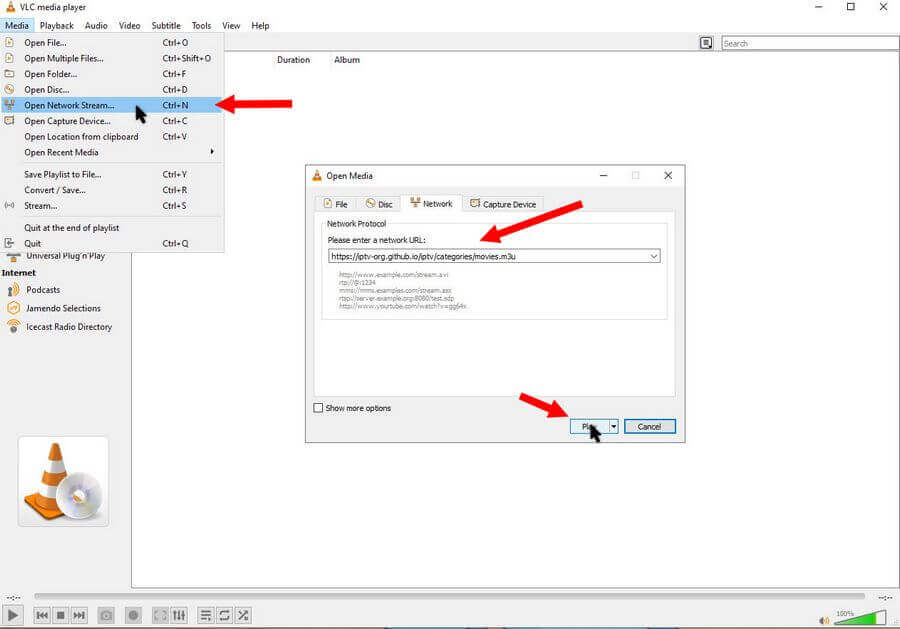
Because it’s a playlist, the first video should start playing automatically. Some links may be dead, so it should go to the next working one. Close any error boxes.
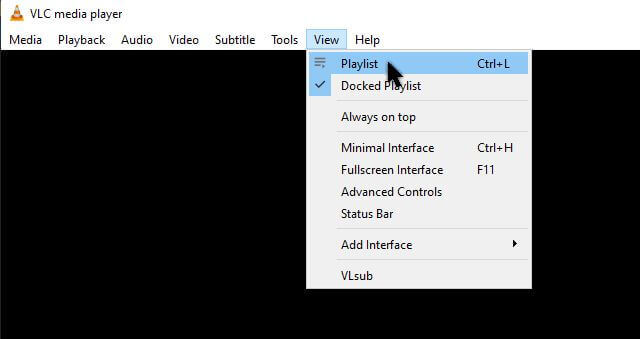
If you want to see the actual playlist, in the top menu, click “View” and then “Playlist”.
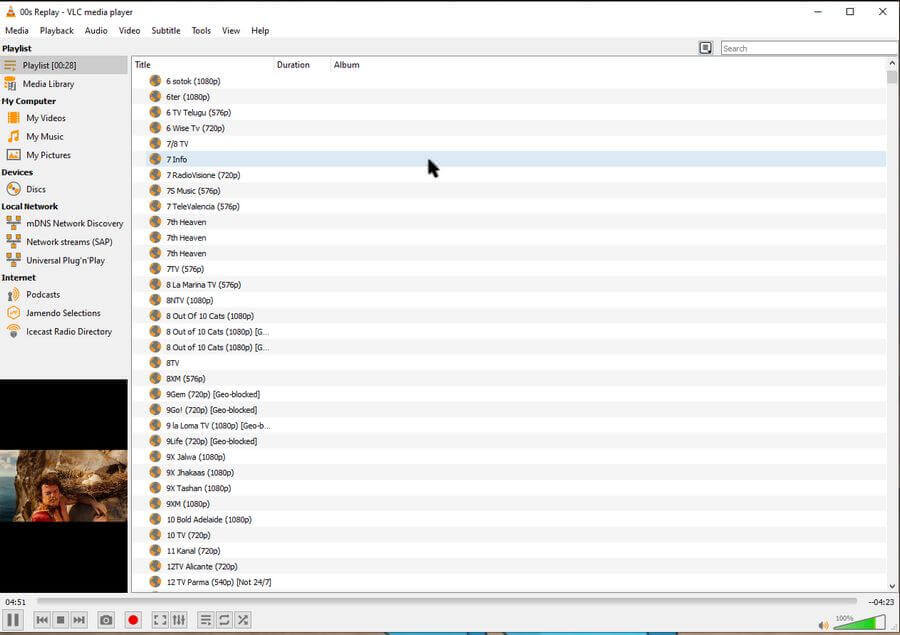
You should see the complete playlist. You can scroll down through the list and select something else to play by double-clicking on it.
PotPlayer
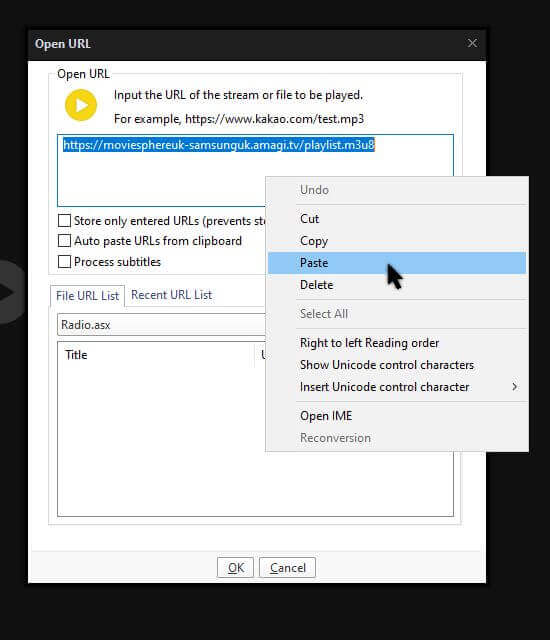
In PotPlayer, click “PotPlayer” in the top left-hand corner. Then click “Open” and then “Open URL…”.
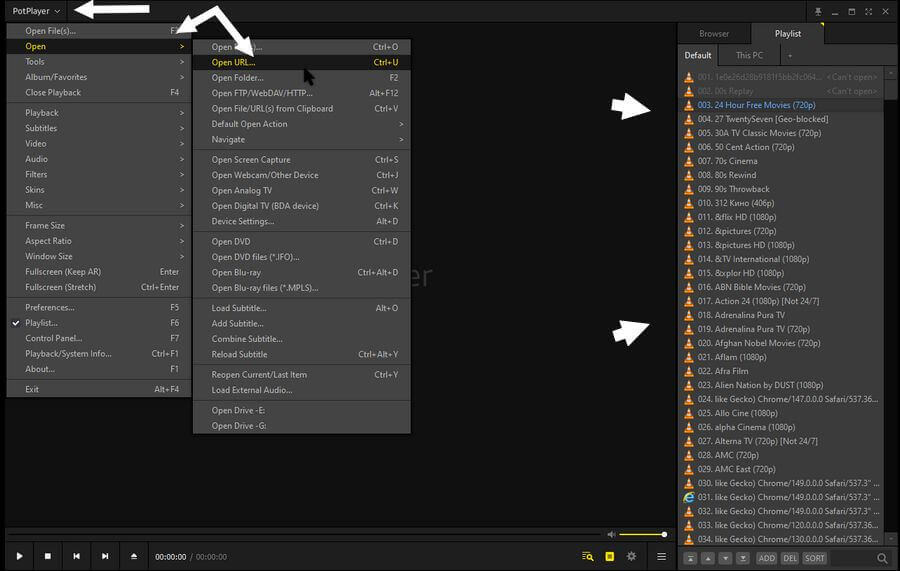
In the window that opens, right-click in the top box, then click on Paste. Now click on OK.
The playlist will appear on the right-hand side.
Again, close any error message boxes because the links are dead. Like in VLC, you can scroll down the list and double-click any link you want to try.
Something to play with until you get bored. I think I’m already done. 🙂
More lists and information can be found here: PlayLists
—
