

You hear a lot about AI, mostly negative, but some of it could be cool. The coolest thing I’ve done with AI was to animate a picture of myself.
I don’t know if this is the best service, but it is one of the first to come up in an online search.
GoEnhance
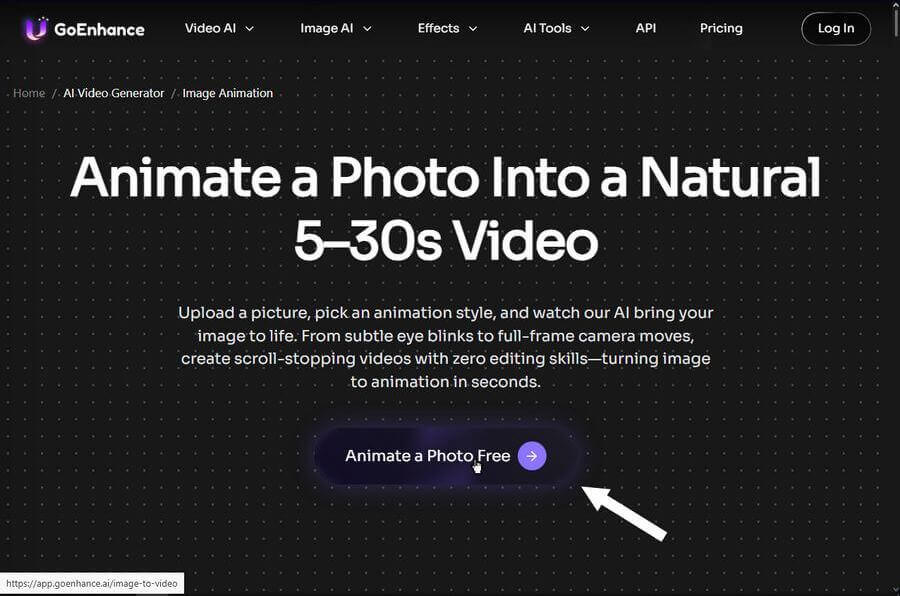
So, I went to the site and clicked on the first screen to pop up, “Animate a Photo free”.
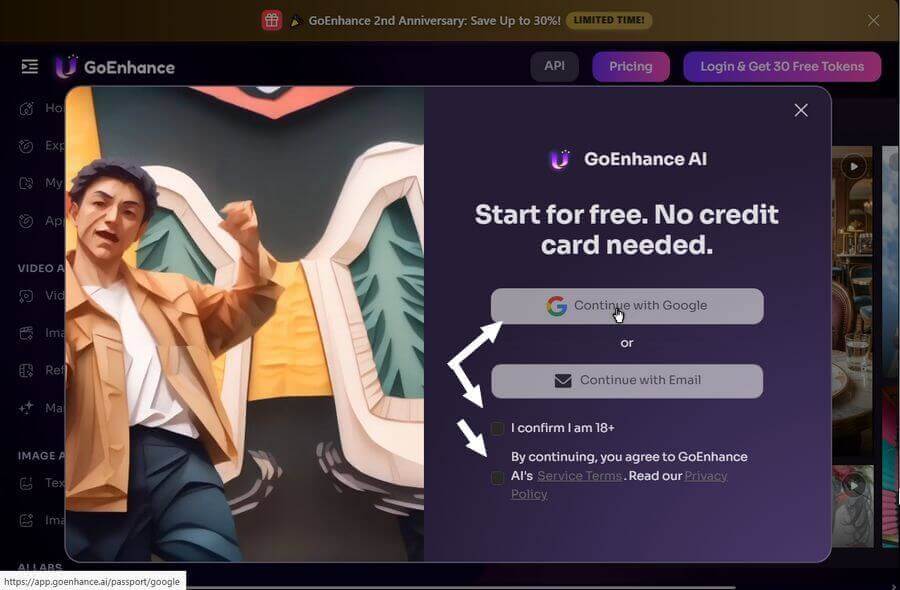
They wanted me to sign in. I signed in through Google by clicking on “Continue with Google”. Check the two bottom items first. “I confirm I am 18+” and “By continuing, you agree to GoEnhance AI’s Service Terms. Read our Privacy Policy” (but you know I haven’t 🙂 ).
I clicked the X to close the ad concerning the “Grok Imagine 1.5”.
Then your selections.
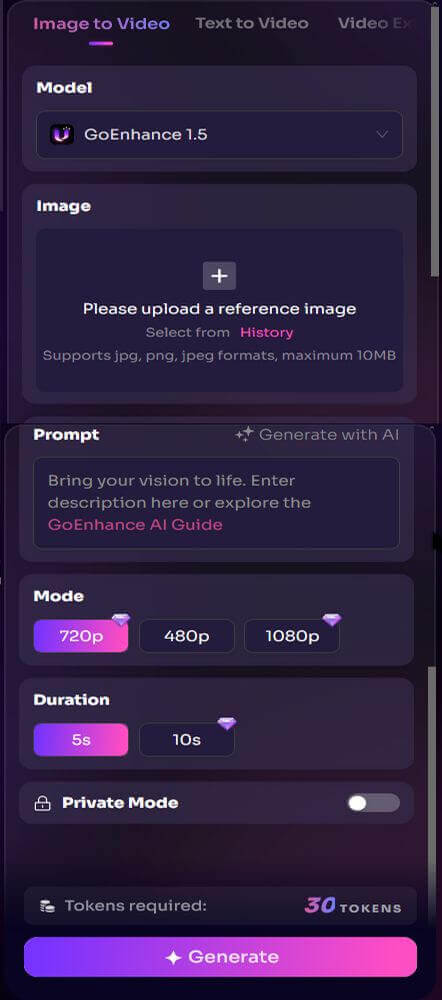
You can choose different “Models”, I left it on “GoEnhance 1.5”.
In the “Image” box, I clicked the + sign and uploaded a picture of myself.
In the “Prompt” box, I typed “look left and then right”.
In the “Mode” box, you can only select “480p” for the free version.
In the “Duration” box, only 5 seconds are allowed in free mode.
Then click on “Generate”. Now wait. You have 30 tokens to start, and this one took up 15. So I guess in free mode, I can only do this one more time.
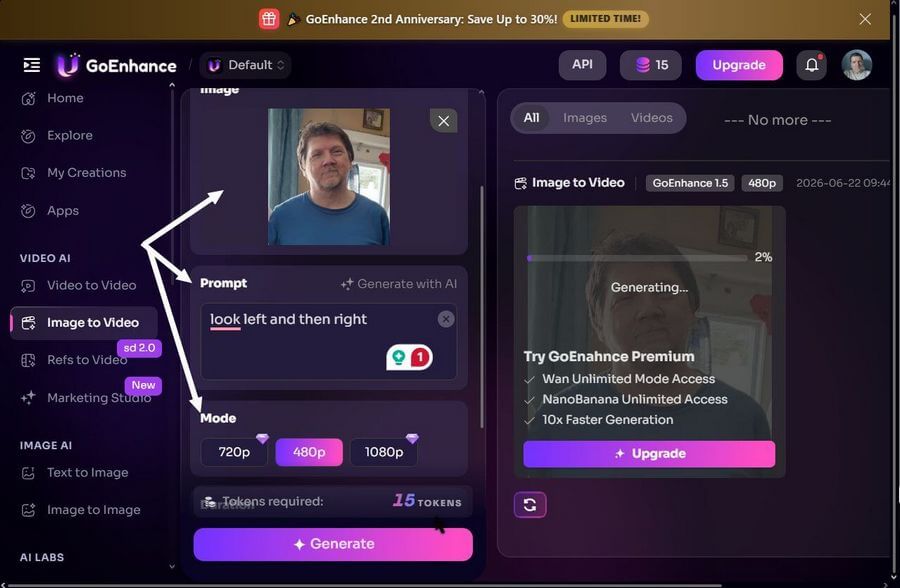
It doesn’t take long. Just a few minutes and it’s finished.
The result was an MP4 video with a resolution of 640×640. I was very impressed with the final result. Then I tried to save it. There was a download button, but the “Generate” button covered it, and I couldn’t access it. You can still right-click on it and select “Save video as..”. There is a share link, but it doesn’t seem to work. It creates a web link, but it doesn’t go back to the video. Probably, only for paying customers.
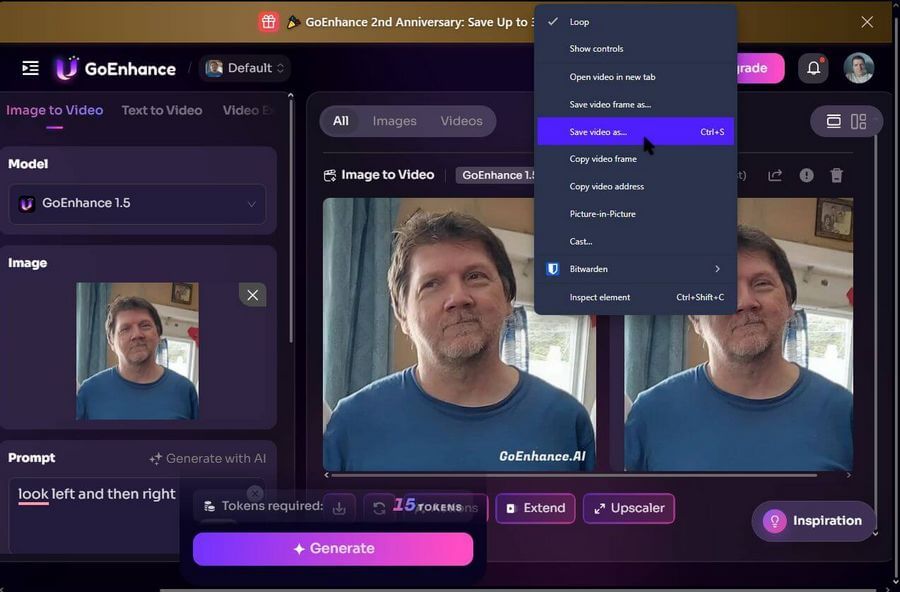
So here is a link to the final picture and video.
AI test. You might get the page not secure error, but it’s safe.
So, how have you interacted with our future AI Overlords recently? Not counting AI search. Let us know in the comments.
—

Thanks for the article. My issue these days is that virtually everything from image to video to adobe to whatever require the purchase of credits. Whatever happened to purchasing a software to use as much as we want locally on a computer? I have been looking at some open source apps that are pretty cool. Check out LTX2.3 to do some interesting image to video or text to video.