

Many years ago, I compared the cleaning ability of the then most popular junk file cleaners to ascertain which was the most effective. Many of those junk file cleaners have now disappeared, leaving only several of the original popular titles available.
So, here is an updated comparison between CCleaner, Wise Disk Cleaner, and the junk file cleaner tool included in HiBit Uninstaller. All are free and all with portable versions available.
Methodology
The methodology is simple; I ran an analysis scan for each on the exact same machine in the exact same state with each cleaner at default settings. No cleaning, merely analyzing, so each program is analyzing with the system in the exact same state.
Note: The reason PrivaZer has been omitted from this comparison is that after the initial scan, it doesn’t display the total size of files to be removed. No reflection on PrivaZer’s cleaning ability
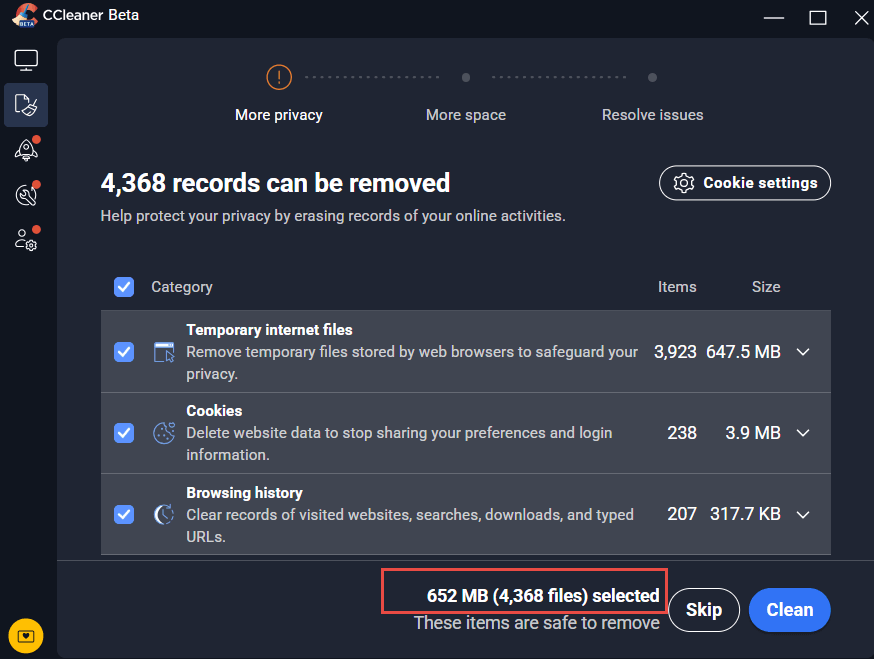
CCleaner Portable:
(click images to enlarge)
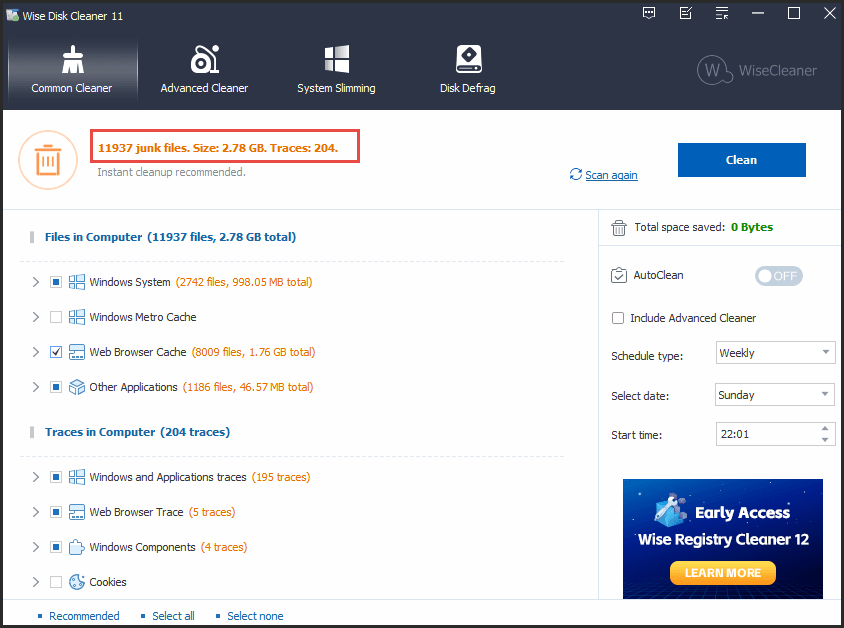
Wise Disk Cleaner Portable:
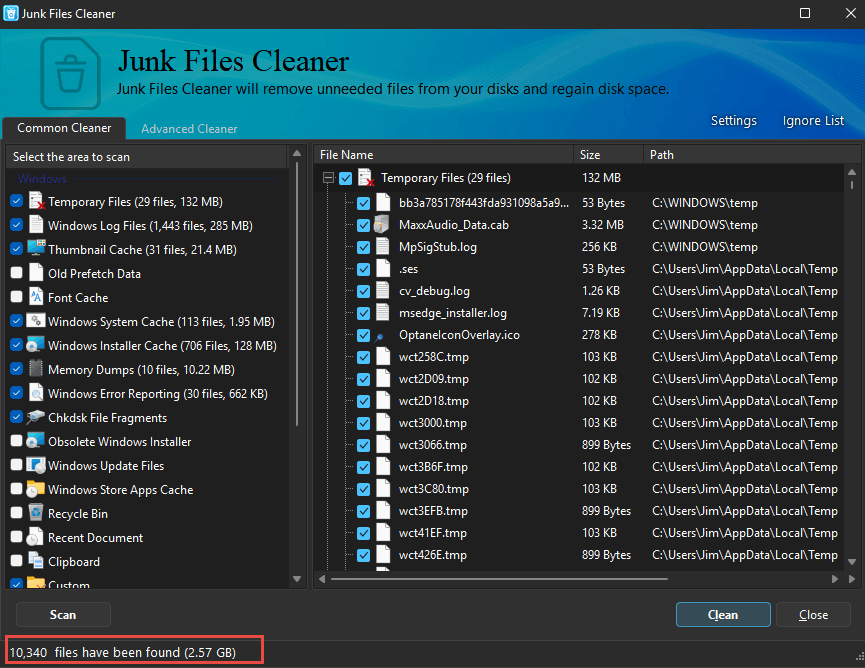
HiBit Uninstaller Portable – Junk File Cleaner Tool:
Results:
In summary: CCleaner identified 652 MB to be cleaned, Wise Disk Cleaner identified 2.78 GB, and HiBit identified 2.57 GB.
Wise Disk Cleaner on top, narrowly ahead of HiBit, with CCleaner a distant third.
A note on CCleaner:
I haven’t run CCleaner for ages and was dismayed when running through the opening windows; first a nag to purchase Avast, followed by a nag to update CCleaner to the Pro version.
Also, when I’d finished with CCleaner and closed it out, it was still running in the background. Clicking on its icon in the System Tray portion of the Taskbar did not present any options to quit. In the end, I needed to end it via Task Manager. Proving, to me at least, that since Avast acquired the software, it has gone way downhill.
BleachBit:
I’m mentioning BleachBit here because it is often recommended, but I am definitely not a fan. To find out why, please see my BleachBit Junk File Cleaner Review.
What junk file cleaner do you use?
—

Thanks Jim
I was about to complain about Privazer’s omission until I spotted the disclaimer – it shows found traces rather than file space to be recovered. It still reclaims space though just doesn’t tell you – except for the size of restore points that can be deleted and it’s amazing how much those restore points take up too ! I still prefer it and CCleaner has previously had questions raised about it’s security and telemetry.
If you are selling your PC and want a forensic cleaner to really ensure things can’t be recovered I would recommend Privazer over the other two even without the file size removal information. Alternatively there’s nothing stopping you running more than one on your PC !
Cheers
Reg
One of the overlooked junk cleaners which I have used over a decade is System Ninja by Singular Labs.
Problem in the past with CCleaner forced an opt out in the settings from certain processes. When this developed I switched to the more privacy protecting software. It is lean with best configured settings as preset and which I have not modified.
It is safe for solid state drives deleting empty file folders and other miscellaneous “junk” in a jiffy including the Recycle Bin without writing zeros to storage which wear out solid state drives.
The other functions are best ignored as there are more developed tools for their designated functions.
I am a fan and not a shill for any rewards for this simple straightforward app. So evaluate it for your needs and decide.
Thanks for the recommendation Baruch. There is no portable version available for free and I much prefer portable. Others might like to take a look at System Ninja though.
You are welcome and correct about preferring portable over installed. I despise hunting esoteric locations of leftover files from uninstalled programs. For that I use Regseeker by Hoverdesk.
And sometimes I need to do a DISM, SFC check to repair the OS for particularly stubborn removals.