

Windows 11 26H2 has started rolling out as an optional update, and it comes with three known bugs:
- Audio no longer works on some PCs – no sound
- Credential Guard-protected enterprise machine accounts might not work correctly, creating a sign-in issue
- Desktop loading issue (black screens) for Azure Virtual Desktop (AVD) hosts
Because of these bugs, some tech sites are advising users not to install the Windows 11 26H2 update. However, let’s take a look at the pertinent facts:
- The audio bug is the most common, but even it only affects “some” PCs
- The second bug – that can create sign-in issues – only affects enterprise deployments, not home users
- The third bug – that can result in black screens – only applies to Azure Virtual Desktop (AVD) hosts, which are as rare as rocking horse manure
Most importantly, these are all “known” bugs, meaning they have already been identified via earlier updates. For example, the audio bug was delivered via the September Patch Tuesday update.
So, if you installed the September update and your audio was not affected, then it’s highly unlikely it will be affected by installing 26H2.
Should You Install 26H2?
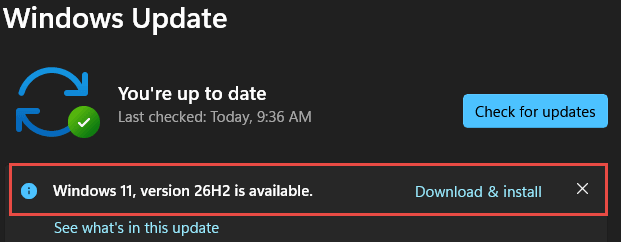
Considering the facts, my take on it is: if your Windows 11 is up-to-date, with all updates installed, and you haven’t yet experienced any of these bugs, it’s a pretty safe bet that your PC is not among those that are affected, and it’s safe to install Windows 11 26H2.
BOTTOM LINE:
In the end, it’s a decision only you can make. And of course, there is no guarantee that 26H2 won’t introduce any new, as yet unknown, bugs.
Coincidentally, the 26H2 update has just been delivered to both my Windows 11 machines while I’m writing this article. I’ve now installed the update on both machines, and this is what I can tell you:
- It took about one minute to install and then about another minute with the machine busy after loading
- There is absolutely no sign of any new features. Very disappointing!
- No obvious sign of any issues, but it is very early days
By the way, I created an image backup on both machines beforehand, and I suggest you do the same.
Will you install 26H2 right away or delay the installation until Microsoft fixes those bugs?
—

I’ve installed it Jim on my Windows system, I must say I am underwhelmed.
To me, other than the moveable taskbar, it’s just 25H2 with a few minor changes that most will not even notice. This will not be the version change that everyone is used to with a bunch of new bells and whistles.
Although I have not experienced any of the bugs you mentioned above
Hey Ed,
Thanks for your input, appreciated.
Hi Jim. I finally was able to install 26H2. What I did not realize is you need to have “Get the latest updates as soon as they are avaliable” switch set to ON. No problems so far, Mindblower!
I installed it before I received and read this article. However, I have not noticed any problems. One advantage (I think) is that 26H2 will extend the End of Life date for ongoing support and security updates from Microsoft.
“One advantage (I think) is that 26H2 will extend the End of Life date for ongoing support and security updates from Microsoft”.
That’s 100% correct Elliott. Please read: https://davescomputertips.com/26h2-coming-soon-what-you-need-to-know/
Thanks for sharing your experience, appreciated.