

If you’re running Windows 11, you’ll likely see an optional Windows Update KB5089573 ready to download and install.
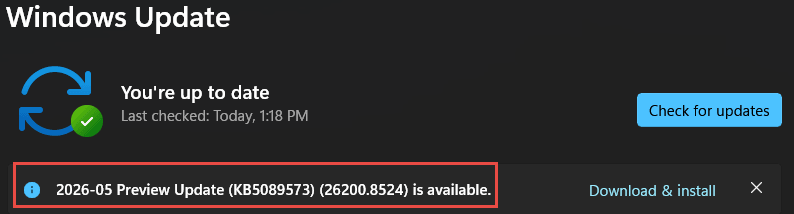
This update is part of Microsoft’s promise to concentrate more on making Windows 11 user-friendly and includes major performance enhancements, the most interesting of which uses something dubbed the Low Latency Profile.
How Low Latency Profile Works
When you click on something, such as to open the Start menu or launch an app, Windows automatically boosts CPU power in very short bursts to speed up these actions. And testers are reporting excellent results in real-world testing:
- App Launches: Up to 40% faster loading times
- System Menus & Flyouts: Up to 70% faster response times
- File Explorer: Smoother navigation, reduced lag in right-click context menus, and faster loading when opening large folders
The update also adds the ability to pair two Bluetooth devices simultaneously and includes updates to Task Manager.
How To Get Update KB5089573
If the update is not listed under Windows Updates, enable the option to “Get the latest updates as soon as they’re available” and then click Check for updates.
NOTE: Microsoft has said these enhancements are rolling out gradually, so even if you install KB5089573 now, you won’t see any benefit until the enhancements are enabled via a further update.
BOTTOM LINE:
On the one hand, it’s good to see Microsoft concentrating on performance issues rather than AI. However, on the other hand, the mere fact that these enhancements need to be applied in the first place speaks volumes.
—

NOTE: Microsoft has said these enhancements are rolling out gradually, so even if you install KB5089573 now, you won’t see any benefit until the enhancements are enabled via a further update. (End quote)
Jim, do you suppose this “further update” is that which we can expect on the 9th of this month, since it is the second Tuesday of the month or do you feel it is something off into the distant future?
Hey Nicke,
The enablement update is set to roll out gradually, meaning it will not be part of a usual mass delivered update but will roll out to different users at different times
So, it’s impossible to put an actual time/date on it.