

Windows 11 users should be seeing a new optional update (KB5132057) available via Windows Update. I’ll explain what this update includes and hopefully help you decide whether you should install it or not.
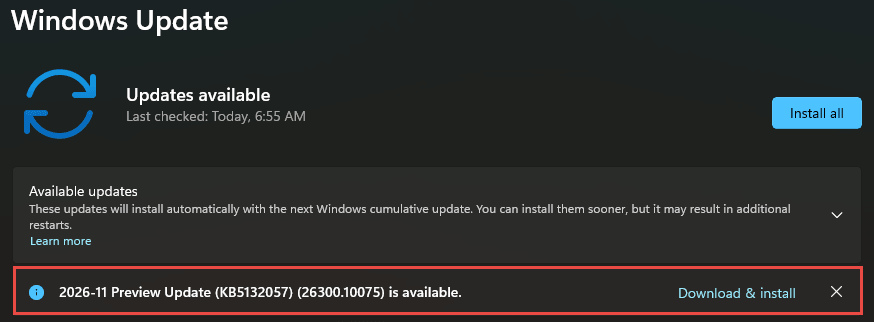
This is an optional update, so unless you have the setting to “Get the latest updates as soon as they’re available” enabled, it won’t install automatically.
What Update KB5132057 Includes
The main new feature in this update is a revamped Windows Search, which has been completely rewritten in WinUI. This not only improves performance, using 15-20% less RAM, but also allows for a redesign.
The new Search UI is smaller and has been changed to a single-list view, removing the right-side preview pane because, according to Microsoft, most users only click the results on the left and tend to ignore those on the right.
Search also gets a new feature called ‘inline actions’ whereby users can change a Setting directly from within the search panel. For example, if you search for “turn off camera”, the toggle will display within the search panel itself. A great idea as it eliminates the need to dig down through the Settings app.
The legacy Windows Run dialog has also been replaced by a ‘modern Run’ which, interestingly, has been completely designed by the PowerToys team. However, except for a minor performance upgrade, there is very little difference between the legacy Run and modern Run.
Other minor changes include:
- Users can now disable the Sticky Keys pop-up, which will be of interest to gamers
- Windows Hello facial recognition feature now automatically brightens the screen for improved identification
- A new mouse pointer indicator has been added, which can be enabled via Accessibility settings
- Five minor bug fixes
Should You Install KB5132057?
Unless one or more of these new features/changes is important to you, I would recommend not installing this optional update:
- Firstly, although not widespread, there are enough user reports of installation failures to warrant caution
- Secondly, there aren’t any really critical changes
- And lastly, if Microsoft follows its usual pattern, all these changes will be made available via the next Patch Tuesday update
As is its way, Microsoft will be rolling out these changes gradually anyway, so who gets what when is, as usual, an unknown factor.
—
