

We have a new feature on our TiVo cable service that allows us to watch four channels at once. To activate it, go into the TiVo settings.
Click on the TiVo button on the remote. The very first button on the top of the remote with the alien-like TV guy on it.
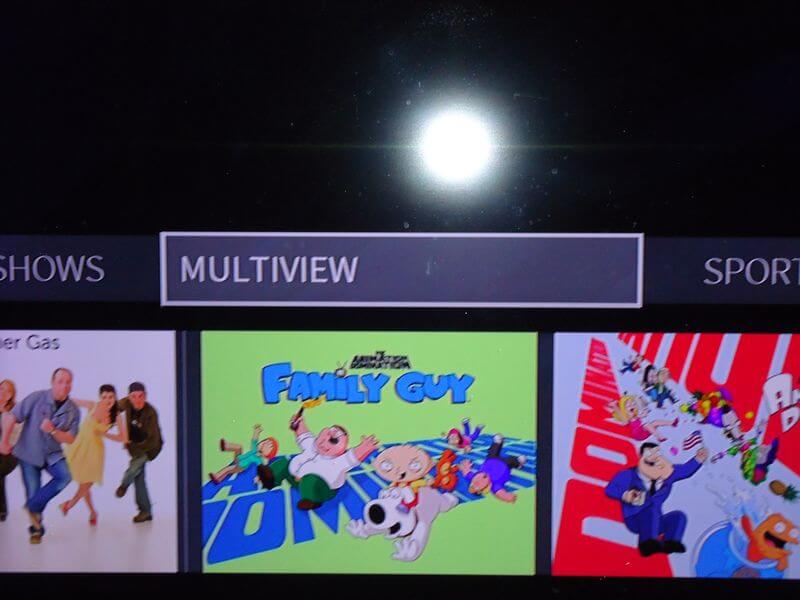
In the menu, scroll over to “MULTIVIEW” and click “OK” on the remote. Now you are watching four channels at once.
There is a white border around the top left screen in my picture.
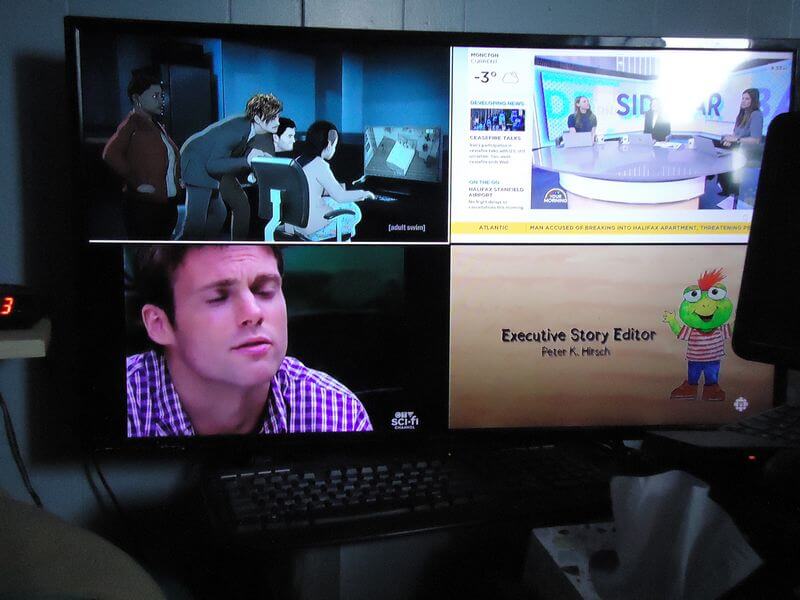
It’s a bit hard to see. That’s the active screen. The one you hear. You can only hear the active screen. Use the arrow keys surrounding the “OK” button on your remote to move to another screen.
You can also change the channels within each screen. Make it active by moving the white border around it and changing the channels as you normally would.
Suppose you decided to switch to just one channel. Highlight that channel and press OK on the remote.
Do you have TiVo? Do you have this feature? Or, most importantly, would you want it? Let us know in the comments.
For more TiVo articles, click here.
—

No, I don’t have it on my system that I have had since 11/27/2017. Would I use it if it was available occasionally but not daily.