

Did you know you can get adware on your system on your monitor? Here’s your best defence to stop it.
When you plug in a device, Windows automatically downloads and installs the drivers and other software from the device manufacturer. As I understand it, LG already started loading this extra software with adware.
So, what’s next? Your mouse, keyboard, cameras, external drives?
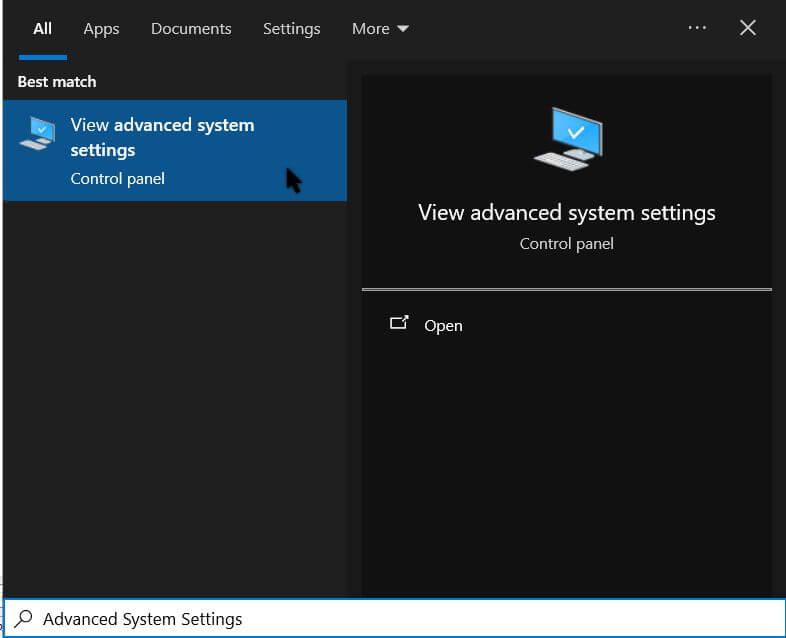
For now, you can disable this. Type “Advanced System Settings” in search (minus the quotes). Click it when it shows in the “Start menu”.
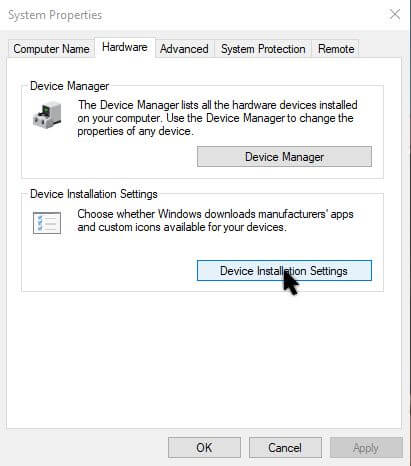
Click the “Hardware” tab and then “Device Installation Settings”.
In the box that opens, click “No (your device might not work as expected).
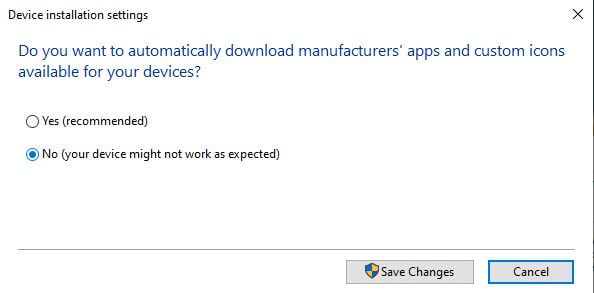
Then click “Save Changes”.
Remember this in case you do plug in a device and it doesn’t set up properly; come back here and reverse it.
—

Running Windows 11 Pro, I do not see the same as you when I run “Advanced System Settings”. When I search for “Advanced System Settings” I end up at System > Advanced. There is no “Hardware” tab.
In a run box, type sysdm.cpl or try typing in search “change device installation settings” (minus the quotes)
Thanks.