

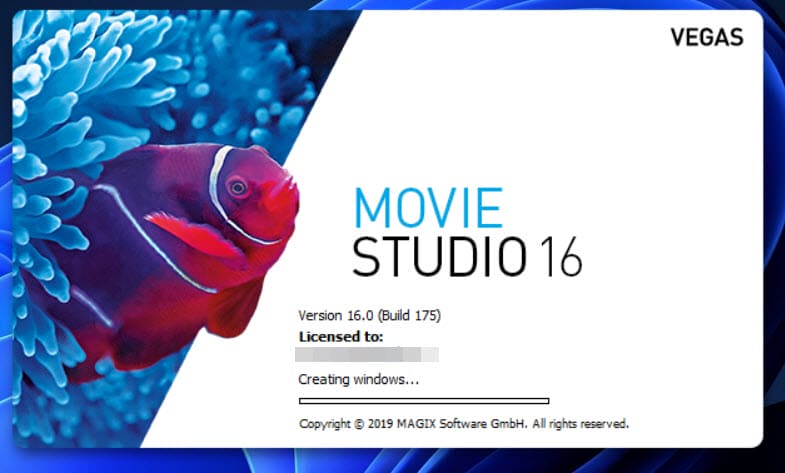
I’ve been using Vegas Movie Studio for several years, and it’s the first time it’s refused to load. I have Movie Studio Platinum 13, 16, and 17, and on this occasion it was version 16 on my laptop that got stuck on the ” Creating window” loading screen :
I used Task Manager to stop the loading and tried running it as Administrator, but that didn’t help. Anyway, a quick search revealed that it’s a known issue across all versions of Vegas Movie Studio and is usually caused by corrupted plugins, effects, and even corrupted preferences. There are numerous fixes available, so I went for the first and simplest, which was to reset the program to default values. This is done by holding down Ctrl and Shift while double-clicking on the Movie Studio shortcut, which brings up a reset option:
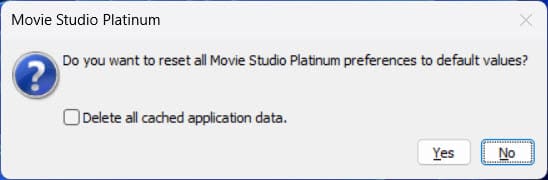
Check the box to delete all cached application data, then hit yes. With that done, the program loaded correctly and I was able to continue with editing yet another cat video. But then I began to wonder why this may have occurred. I had made some small changes in the program preferences, particularly regarding hardware-accelerated GPU rendering because the laptop has a Radeon RX 7700S 8GB GPU.
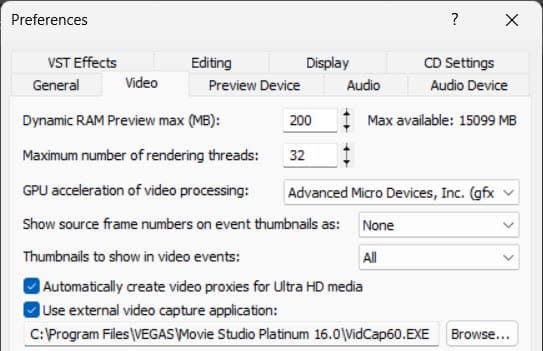
I then reactivated GPU rendering, and the program got stuck just like before, so at least I knew which was the culprit, and the only way, for now, is to disable GPU acceleration in this instance. I have version 17 installed on two other PCs with GPU acceleration activated, and the program loads fine on both, so clearly this needs more investigation. But for now, I have to use CPU video processing on this particular installation and will update this article when I find a definitive fix.
—
