
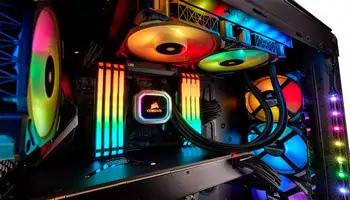
I put my CyberPC on the desk and am trying to turn off the RGB (the coloured lights inside the case). Here’s how…
I really don’t care much for RGB lighting. I know they are just LEDs and don’t use much power, but I always considered them a waste of resources. I only have them now because they came with the computer.
I moved my PC from under the desk to the top to try to keep some dust at bay. Also, there is easier access to the device in case something comes up. And something always comes up. This is why tech sites like this exist. 🙂
I’m one of those people where my office and bedroom are the same space, the curse of living in a small apartment. The lights can get annoying when you are trying to sleep. I don’t mind them in the daytime.
The RGB control on my CyberPC is hidden behind the top-front panel. On my ASUS, there is a switch on the back of the PC. I can open the panel, and just above the DVD is the “LED CONTROL” panel.
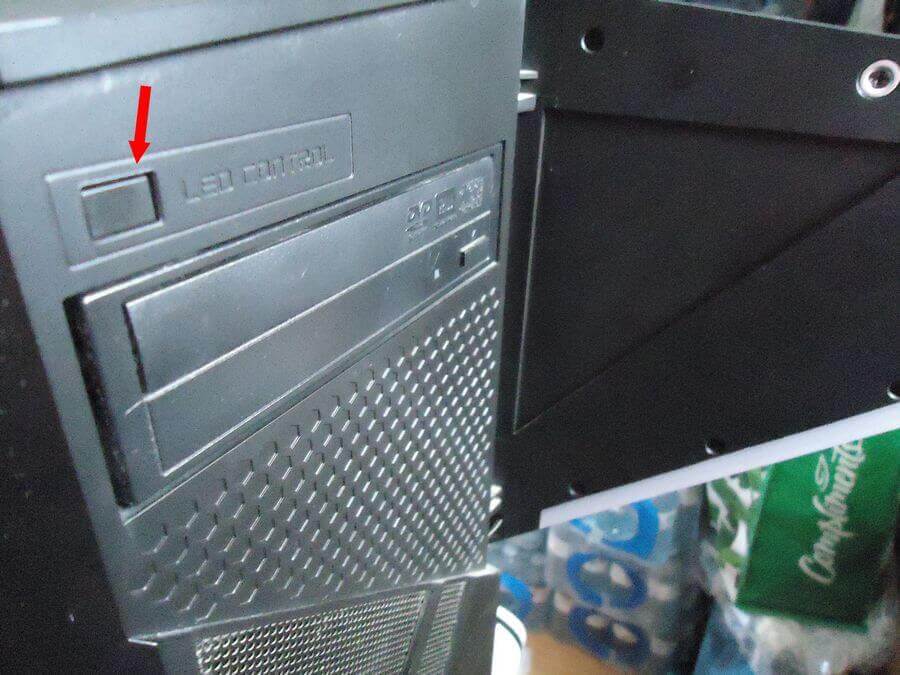
It allows you to cycle the colours from one colour showing at a time to all colours blinking randomly. Just click the button to change the colour. Or to keep it blinking. But I couldn’t figure out how to turn it off.
A quick check online and the only solution seemed to be to go into the BIOS… No, there had to be an easier solution.
A Reddit post gave me the solution. It was simple. Press and hold the button until the lights turn off. Click it once again to turn it back on.
Are you a fan of RGB? Let us know in the comments.
—

I’ve the RGB keyboard on this MSI Pulse laptop and actually appreciate it. I do like the ASUS Per-Key RGB (think that’s what it’s called) better because it gives more options as to colours. The old(er) ASUS has the pure white keyboard, which I like as much as the former or even better.
An interesting post that you put up here, Terry. Thanks.