

I like to save downloaded programs to DVDs/CDs. Then I keep a list of the programs on each disc. When I was typing up the latest list, the lines looked double-spaced, which I did not set up on purpose. I don’t understand why things change all of a sudden when they shouldn’t.
I’m blaming Gremlins. 🙂
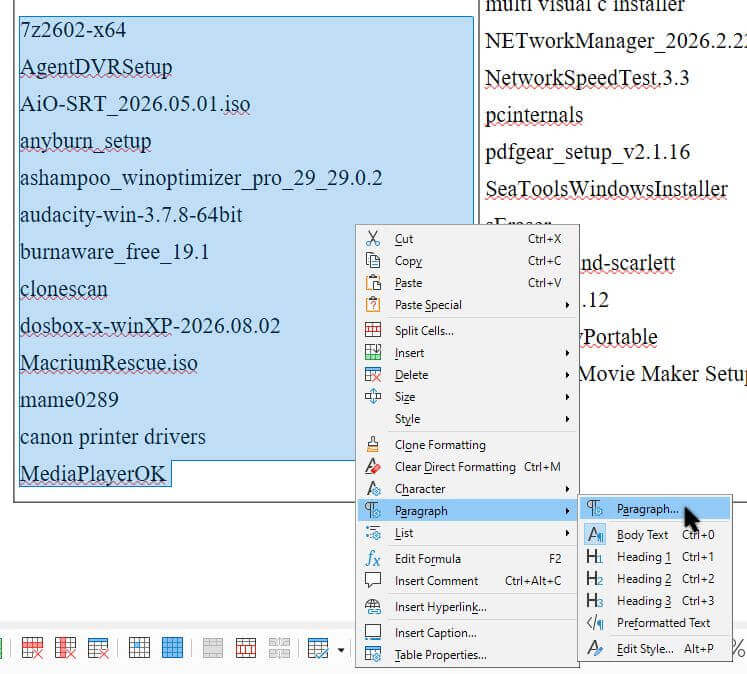
Anyway, a quick check online showed all I had to do was highlight the selection. Then right-click it, select Paragraph, and then Paragraph again.
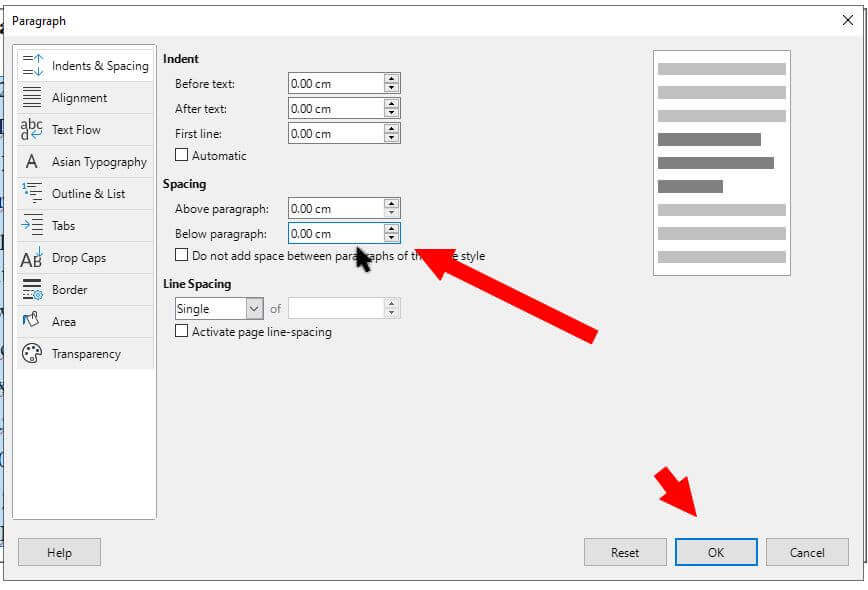
Then, in the “Spacing” section. Change the number next to “Below Paragraph” to 0 (zero). My setting was “0.23cm”, so I set it to “0.00cm”. It’s also recommended to keep “Line Spacing” on “Single“. Then OK.
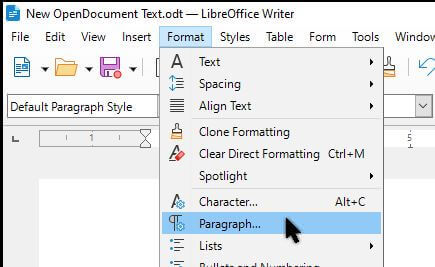
You can also access these settings by clicking “Format” in the top menu and then “Paragraph”.
The Before and After:
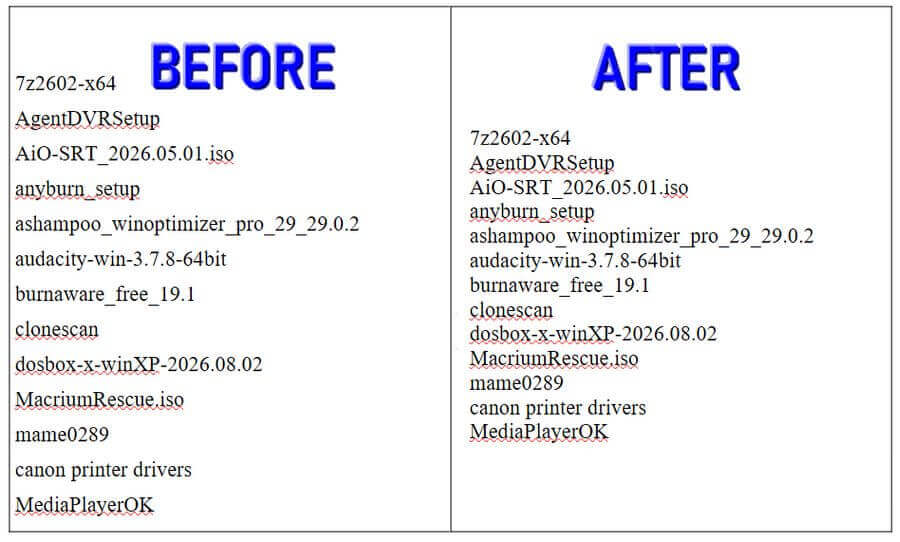
That did it. For more LibreOffice articles, click here.
—
