How To Reassign Mouse Button
If you ever want to reassign the left and right mouse buttons then I will show you how. This came up a few days ago when I was working on my laptop and main computer at the same time. I don’t know what happened, but […]
Articles related to Microsoft’s Windows Operating Systems
If you ever want to reassign the left and right mouse buttons then I will show you how. This came up a few days ago when I was working on my laptop and main computer at the same time. I don’t know what happened, but […]
In my last post, we went over the basics of different text wrapping options. Today we will go a little deeper and go over some more detailed text-wrapping options. We now know that there are several options we can use: The first option is In
Windows latest news – what’s in store. Microsoft has confirmed that WordPad will be removed via a future Windows 11 update. WordPad, the free native word processor, has been a built-in feature since Windows 95 but a future update will remove WordPad from existing builds
I have done other articles in the past touching on different types of illustrations, and breaks in Word, and how to add them to your documents. Somehow, I managed to forget to tell you about how to wrap text around them! So, as promised to
This is yet another Windows 11 quirk, one that I discovered only recently. When you run Notepad in Windows 11 it doesn’t open a new/blank instance but instead will open a previously saved file. This, in my opinion, is strange behaviour and I have no
Ok, so I told you about adding page numbers to your footer in a previous post and promised to tell you about navigating sections in a following post. So this is it and it pertains to Microsoft Office 365 Word. If you have already created
Copilot is an AI-driven app, with similar functionality to ChatGPT, that is already available in some Windows 11 builds and will soon be rolled out to all Windows 11 users. I believe Copilot will also eventually be rolled out to Windows 10 users. First off,
Restoring the One-Click Option in Windows Explorer While I am a fan of Windows 11 and believe change over time is a good thing, I don’t believe adding steps to achieve the same results is a good change. Performing two steps when one step worked
I was setting up my mom’s new computer this week and noticed that the second hard drive was much bigger. The smaller one had the Windows operating system which is the C: drive but the other one had nothing on it. So I wanted to
One of the most important things I can stress is learning the basic quick keys. It is a skill set that will help you the most. Your mouse navigates around your screen easily, but if you can move around without taking your hand off your
2023 will almost certainly go down in tech history as the year of AI. 2023 has seen the emergence of AI as the next big thing, with OpenAI’s ChatGPT and its offspring DALL-E image creator, plus Google’s Bard AI creating much interest and discussion. However,
Do you stutter, hem and haw, or use a lot of ums or ers in your PowerPoint show? I know many folks do and it is nothing to be ashamed of. The shame would be doing nothing about it! I am here to tell you
Rehearse Your PowerPoint Show With A Speaker Coach! Read More »
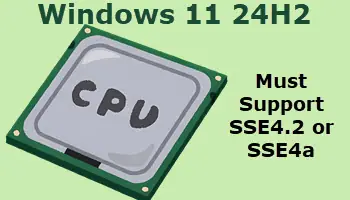
I have no idea if this is a local (Australian) thing or a worldwide trend, but I am seeing refurbished older PCs running Windows 11 advertised at very reasonable prices. Now, here’s the problem: many of these refurbished machines are fitted with CPUs that do
So in an earlier post, I told you about Bullets you could create using the Symbol Font. But there is more! One of my favorite fonts to use for bullets is Webdings! There you will find all manner of things to use such as spider webs,