

I used PowerShell to update all the programs I have installed. I had one problem with it. It broke my video downloader called “4K Downloader Plus“.
It would not open. I purchased a license for this and was concerned that this might have screwed it up. I figured I would have to get in touch with 4K tech support, but I didn’t. What I did was visit the 4K site and download the latest version. Ran the installation, and when it had finished, I ran the program. If that doesn’t work, then tech support it is.
Luckily, it retained all of my settings, including my licensing info.
So how did I get into this mess in the first place? If you want to update all your installed applications at once, you could use a third-party program like “Ninite” or use “Windows PowerShell“.
How To Set Up New Computer With Ninite
I used PowerShell. I opened it with administrative privileges. Then I typed:
winget update –all
And hit enter. Note: That is two dashes before the word all.
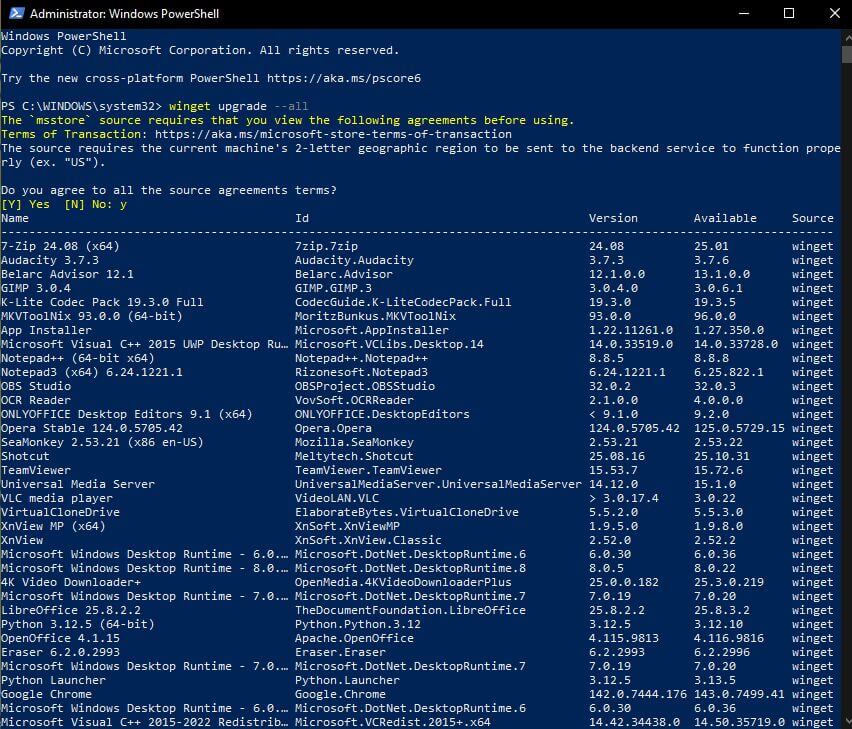
You have to agree with the source agreement terms by typing ‘y’.
Then it displays a list of all your installed programs and proceeds to download and update them.
There were a couple of programs that had trouble updating, like OBS Studio. It claimed the program was open, but it wasn’t. You might want to close all programs before running this.
So make sure you back up and use it at your own discretion.
For more 4K Downloader issues, click here.
For more information about Winget, click here.
—

Hi Terry. I use Patch-my-computer and so far no glitches with program updates, Mindblower!
Thanks, Mindblower. I’ll look into it.