
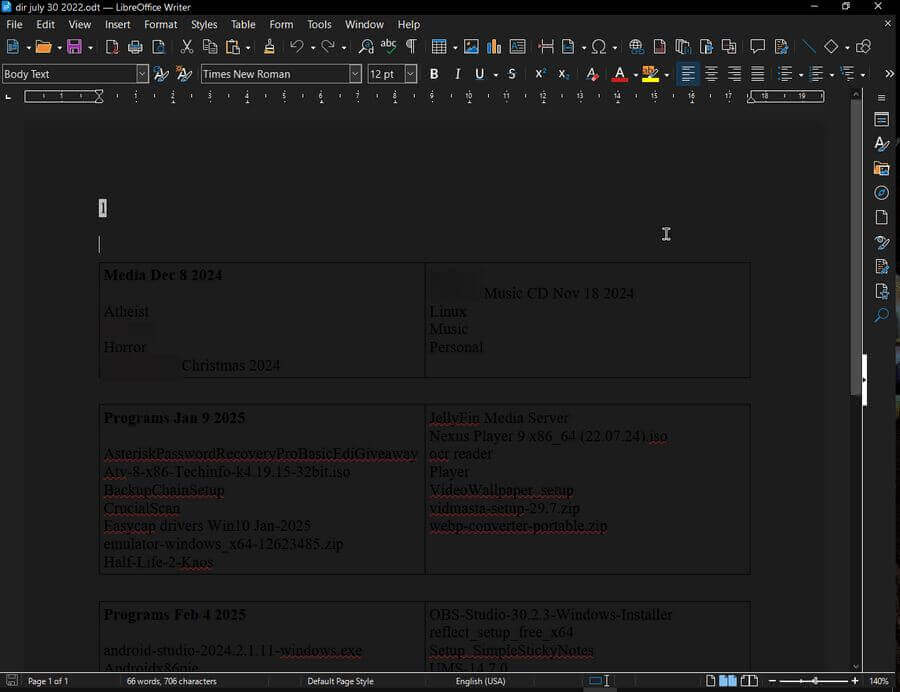
I opened a document in LibreOffice and saw a barely readable black document with black text. This is apparently from an update. It uses the system colour scheme to display documents, but it doesn’t work.
There is a quick fix.
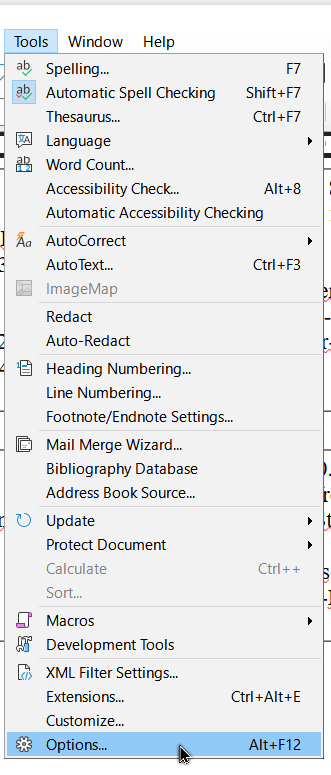
Go to the “Tools” menu and then “Options”.
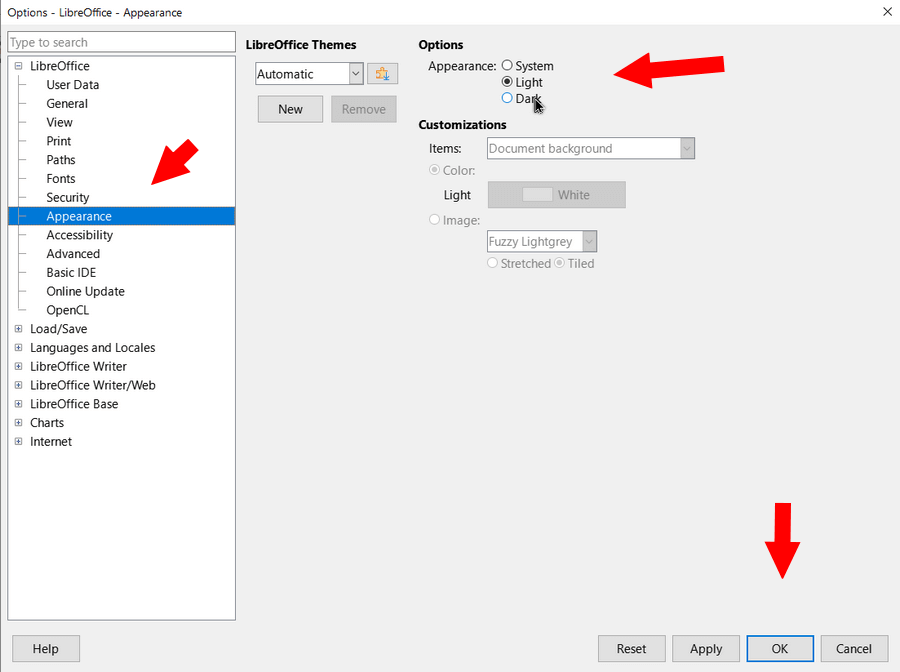
In the window that opens, down the left-hand side, click on “Appearance”. Then under “Options” and “Appearance” click on the “Light” option.
Then click “OK” at the bottom.
The colour scheme was still a bit off. A simple restart of LibreOffice cleared it out.
For more LibreOffice stuff click here.
For OpenOffice stuff click here.
—

Options doesn’t show up on MacOS
In MacOS the appearance settings is under general computer settings. It doesn’t show up under LibreOffice Tools.
Not a MAC user, but thanks for the info.
Thank you! I don’t know how mine got that way but it was driving me nuts! All fixed now.
Probably an update that set it as the default.
Excellent, needed this fix with LibreOffice Draw 25.8.4.2 on Ubuntu. Imported a PDF with normal (white) page background, and the page was rendered just as you described. Worse, it printed like that as if the page background was black. Your fix restored the correct appearance, and enable me to do a crucial edit, and print a correct result on white paper.
THANK YOU