

I’ve had numerous laptops over the years, mainly because they were shiny and I wanted them at the time. But I’m not a huge fan for numerous reasons, not least battery life, cooling, and how easily they break.
Protect Your Laptop
Writing this today, I’m reminded of the times customers bring their laptops to me for repair in nothing but a plastic supermarket bag or similar flimsy material. Sometimes I mention this to them, but the reply is that things are expensive enough as it is, forgetting that they paid anything between $500 to $1000 for their precious laptop, and a carry case or other laptop protective cover would cost just a fraction of that.
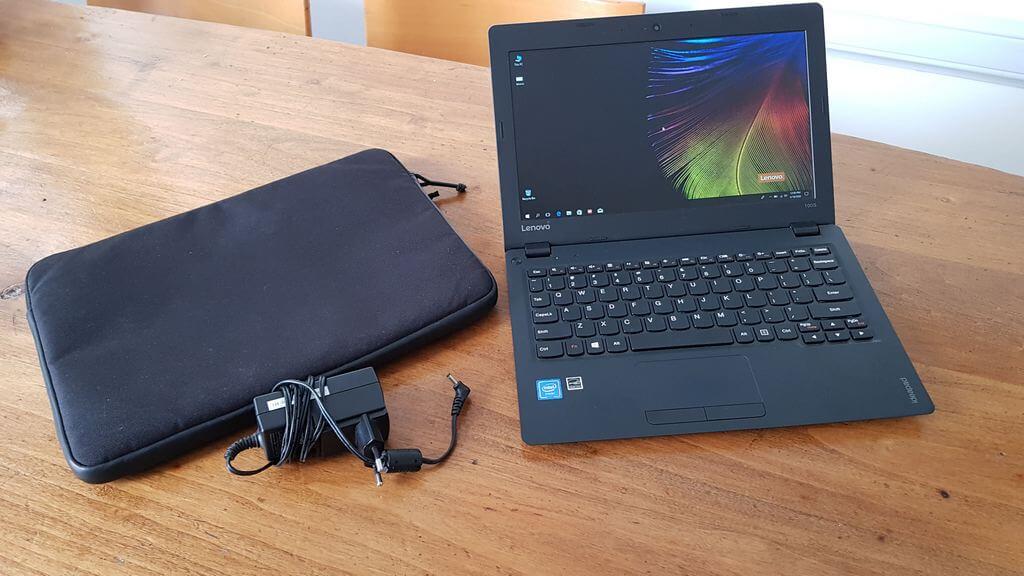
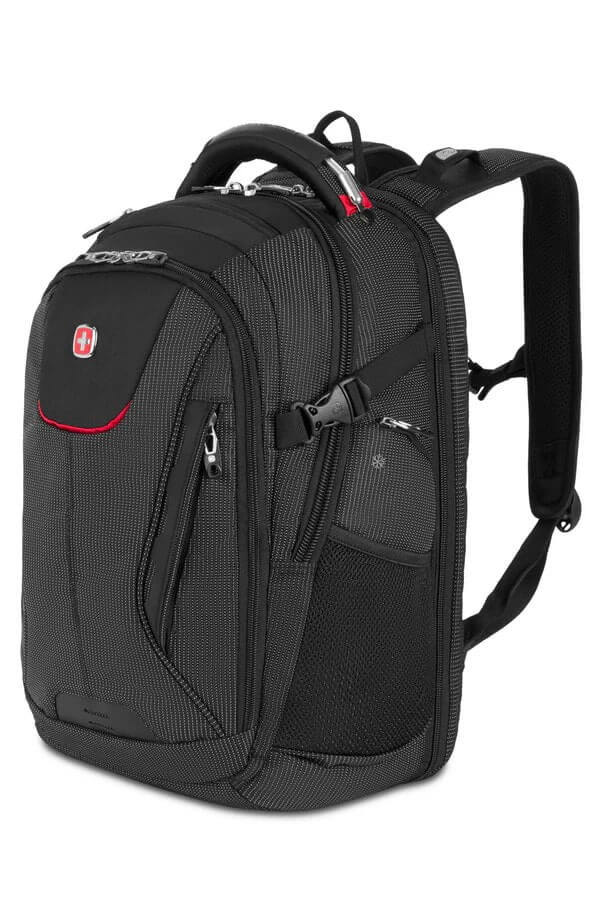
But there’s a limit to how much advice you can give to customers, so subtlety is required. Sometimes I show them what I use, which is a sleeve as shown above, which then goes into a padded backpack specifically designed for laptops. In my case, it’s a Wenger backpack used for travelling, but there are thousands of backpacks and sleeves available at reasonable prices. It’s not as if they can’t afford it either, because most of my customers are well-heeled.
In my experience, if a laptop takes a heavy impact or gets dropped, it’s usually on one of the corners, be that top or bottom, leading to a cracked body shell, broken hinges, or worse, a cracked screen. These kinds of repairs are not cheap, but can be avoided with the right care.
Try Not To Eat Your Dinner Over Your Laptop
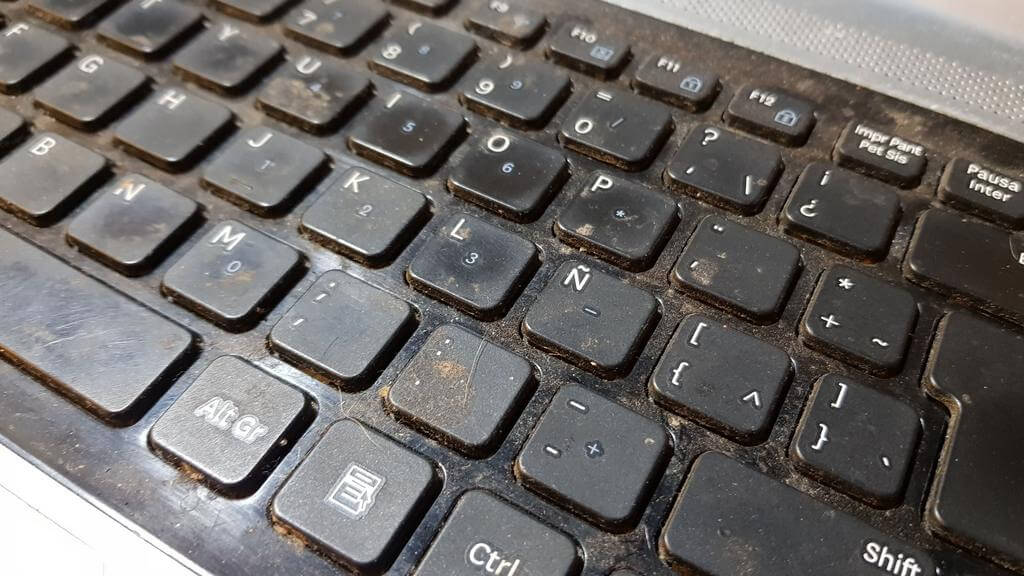
I’ve replaced numerous laptop keyboards over the years, usually from coffee or wine spills and even cat attacks where the moggy, for unknown reasons, has decided to rip the keys off. When they arrive in the condition shown above, I have to take the laptop outside and use a blower to fumigate it, but that is certainly not the worst scenario I’ve come across.
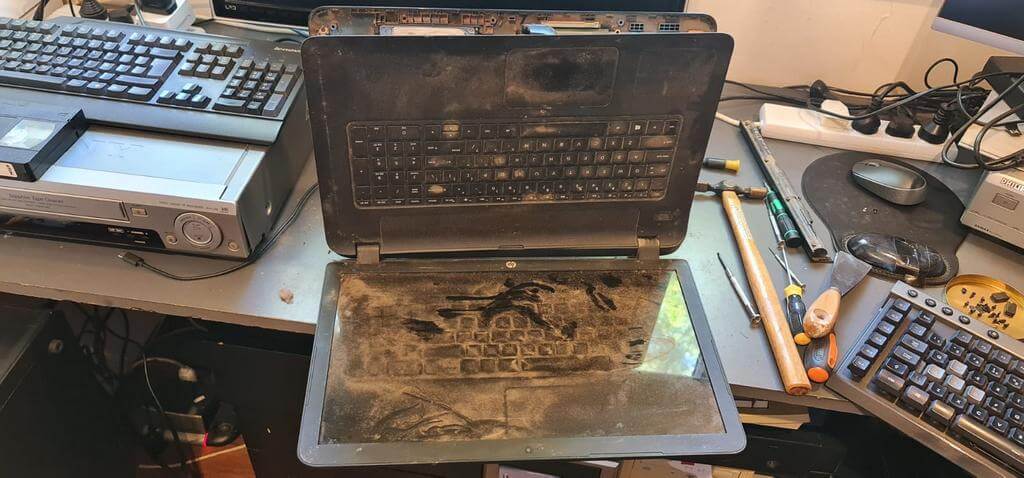
This is yet another example of those who don’t have a clue about caring for their laptop.
Take Care Of Your Battery
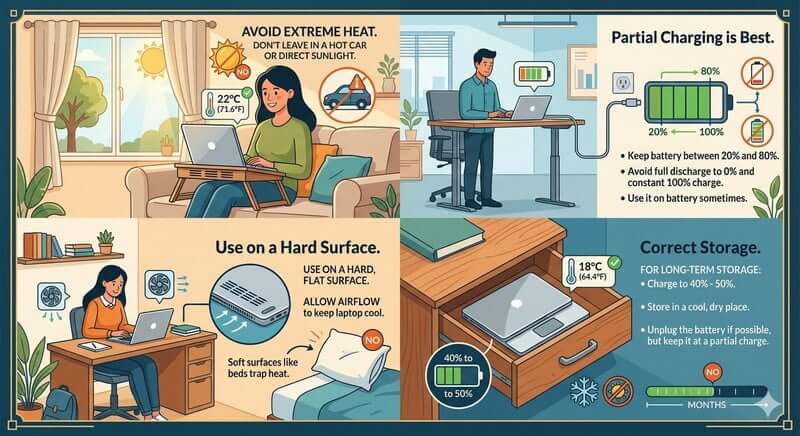
Laptop batteries don’t last forever; however, their lives can be prolonged with the right care. The general rule with modern lithium batteries is to charge them to between 20% and 80%, if your software allows. It’s also a bad idea to drain the battery to zero because this will degrade the battery’s lifespan. Just unplug it when it reaches 80%. However, with gaming laptops, which use a lot of power, you will need to keep them plugged in.
Let The Laptop Breathe

In most laptops, the air intake is usually on the underside of the machine, with the outlets being at the sides or the rear. For this reason, it’s not recommended to smother the air intakes by using the laptop in bed, for example. The lady shown above has the right idea, but most people who use them in bed place them on the sheets, which smother the air intakes, which leads to overheating.
Take Care Of The Hinges
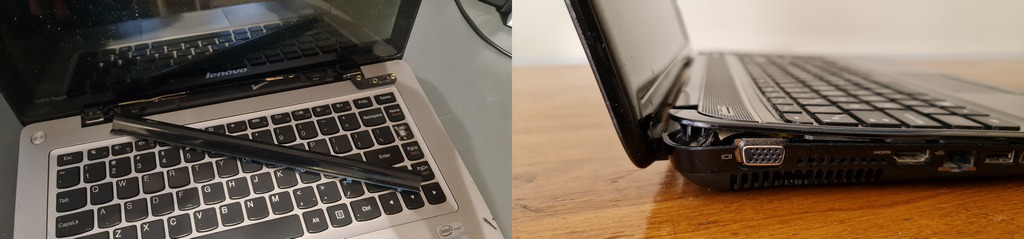
I’ve lost count of amount of laptops that have come to me with broken hinges, usually as a result of drop impacts and they are very difficult to fix. When you open the lid of a laptop, you’ll feel how much pressure is required to open it, but that’s by design to stop the screen from moving around. However, after a while, the lubricant in the hinges can dry out, thus increasing the torque and the pressure on weak points such as the anchoring points, often into the weak plastic casing.

My best advice would be to only open the laptop from the top middle of the screen, resulting in equal pressure on both hinges, which is what I now do.
What’s your experience with laptops? Please comment below.
—

Is there a way to lube the house hinges? My older Lenovo IdeaPad is gotten stiff in the hinges.
You would need to open the laptop for access to the hinges, but bear in mind that hinges are supposed to be stiff.
Oh yes I’ve used a few other people’s laptops with all the issues listed here.
My own last laptop is a HP. I have no idea what model, as it was a ‘rebuild for new’ sale item. It has a touch screen from years ago before touch screens were a thing.
People didn’t believe my laptop had a touch screen until I showed them. I’m in Australia.
So it was built about 2016 I think and I bought it for well under half price in late 2018. I suspect it was a display machine. Which makes its longevity even more remarkable.
I really didn’t expect it to last. Afterall HPs have been known to be cheap machines for a reason.
But last it has! Now it is 2026 and the darned thing is still working….. Well sort of anyway. The cursor fails regularly as I lean across its keyboard to use the touchscreen. Ino longer use a mouse at all. Then the touch screen also fails and I have to revert to keyboard shortcuts just to complete my task.
Then I close it for a while so the cursor can sort itself out, then it comes back.
But it has worked hard for me all through those years. All along it has had a very hard life. I am no fan of digital stuff being old enough to remember doing things well and ‘properly’ by hand. I can get VERY short tempered with digital stuff. Several mouses have met their fate against the wall in my hands. Or simply smashed into the desktop.
Even the laptop itself has not escaped my strong unforgiving hands. I have thumped the crap out of it many times when the work didn’t move along at my preferred speed.
Whether it was the abysmal NBN speed provided in Australia or a failing computer part, the poor laptop has copped it.
Yet it still works, albeit in a very modified fashion. Nowadays I don’t have a computer connection to my house having down sized significantly to a small house from my farm almost 3yrs ago.
So it has been offline for all that time.
I only keep my photos, the books I’m writing and a few other small things on it. None of which require internet. But it still gets backed up regularly and I keep extra copies of my current work on SDs ect.
So I would say this piece of supposedly cheap junk has well and truly earned its honest retirement. 🙂
Well, Clissa, your venerable HP deserves a comfortable retirement when the time is right!
I use my most recent laptop as a desktop after a wire next to one of the hinges broke on my previous machine due to closing and opening the lid every day. I have probably closed and opened the lid half a dozen times since getting the device three years ago.
I’ve had laptops brought to me to fix that look like they’ve been in a war zone. Then they wonder why they don’t work.