

DoNotSpy11 is a free application to enhance privacy in both Windows 11 and Windows 10. It was first released as DoNotSpy10 and the developer has updated the software so that it now also reflects Windows 11’s settings.
DoNotSpy11 Explained
DoNotSpy11 is a typical tweaking tool designed specifically to allow users to adjust settings relating to privacy. What I like most about this tool is its clear and comprehensive guides and descriptions, which help safeguard against users making erroneous changes.
DoNotSpy11’s interface is simple yet ingeniously informative. Down the left-hand side, all available adjustments are divided into categories, including Advertising, Apps, Defender, Privacy, Search, Start, Updates, Microsoft Office, and Windows AI. And on the right-hand side is an explanation of the colour-coding system:
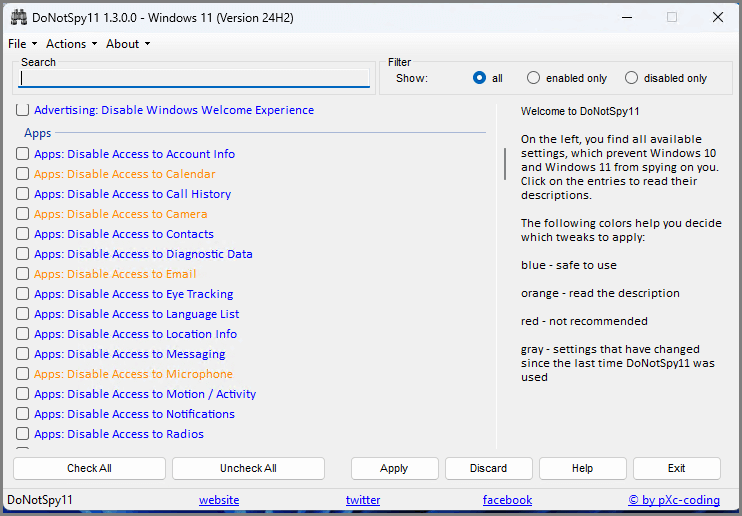
- Blue: Safe to use
- Orange: Read the description
- Red: Not recommended
- Gray: Setting has changed since DoNotSpy11 was last used
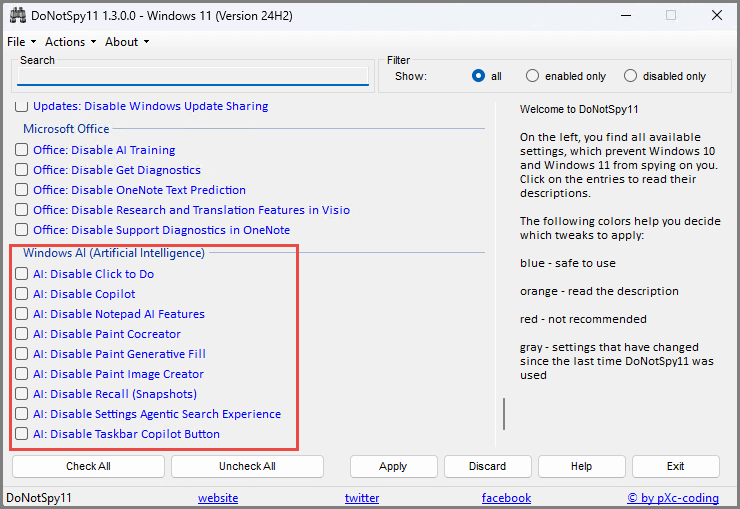
The “Privacy” category obviously contains most options, and the “Windows AI” section is of particular interest, including options to disable Copilot and Recall:
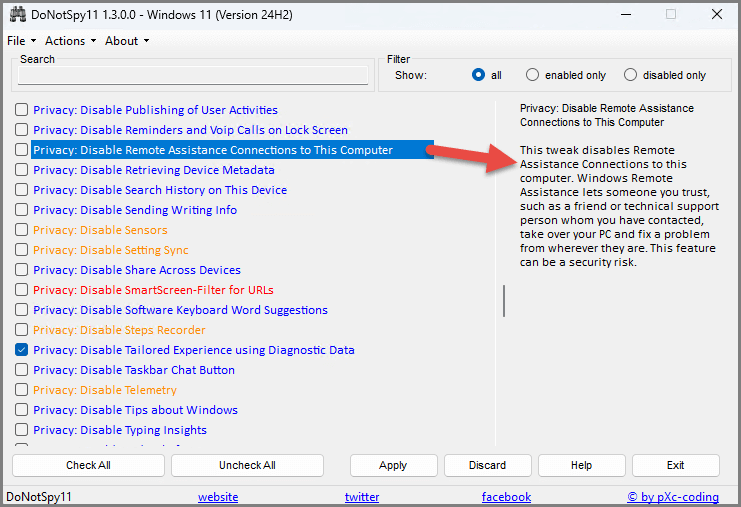
Going back to the colour-coding, specifically “Orange: Read the description“. When you click on an option, a description appears on the right-hand side to assist with decision-making:
(example: Disable remote assistance)
DoNotSpy11 Safety Precautions
All of these types of tools involve an element of risk. However, with its colour-coding system and clear descriptions, DoNotSpy11 is one of the safest I’ve seen. DoNotSpy11 includes an option to create a system restore point prior to making any changes:
- Click Actions (in the top menu) and select “Create System Restore Point“
However, as always, I suggest you also create a system image backup beforehand as an additional precaution.
BOTTOM LINE:
DoNotSpy11 is probably the best privacy enhancement tool I’ve come across, free or otherwise. It’s extremely comprehensive, covering way too many options to enumerate here (259), and yet very easy to use.
- For more information, plus a direct download link, visit: DoNotSpy11 Home Page
—
