

Looking for an easy solution to slim down Windows? Look no further!
Based on a suggestion from one of our regular readers, I checked out “Winhance,” a free and open-source Windows debloat/enhancement utility to see what it offered, and I must say I am very impressed. Many thanks to Reg for the suggestion.
There are quite a few Windows debloat/slimming tools around at the moment, mostly consisting purely of scripts. Winhance works in much the same way, except the scripts are tucked away behind an extremely intuitive graphical interface, which provides far more granular control.
Winhance is not only the easiest to use Windows debloat/slimming tool I’ve come across to date, but it is also by far the most comprehensive.
Winhance can either be fully installed or installed as a portable application:
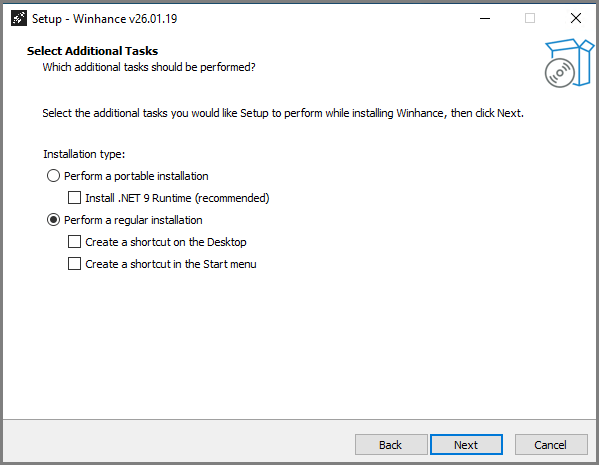
NOTE: Because Winhance is new, Windows will likely issue a pop-up warning. Winhance is perfectly safe, verified 100% clean via Virus Total. Simply click More Info and then Run anyway.
At first run, Winhance automatically creates registry backups plus a system restore point. It then scans the system and presents the results in its intuitive interface. The status of apps and features is color-coded – Green if the app is installed or a feature is enabled, Red if the app is not installed or a feature is disabled:

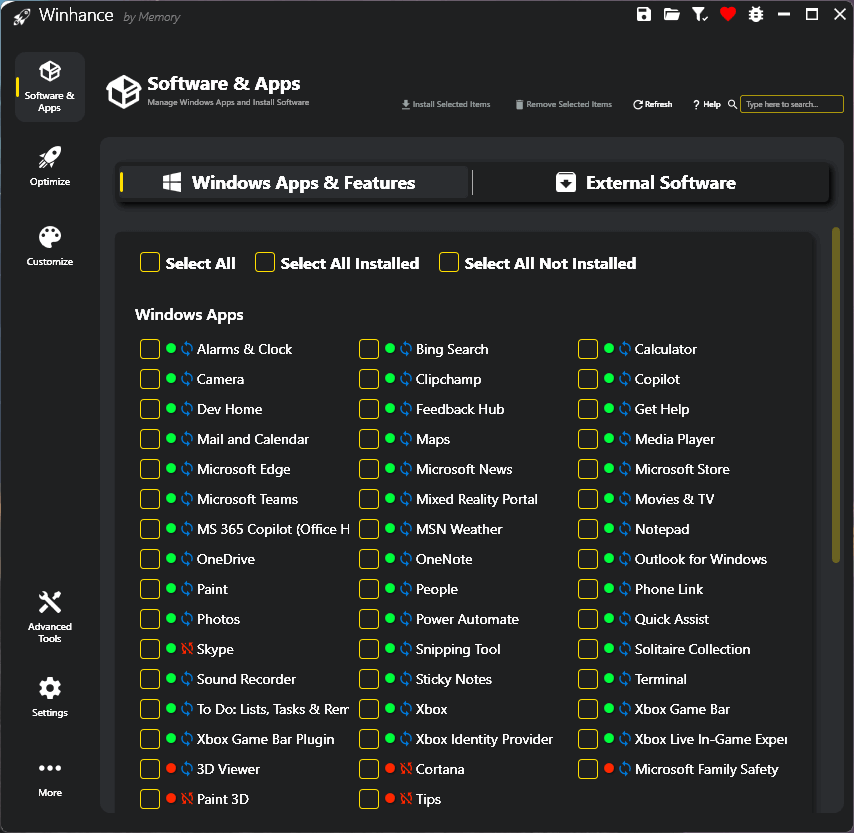
The default view is “Windows Apps & Features“. From there, you can select what apps to uninstall. Clicking External Software brings up a list of applications, sorted into categories, which are usually required in a clean install. The list is comprehensive, and you can install any listed application from within Winhance:
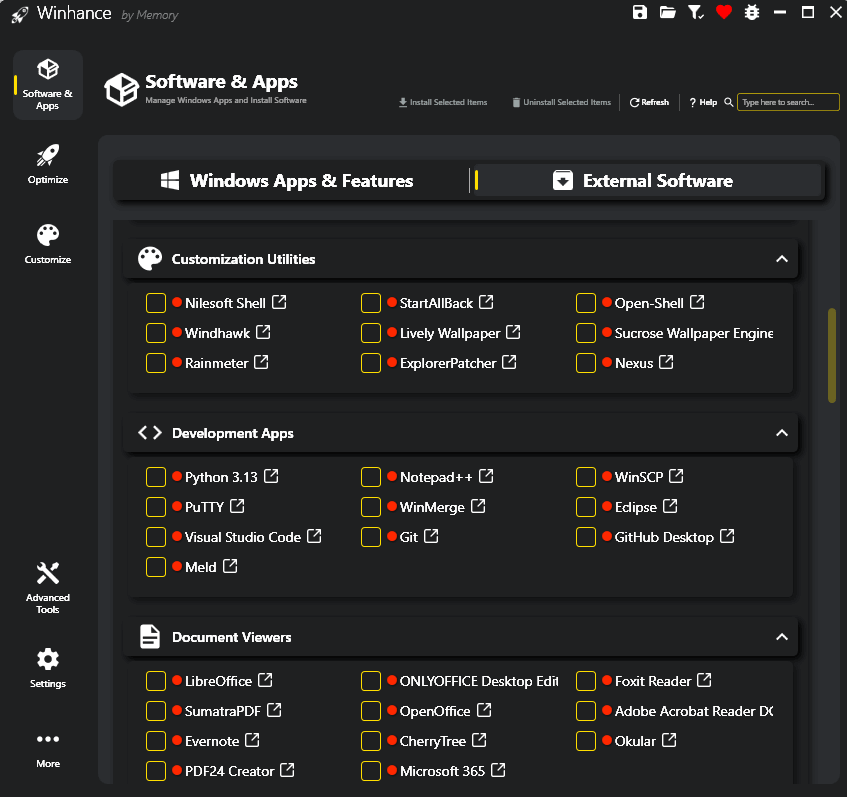
Down the left-hand side, we have Software & Apps (the default view), Optimize, and Customize. Clicking Optimize and/or Customize brings up related Windows settings that you can adjust from within Winhance. Many of the optimization settings are already set to optimum within Winhance, with associated recommendations and tool tips.
Further down the left-hand side, you’ll see Advanced Tools, which includes WIMUtil and Create Autounattend XML. These tools can be used to create a customized slimmed-down Windows ISO based on your Winhance preferences.
That pretty much covers the basics, and honestly, there is so much more to Winhance that it would take a small novel to explain it all. A far better option, if you’re interested in the software, would be to watch the developer’s video tutorial.
The tutorial video is 1 hour and 27 minutes long, which is perhaps rather long for some to sit through, but also, in itself, a testament to just how comprehensive Winhance is.
- To watch the video, visit: Winhance Video Tutorial
- For more details about Winhance’s features, plus a direct download link, visit: Winhance The Windows Enhancement Utility
BOTTOM LINE:
If you’re looking to slim down your Windows operating system, Winhance is the perfect solution. With its intuitive interface, Winhance is eminently suitable for users of all levels of competence, plus it also includes features for more advanced users to take advantage of.
NOTE: All these types of tools involve an element of risk, and even though Winhance includes its own backup system, I would recommend also creating a full system image backup beforehand
—

A much appreciated Thank You to Jim and Reg. Jim mentioned there is a video, and I recommend users watch it prior to using this program, and take snap shots to remember what you should do. But, quite honestly I stopped watch at 25 min. Just memory overload. I have made certain changes to several computers, and so far am delighted with the results.
Will take a break and get back to the video soon. This program gives me hope that Windows can be altered much more than I thought possible, Mindblower!
Was expecting some feedback from other users on this program before I posted more information. I did manage to view more on the tutorial and for the novice users, 30 to 40 min of viewing the tutorial supplies more than enough information.. The best information I gathered is that Winhance can prevent Windows from altering some of their switches on the next update. Recall is one which is of major concern. I was happy to see the bulk of the settings were what I wanted. One other note was in the Power settings. We are informed that Microsoft is planning on removing the Control Panel, and this is where users set their preferred settings. There is a Winhance power setting which I found more useful. Was a bit worried as I am used to selecting Never to shut down the computer. It is replaced with a time, setting to 0 (Zero) is the same as the word Never.
Noticed by removing certain Apps like Microsoft Edge (as an example) is was uninstalled and I need not worry it will be re-installed later on. Same goes for the AI apps, Mindblower!