How To Remove App From Roku TV
It has been a while since I have written an article on the Roku TV. If you missed them here are my other articles on this subject: How To Add YouTube To Roku How To Find/Create A Roku PIN So I decided it is time

Articles that instruct or provide instruction
It has been a while since I have written an article on the Roku TV. If you missed them here are my other articles on this subject: How To Add YouTube To Roku How To Find/Create A Roku PIN So I decided it is time
Google has released a new option for searching on Android and it is actually a useful feature. It is called “Circle to Search”. It is a new way to search for anything on your Android device without having to switch apps. With a simple gesture
You can run Windows programs on Linux using various utilities. You can do this by using Wine, Crossover, PlayOnLinux and Bottles. I saw a video using Bottles and decided to give it a spin. 🙂 I’m using Linux Mint 21.3 on my HP Notebook 15-bs023a.
How To Run Windows Programs In Bottles – Linux Mint Read More »
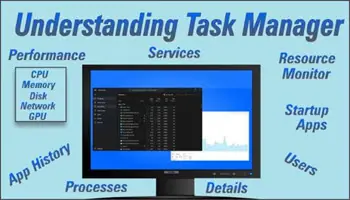
Windows Task Manager (Basics) Windows Task Manager is a powerful application that is part of the Windows OS. It gives valuable information and insight into system resource usage. This group of articles details each aspect of Task Manager, how to perform the functions, and then
I have written many articles on Android devices and this week will be another. This time I was thinking that the vibration that you get on your phone when a call comes in can be annoying to some. Why can we not turn this off?
This follows an article we published earlier: 7 Useful Tips You May Have Forgotten About Here then are 5 more tips you might have forgotten about. Make Text Larger The following works with documents (including PDFs), email, webpages, and just about anything that displays text.
Performance View Performance, the second tab in the Task Manager is the only tab that is laid out differently between versions. Both have the same functionality, but the layout of the screens is just different enough to believe one option is missing. In Windows 10
Recently, Google sent me a notification that I would be added to Find My Device automatically. At first, I was like, ‘Fine, they track me all the time anyway,‘ also I thought that was a default on my phone. But this got me thinking, ‘Could
Likely, you haven’t heard about Microsoft PC Manager yet, but it’s worth exploring because it collects a lot of Windows management capabilities in one place. Here is what Microsoft says about its availability: “Microsoft PC Manager, a utility app for Windows PCs, became available after
Processes Part 2 In this second article on Processes, I will be covering how to “End” or “Run a new task” and how to change your column headers to give you the maximum information on a running task. How to “kill” SPAM notices and popups
Last week I went over how to show the reading pane in Gmail. If you missed that you can find it right here: How To Show Reading Pane In Gmail This week I wanted to stay on the topic of Gmail and give you another
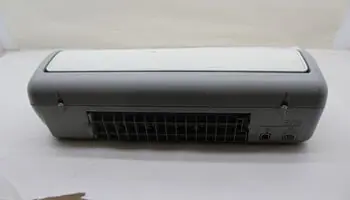
I was having problems fixing my HP Deskjet D1341 – the power light was blinking and the printer was unusable. I didn’t find a fix at that time but I did find a way to keep using the printer but not to full capacity. My
Processes Screen The functions contained on the Processes screen of Task Manager called for more than one article of explanation. In Part 1, I try to detail the numerous views available by adding additional headers and having the ability to sort the running processes by
Note: Using this feature requires a Microsoft account Most of you will be aware of the new AI component in Windows known as “Copilot” but did you know that Copilot comes equipped with a range of plugins? The majority of these plugins specifically target certain