

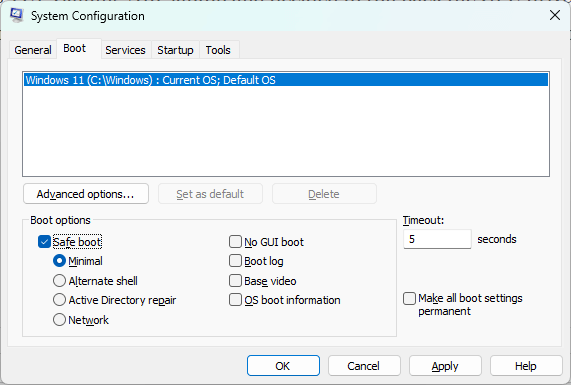
I was having some problems with AMD Radeon Adrenalin settings on my Asus TUF Gaming A16 laptop and decided to roll back the GPU drivers. But before doing that, I needed to use Display Driver Uninstaller (DDU) in safe mode to remove the current software. To reboot Windows in safe mode, I always hit Win+R, then type msconfig, select the Boot tab, and then Safe Boot.
BitLocker Mysteriously Appears
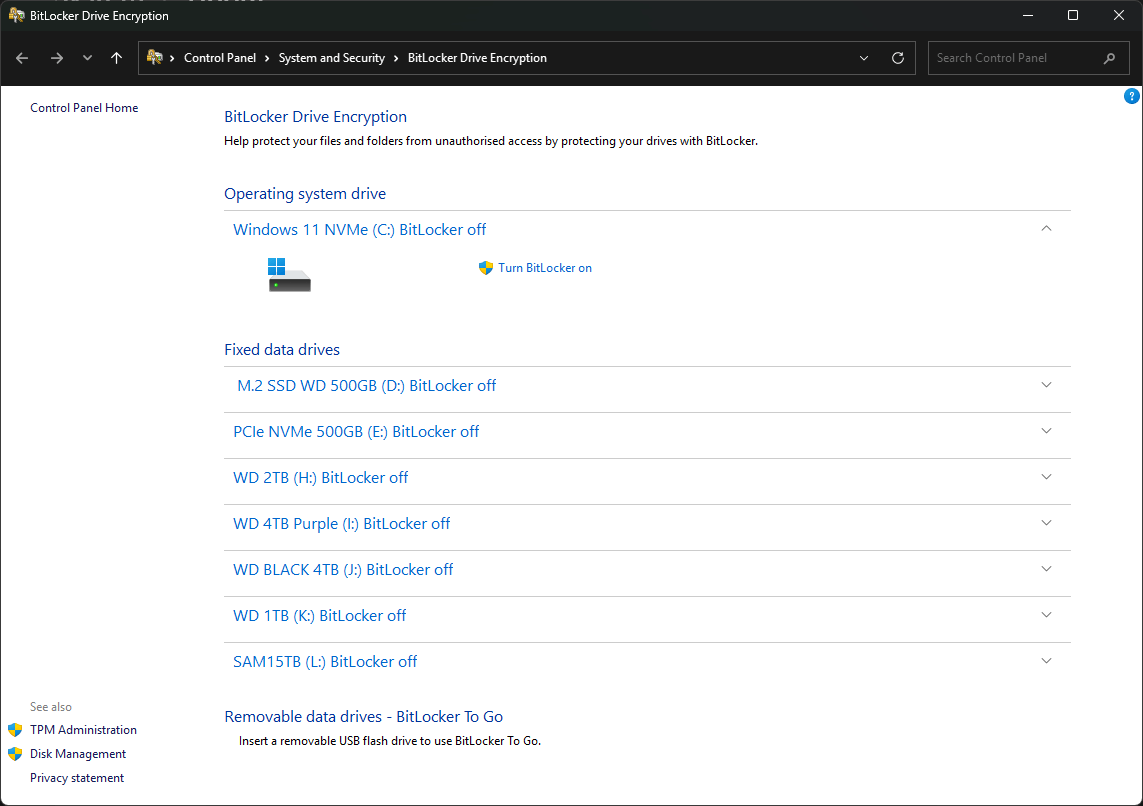
As I was about to hit apply, a window popped up telling me that my main drive was BitLocker-encrypted and that I would need to use a recovery key, or words to that effect. I have never used BitLocker, and this was the first time I had come across such a message, so I had to assume that a Windows update had turned on this encryption without asking me. So I decided not to boot into safe mode and simply turn BitLocker off, which is done through Control Panel by typing BitLocker into the Windows Settings page.
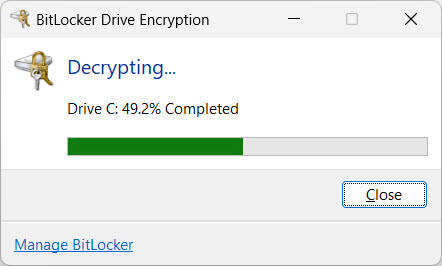
As soon as I turned the damn thing off, Windows began decrypting my OS drive without asking, when I didn’t even realise that it had been encrypted in the first place. Anyway, the strange thing is that it didn’t ask for a recovery key, so I let it run, which took over an hour, with no further messages once it had finished. I did expect an apology from Microsoft at the very least, but that would be when pigs fly. In other words, SNAFU.
How Did BitLocker Self-Activate?
There are numerous answers as to how this happens, but no clear answers from Microsoft. From what I can gather, it’s automatic on new Windows 11 installs, but that has not been my experience, having recently clean-reinstalled Windows 11 on my main PC. Others suggest it’s because of changes I made in the UEFI/BIOS or other nonsense, which doesn’t apply to me because I haven’t made any serious security changes to the laptop since buying it last year. Anyway, laptop UEFIs are basic to say the very least.
Where Are My BitLocker Recovery Keys?
You can find them at account.microsoft.com/devices/recoverykey, which is what I did.
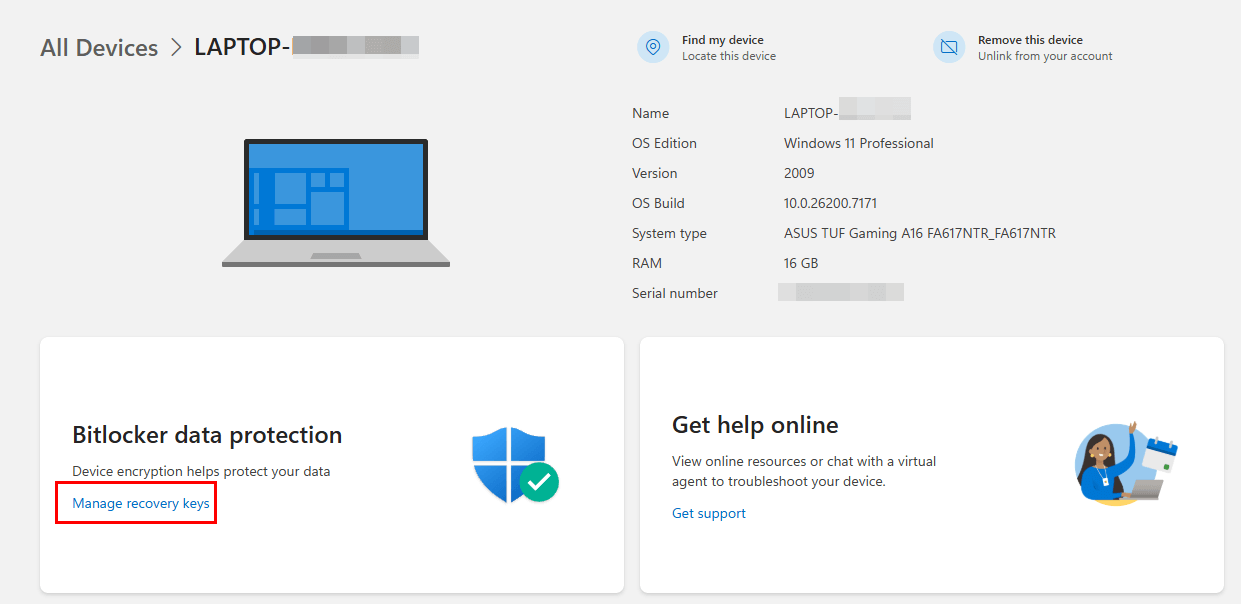
I then found that the recovery key had been uploaded on 16th August 2024, which is the date I unboxed the new laptop in the UK and set it up, but I do not recall the drive being encrypted.
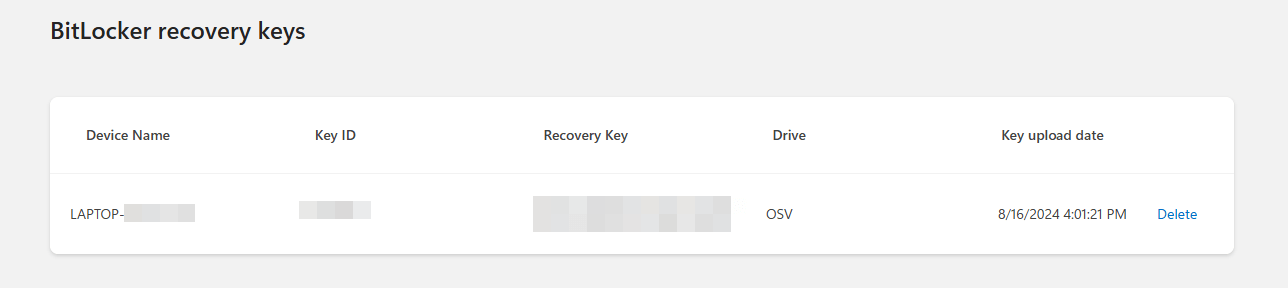
In fact, the new laptop had Windows 11 Home installed, which uses a form of BitLocker Lite encryption but uses the same BitLocker recovery keys, if that makes any sense. I later upgraded the laptop to Pro, and even then, I wasn’t aware that the drive was encrypted. Moreover, I distinctly recall that I have used DDU in safe mode on this laptop at least once before and never received the cryptic message, so I’m puzzled as to when it activated itself.
The problem with drives being encrypted without our knowledge is that, without a recovery key, you’re screwed, and it would require a clean Windows install from a prepared pen drive, not to mention the loss of data if not backed up. I’ve now checked all the computers in our household, and none of them have BitLocker turned on, but it is something that I will be keeping an eye on in the future.
—

weird things happen sooner or later…..It always pays to make regular full disk images
Please expand on how to permanently disable bitlocker (and one drive).
Steve
This is still in Control Panel, so open that and then System and Security>Bitlocker Drive Encryption>Turn on or off.
As for One Drive, you can disable it at start up through Task Manager.
Cheers
Marc
Another reason everyone at DCT should stop using consumer versions of Windows.
These things don’t happen to those of us using Windows 10/11 LTSC.
The consumer versions of Windows are basically unusable spyware (telemetry) at this point.
Odd. Yesterday I went to open a document from Documents folder and it was completely gone!!! Not in Recylcle Bin, not in One Drive.com (where it should not have been anyway, because I stopped syncing my local drive.) Fortunately I had a recent backup of my important files on a USB hard drive, but I still have no idea where my 5 GB folder of Documents went!!! I am using Win 11 Home, and all up to date. This business about Bitlocker encrypting things is very annoying!
One of the first tasks on installing Windows, or after buying a PC with it preinstalled, is to turn off and disable unwanted Services, including BitLocker Drive Encryption Service.
BTW, BlackViper had maintained a list of services one might disable advantageously, and the old list is at https://github.com/madbomb122/BlackViperScript .
Thanks for the tip, Adelaide.
I have realized that DCT members are relative neophytes in computing / Windows OS / Any OS
I am a contributor to both DCT and AskWoody. I have found that the AskWoody members have much more to offer to those of us who have a moderate or higher understanding of how computers work.
I owe gratitude to Jim, who was instrumental in my involvement with DCT over a few-year-old thread about Macrium Reflect.
Besides that… I get a hollow echo from most of these threads on DCT .. does anybody know anything here? If so…. then challenge me! Tell me I am wrong and back it up with solid data –> otherwise I have nothing to learn here at DCT.
This is not a forum, Joe and those who reply to our articles are not ‘members’ but interested parties who enjoy reading DCT articles.
As for your insulting reference to DCT contributors being neophytes, I disagree emphatically.
I would suggest that if you feel you have something to offer, you back it up with some tech wisdom and write an article for us. If not, back up your own comments with solid data.
Oh Joe. Are you some PhD person using Five dollar words like neophytes, when a more common (and down to Earth) word like Newbie is available?
Please try not to offend those visiting and gaining knowledge from the excellent staff of writers.
FYI, a Blog is far superior to a Forum in that it can show pictures, and here at DCT, one can experience both,. Have a nice day, Mindblower!