

Just recently, I discovered that the folks at Aiarty have released relatively new software called Aiarty Video Enhancer. This immediately piqued my interest for two reasons:
- I have a perfect project for this type of software
- Aiarty is a leading producer of quality video and video-related software
About 12 years ago, I transferred a heap of VHS tapes over to digital files on my PC. At that time, these tapes were around 25 years old and, as you would be aware, VHS tapes degrade over time. So, the results were disappointing to say the least – plenty of noise, pixilation, and other artifacts.
I was, therefore, excited to check out Aiarty Video Enhancer and, I must say, even more excited with the results.
Testing Aiarty Video Enhancer
(click images to enlarge)
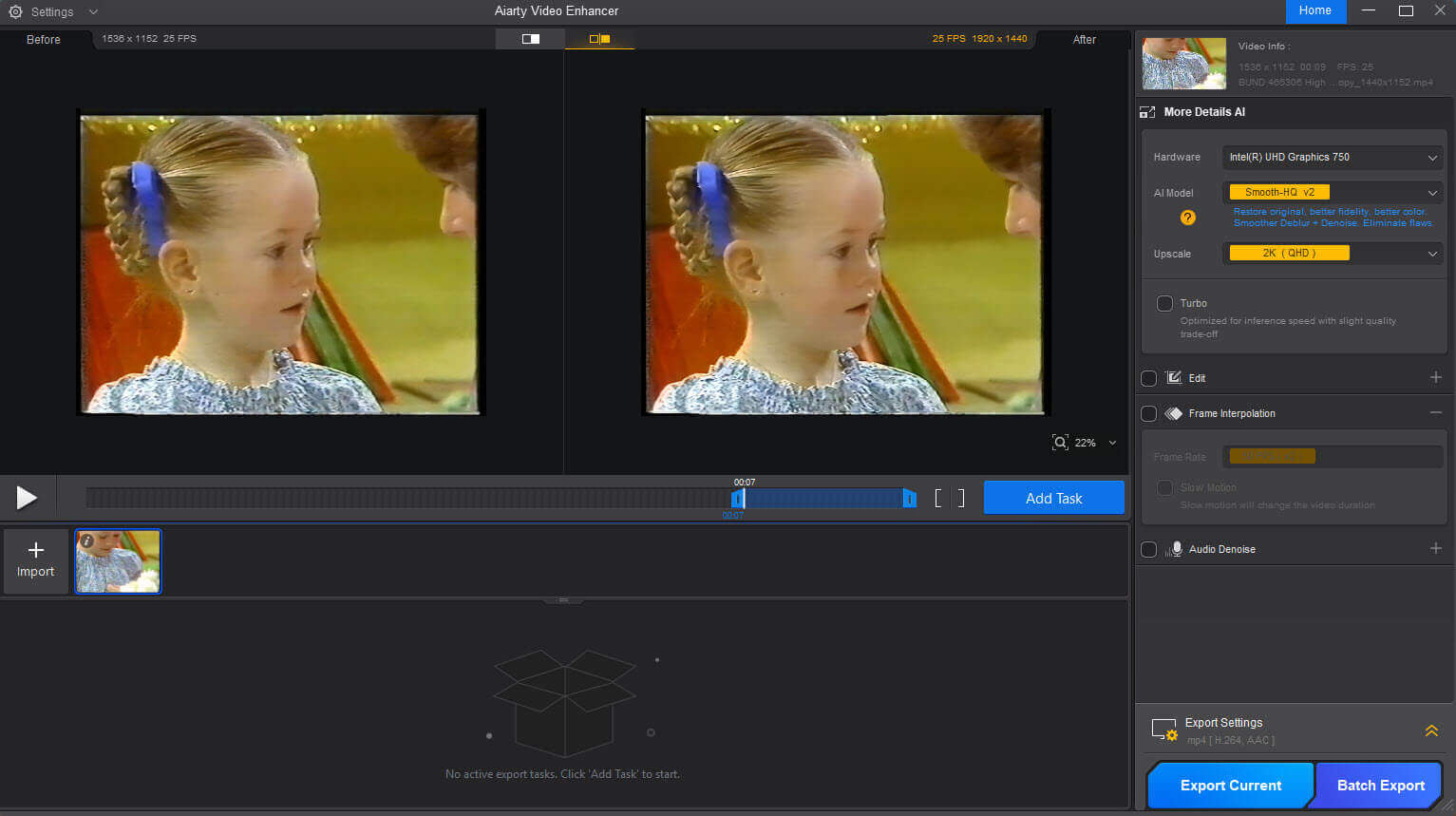
“The state-of-the-art AI video enhancer software to generate more details, super denoise, deblur, upscale, and restore flawed videos to 4K clarity”
First, I extracted a 12-second clip from one of the digitized videos and then ran that through Aiarty Video Enhancer. To say that the result was amazing is an understatement. Not only did Aiarty Video Enhancer vastly improve video quality, but it also removed the majority of noise and artifacts.
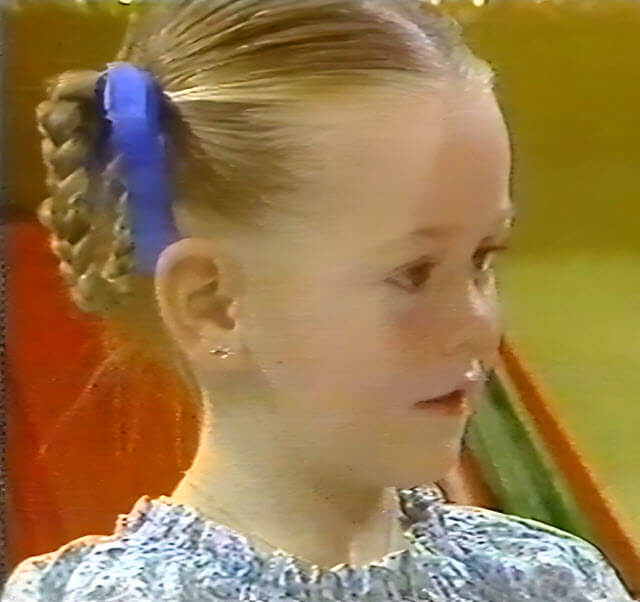
I’ve captured a screenshot from each video clip, before and after, to try to show you just how much Aiarty Video Enhancer improves old and/or low-quality videos:
(Before)
(After)
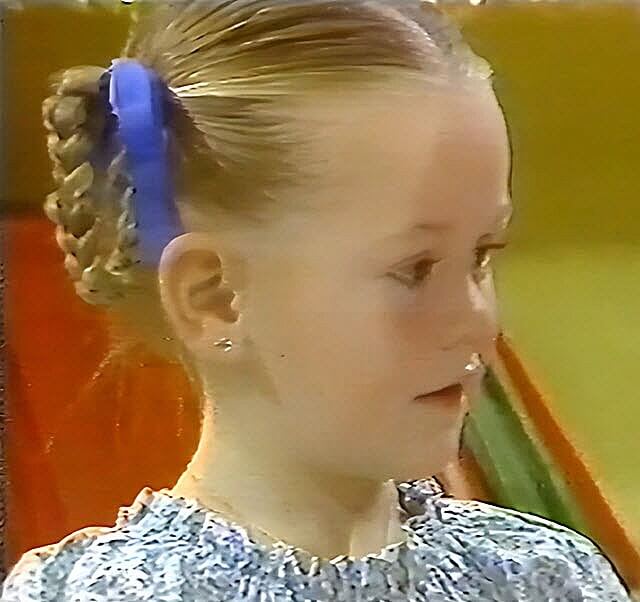
Trust me, this comparison doesn’t do Aiarty Video Enhancer justice. I wish I could show you the entire video clip or larger images, but alas, file size limitations prohibit that.
Nevertheless, you can clearly see that the noise (streaks) adjacent to the girl’s ear have been smoothed out, and just look at the enhanced/sharper detail, especially in the dress.
By the way, that little girl is my beautiful niece, who is now 44 years old, and I am thrilled that, thanks to Aiarty Video Enhancer, these precious memories can be restored.
I haven’t even gone anywhere near testing Aiarty Video Enhancer’s amazing range of capabilities as yet, and to describe all its many features would take a small novel.
- To check out more features, please visit: Aiarty Video Enhancer
- And if you need further convincing of the software’s capabilities, make sure to check out Aiarty Video Enhancer’s User Guide
BOTTOM LINE:
Once I had seen what this amazing software could achieve, I am now in the process of running all those digitized videos through Aiarty Video Enhancer.
If you’ve got any old or low-quality videos that require enhancing, or are a videophile, Aiarty Video Enhancer is the software you surely must have. Highly recommended.
—

The thing is with these AI video enhancers Jim is if you don’t have the cpu power or gpu power, or maybe you have the cpu power but not the gpu power or visa versa, it takes forever, I am talking days or longer to complete one 90 minute video.
With these type of software’s one needs to have a really good cpu and gpu and chances are your still gonna work the hell out of them in the process.
The photo AI software works great under any cpu or gpu , I use DVDFab’s photo enhancer AI to enhance and enlarge a lot of old photos and it works great.
Hey Ed,
100%. It is a time consuming process on machines that are not equipped to handle AI efficiently. A decent GPU helps and, of course, an NPU (Neural Processing Unit) is even better.
Aiarty’s recommended minimum specs: https://www.aiarty.com/support/aiarty-video-enhancer/tech-specs.htm?ttpath=video-enhancer-index
I wanted to like Aiarty Video Enhancer, but ultimately uninstalled it. I recently shot four videos on a Pixel 9a, using the default camera settings of 1080p @ 30 fps instead of 4K @ 60 fps. Initial demo runs looked promising, so I purchased Aiarty Video Enhancer.
Using the latest version of Aiarty on a 2025 MacBook Air, the first two, shot in low lighting situations, were slight improvements over the originals. The third, shot in daylight provided slight improvements to sharpness, but color was noticeably muddier. Processing increased the file size from 177.7 MB to 5.9 GB for a video that was only 1:14 long. The third video was 10:10, with a starting size of 1.5 GB. The MBA initially had 40 GB of free disk space. After ~12 hours, conversion failed with an unspecified error, but apparently was caused by a lack of disk space, which had dropped to 1 GB by the time of failure. I cleaned up some files to leave 60 GB of free space, and started over. Same result. I cleaned up more files to leave 240 Gb of free space. Same result.
I will be cancelling my purchase. The results aren’t worth the price.
Hey Selden,
I tend to agree. However, I suspect results might be far batter on a machine that’s properly equipped to handle AI, with a high-end GPU and NPU.