

I recently had issues with the audio on my recordings. TV cable box to computer. I played around with the audio settings a bit to try to fix it. At one point, I lost the audio altogether.
No Sound On Video Capture Using PotPlayer
Luckily, like VLC, PotPlayer has a reset option. With PotPlayer open, click on the “F5” key on your keyboard. In the left-hand corner, you should see the “Reset” button. Click it.
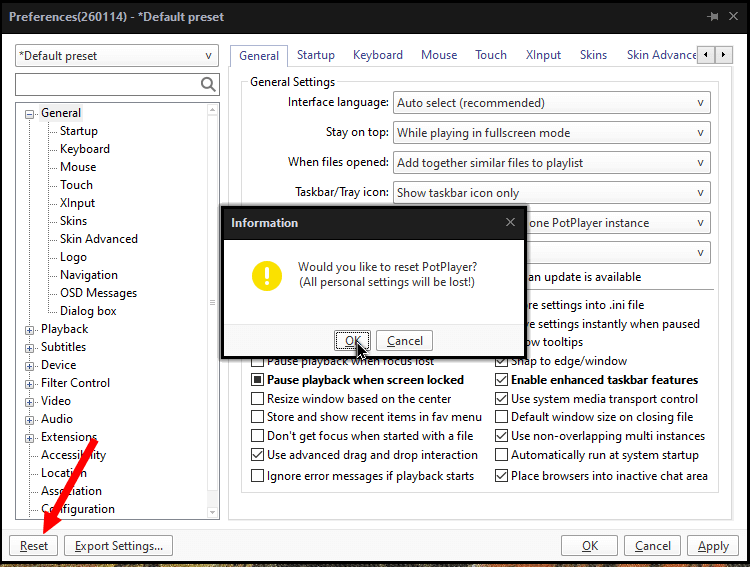
You’ll get a warning concerning losing your personal settings, if any.
Click “OK” or “Cancel”.
If you click OK, the player will close and then reopen automatically with its default settings.
Note: You can export the settings first by clicking the “Export Settings” button. It saves your settings in a Registry file format.
For more about PotPlayer, click here.
—
