

I use PhotoFiltre as my photo editing software. Sometimes I want to select a colour in the photo to apply it elsewhere.
Normally, I would go to the toolbar on the right-hand side. Select the “colour picker tool”, which looks like an eye dropper, and click on the colour that I want to select.
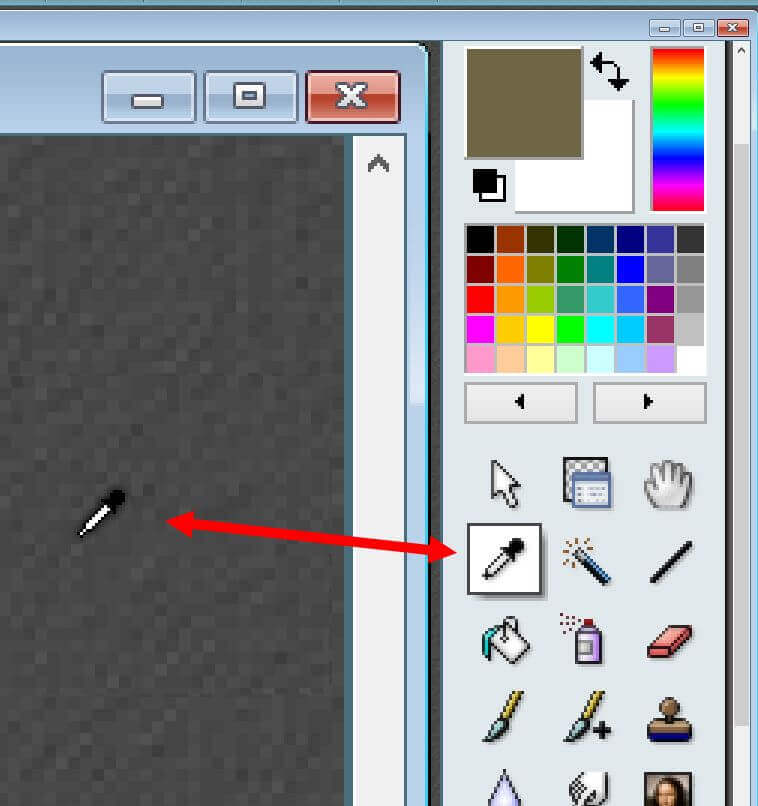
But there is a quicker way. Hover your cursor over a colour that you want to select. Hold down the “CTRL“ key. The cursor turns into the colour picker icon. Click, and now your colour is selected.
And yes, all the years I’ve used this program, and I just figured that out. Guilty as charged. 🙂
For more PhotoFiltre articles, click here.
—
