
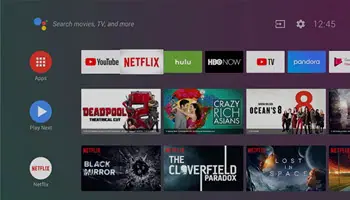
I’m not really into wrestling or sports, in general, but I have relatives who are. They were trying to watch a wrestling match, but the video wouldn’t play. There were no error messages. All the other videos seemed to be working.
I first assumed that because the broadcast date was the same as the day they were trying to watch it, maybe it wasn’t available yet. They waited. A day later, and it still wouldn’t work.
The fix was simple, and this should work for any misbehaving apps on an Android TV box, smartphone, tablet, and so on.
The Fix: Restart The App
On my TiVo Android system, I first had to click the “TiVo” button on my remote, and then onscreen I would select the following:
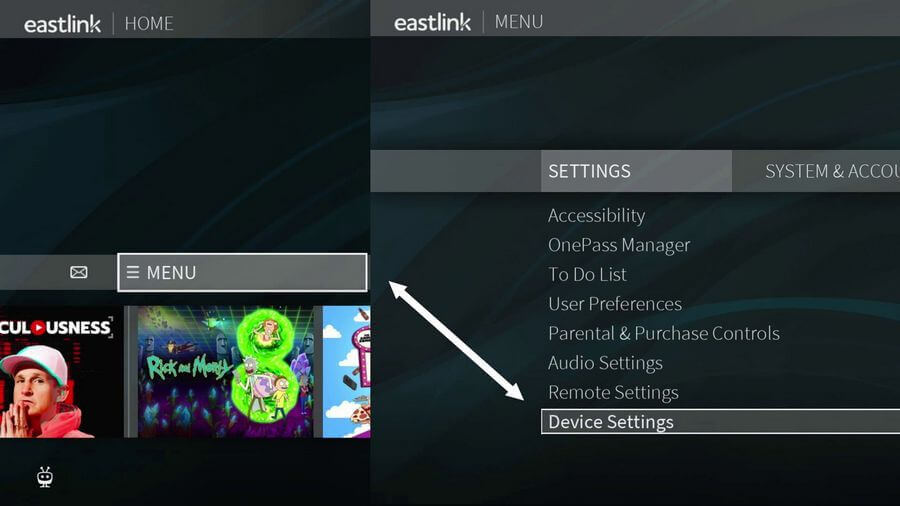
MENU
SETTINGS
Device Settings
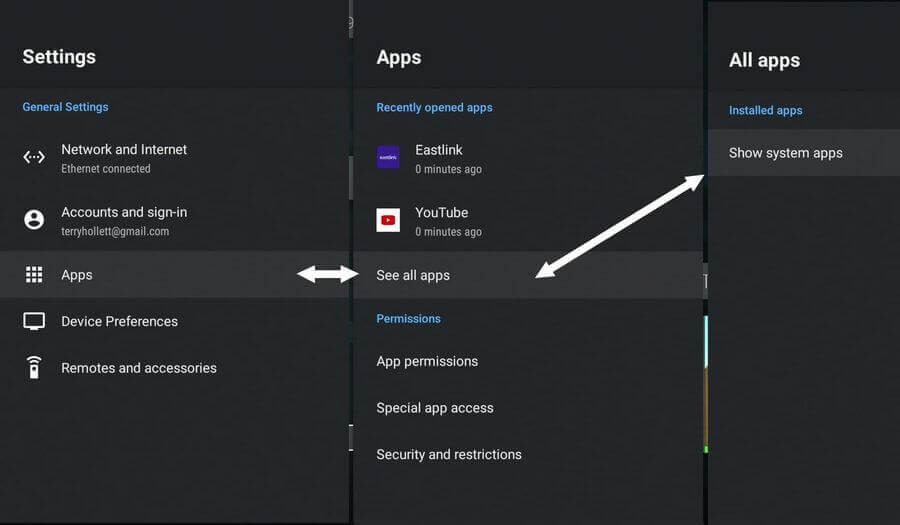
Apps
See all apps
Show system apps
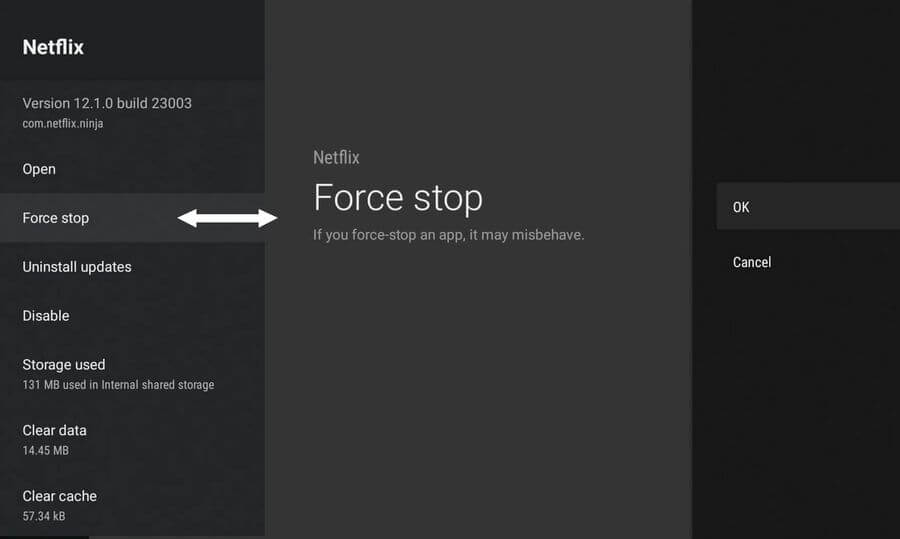
Netflix
Force stop
OK
Then start up Netflix. Go to the video. Now it plays.
As I mentioned, restarting an app should resolve any issues with an app that’s not functioning properly. If you don’t want to mess with the menus, pull the power cord for about 30 seconds, then plug it in. It should have the same effect.
For more TiVo stuff, click here.
For more Netflix stuff, click here.
—
