

My first encounter with voice recognition was back in the mid-70s, while watching Stanley Kubrick’s 2001: A Space Odyssey (1968). In act two, Dr. Haywood Floyd arrives at the space station and passes through Voiceprint Identification, confirming his destination, nationality, and full name.
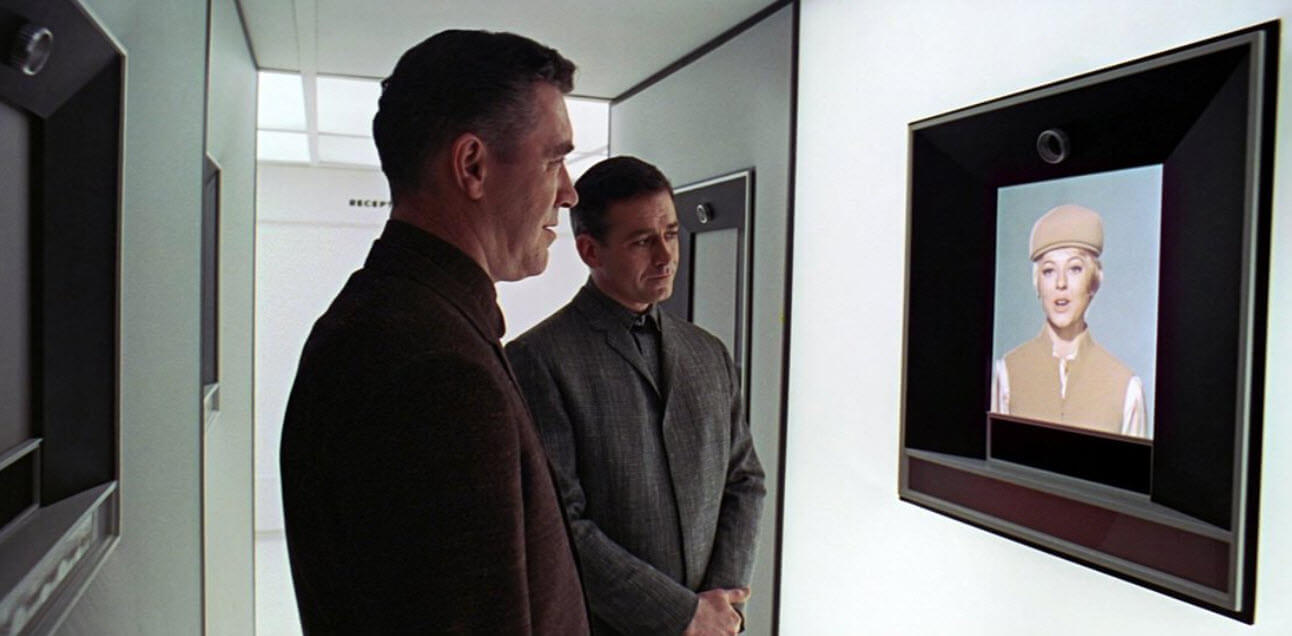
This technology and more, shown in the film, were way ahead of the times – who can possibly forget HAL 9000? – and I never forgot what I had witnessed. A couple of decades later, I bought a Microsoft Sound System with speakers and a microphone, and if I’m not mistaken, a software package that included Dragon Naturally Speaking (licensed by Microsoft). I spent hours training it to recognise my voice, and I think I even managed to get some words into a document as text, much of it gobbledegook, but the fundamentals were there. It was a frustrating experiment, and I eventually gave up, little knowing where speech-to-text would be today.
Dictating A Document
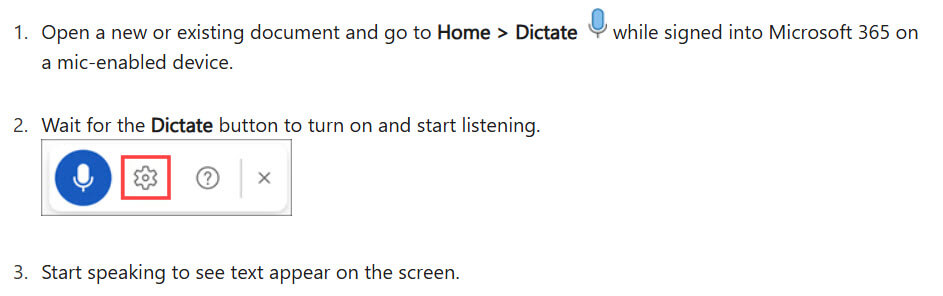
More recently, I’ve experimented with speech-to-text in Microsoft Word (Office Dictate), mainly when putting together a novel or short story. The experience, when compared to my attempts in the 90s, is night and day. It’s incredibly accurate, remarkably fast, and easy to use if you don’t feel like typing. It’s not perfect, of course, and with any written document, it will always need editing.
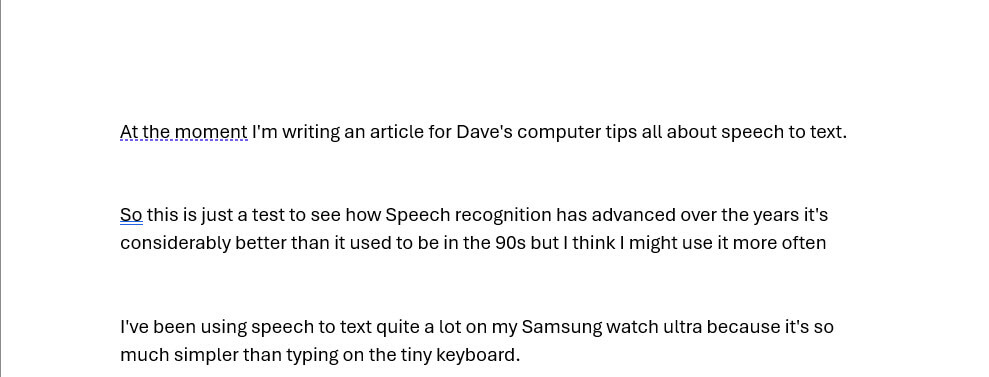
The above is an unedited speech-to-text sample in Word, and it’s now significantly better than it was a couple of years ago, so I may well take it up again, simply because it’s so much faster than typing.
Speech To Text On The Move
It’s one thing to be seated in front of your PC with a nice big keyboard, but quite another being out and about, whether that be on two wheels or rushing to catch that train. Voice messages seem to have taken over from text, but when the sender bangs on and on about irrelevant crap in a 10-minute diatribe, I switch off. In fact, I had to ask my customers NOT to send me voice messages, especially if vital information such as addresses, phone numbers, and street numbers is involved. This is where speech-to-text comes into its own, especially on a very small device with a tiny keyboard.
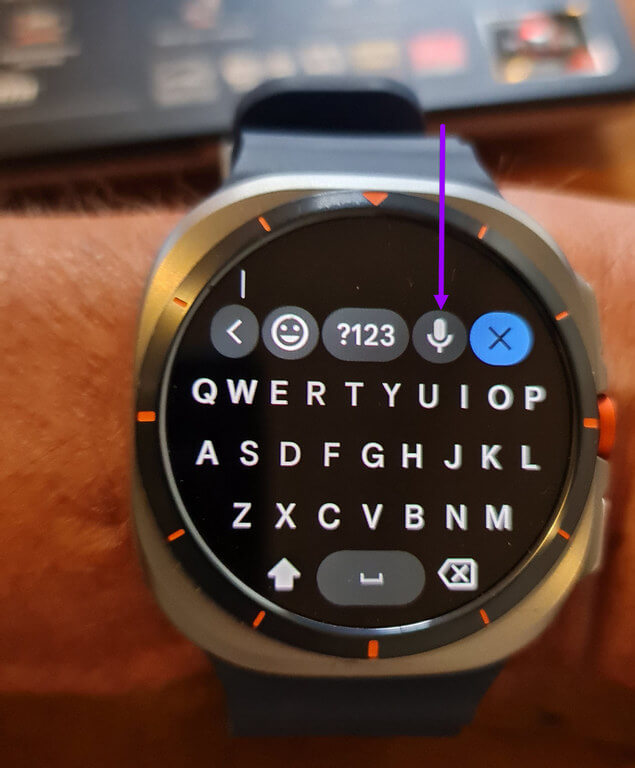
I’m now using speech-to-text more than I ever did, especially on my cycling trips, to let my wife know where I am and not to give my dinner to the dog! On my smartwatch, it’s a simple matter of tapping the mic icon and speaking into the watch, and if you hold your wrist in a certain position, you can pretend to be a Secret Service agent. But all jokes aside, speech recognition is now so advanced, especially with AI assisting, that it’s a simple fact of life. I also use it on my phone, and as far as I’m concerned, the shorter the message, the better. Some examples might be – is there enough cold beer in the fridge? Or I’ll be back in thirty minutes, darling!
Do you use speech-to-text? If so, please comment below.
—

Since you brought up this subject, I have an Android phone which spells out punctuation, such as “comm” and “period” – It just types out these words instead of giving me what I want. Can you please help?
Harry, you need to enable auto punctuation in Gboard, Samsung or whichever virtual keyboard you’re using.
I am using Swiftkey. There is no such option in it. It works if I say “Full stop”, but “Period” spells it out. Even comma works, but not “Period”,
Harry, I also use Swiftkey and I have it set to English (UK) and dictated a test message using ‘comma’, ‘period’ and ‘full stop’, all of which worked correctly.
Maybe it depends on the language selection? Although in British English we don’t say ‘period’, but we say ‘full stop’ instead.
Thanks. Mine has actually been set for English (Canada) where we say “Period”, as well. So, I am puzzled.