
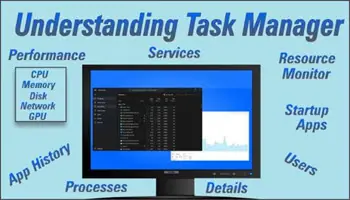
I tried to delete some video files, but I kept receiving an error indicating the files were locked by the system. I opened Task Manager by right-clicking the Taskbar and clicking “Task Manager”.
There were five instances of Windows Explorer open, so I right-clicked on each one and then clicked “End task”.

The Taskbar disappeared, and my screen went black. Still in Task Manager, I clicked File -> Run new task, then typed explorer.exe in the “Create new task” box. Clicked OK. This brought back the Desktop and Taskbar.

I went to the video folder, but still couldn’t delete them. The system error was gone, but the files were still locked and opened by another program.
I knew what was going on. I recently streamed these files from my computer to my TV. My monitor is only 18”, my TV is 42″.
I knew what I had to do. On my Android TV box, I went to the Settings menu.
Settings -> Device Settings -> Apps -> VLC -> Force Stop
I accepted the prompts and solved the problem. VLC still had the files locked. All files have now been deleted.
For more streaming articles, click here.
—

Shouldn’t a reboot of your computer have fixed the problem?
Well, if you wanted to take the easy route. 🙂