

In some of my previous articles, I’ve mentioned that I had to roll back the graphic drivers and software on my Asus TUF Gaming A16 Advantage Edition laptop, so I should explain why.
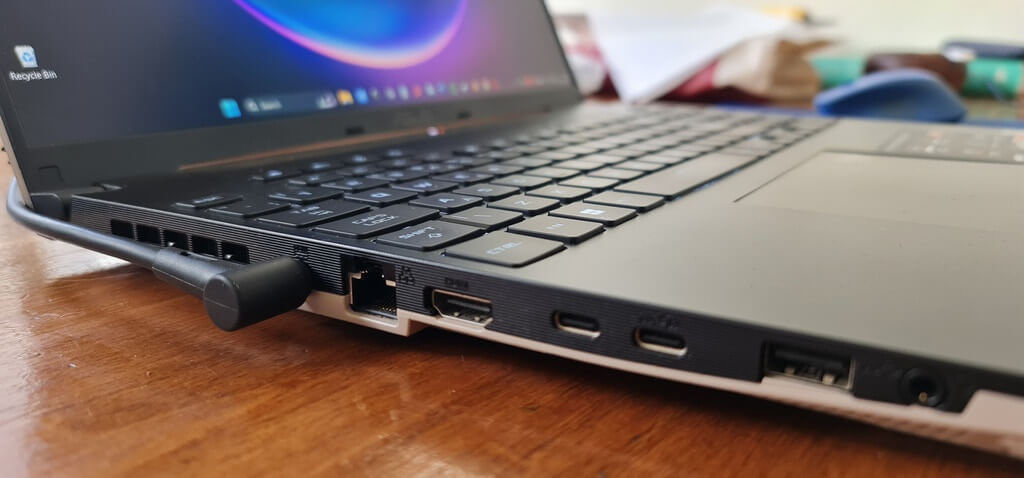
The specs of the laptop are as follows:
- AMD Ryzen 7 7435HS 8 core/16 thread
- AMD Radeon RX 7700S 8GB
- 16 GB DDR5
- 1TB NVMe
- 16″ IPS 1920×1200 display 165Hz
- 90W/hr battery
Strange Behaviour By AMD Adrenalin Edition
I’ve been using AMD’s software for many years and am well used to its shortcomings. I use the software on my main gaming rig to capture in-game recordings and screenshots by simply pressing a few hotkeys. The standard installation of Adrenalin includes Record & Stream, which I assumed would work in exactly the same way on the laptop.
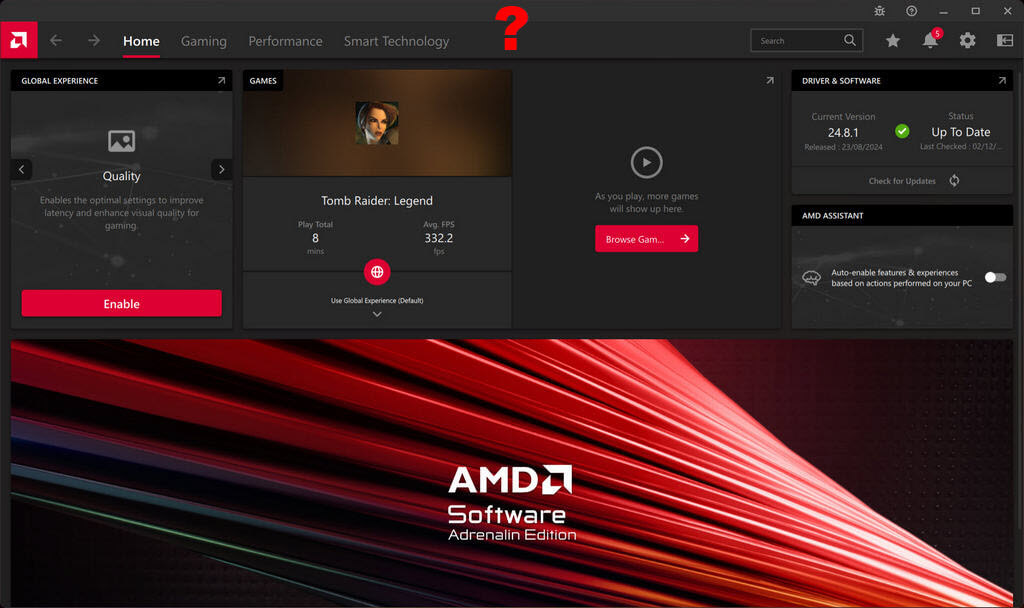
But this is not the case because the Record & Stream function is missing in different scenarios – when not plugged in and not in Turbo Mode. I found this puzzling and started to investigate, and with all things investigative tech-wise, internet opinions and suggestions were manifold:
- Reinstall drivers/software
- Roll back drivers
- Delete the iGPU in Device Manager
- Format your hard drive
- Reinstall Windows
- Change laptop modes
- Plug in your laptop
- Stand on your head and whistle Dixie
On one or two occasions, I’ve come across the Record & Stream tab not appearing on my desktop gaming rig, which was solved by rolling back the drivers, which I always do with DDU in safe mode. However, on the laptop, I had to plug in the charging brick for the Record & Stream tab to appear.
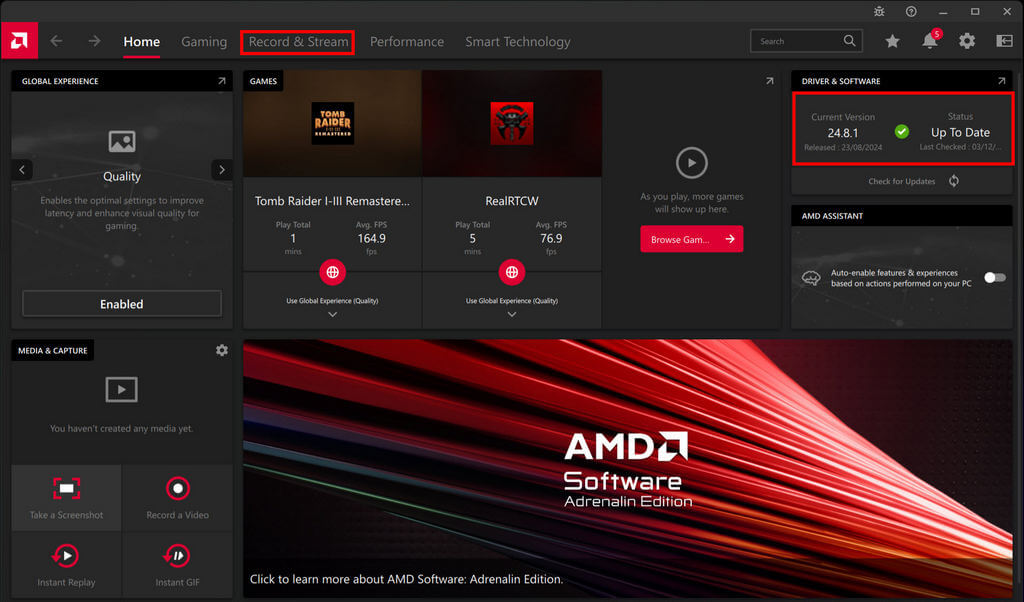
However, once the tab was available, none of the hotkeys (except Ctrl+Shift+O for performance overlay) worked – no screenshots or recordings. Added to this, when I updated the Radeon software to the latest November 2025 version, the Record & Stream tab wouldn’t even appear when plugged in, so I rolled back the software to August 2024, and the tab appeared. However, the hotkeys, except the one mentioned, still wouldn’t work.
What Did I Do Next?
Having rolled back the software, I then looked for an iGPU (on-chip integrated graphics), but the Ryzen 7 7435HS doesn’t have integrated graphics, just a discrete RX 7700S GPU. The general internet reasoning was that the Record & Stream function would only appear when in discrete GPU mode, which turned out to be false.
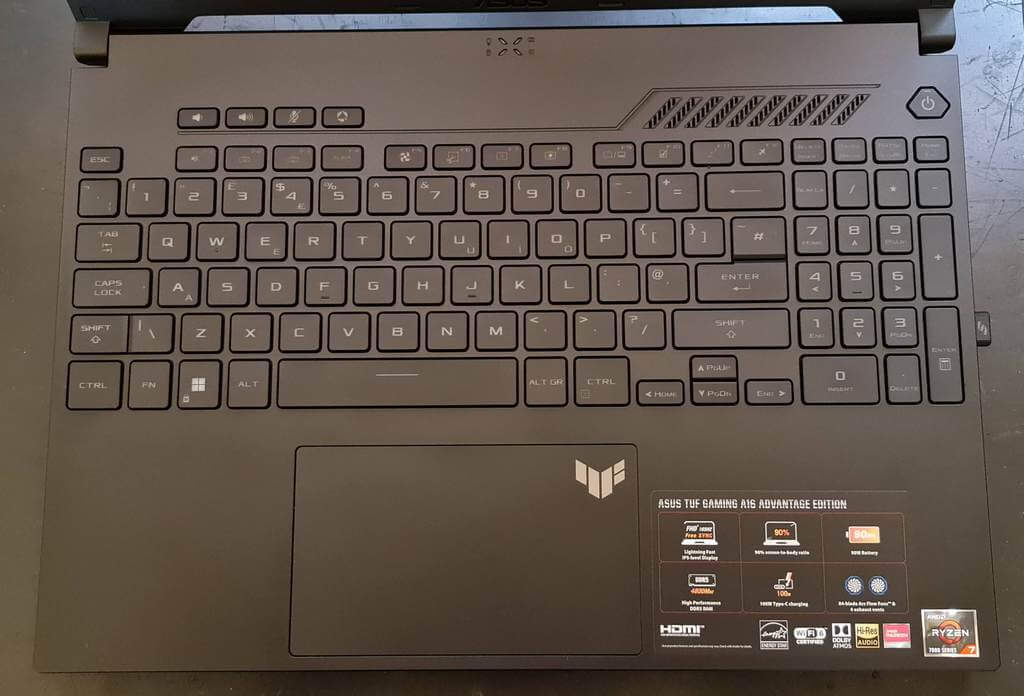
This explains why the laptop doesn’t have a MUX switch, which enables switching between the iGPU and the GPU. Still following me?
Remove Bloatware And Disable Program Conflicts

Asus Armoury Crate, a massive 4GB package and My Asus are installed by default and contain myriad functions that I don’t need. Besides, most of the important functions, such as battery control and performance modes, can be controlled by Windows and/or freeware, so I uninstalled both. I then disabled start-up items such as PowerToys and Snagit, which also use hotkeys, but none of these actions solved the problem of hotkeys not working in Record & Stream.
Are Leftover Asus Services Causing A Conflict?
By this point, I’m banging my head against a brick wall, having read hundreds of forum posts and falling into one rabbit hole after another, but determined to find a solution because that’s in my nature. Having got rid of the bloatware, I installed G-Helper, a free 4MB utility for Asus laptops for tweaking numerous configurations.
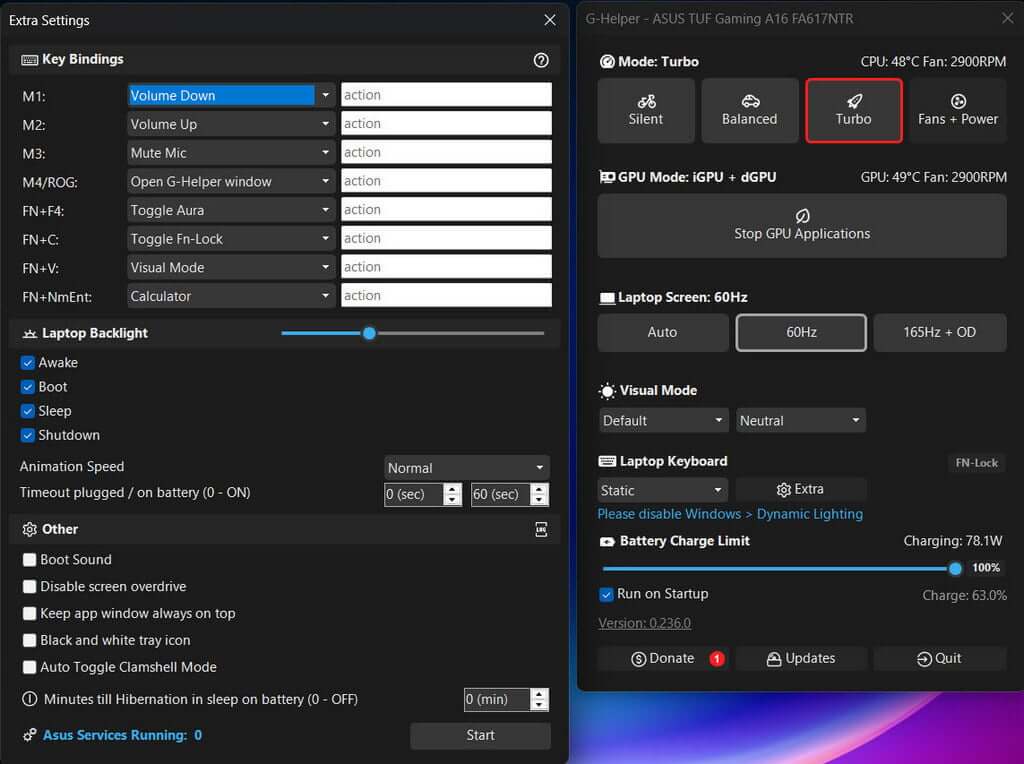
Using this utility, I was able to stop all remaining non-essential Asus services from running at startup, thinking that they were creating a hotkey conflict, but this made no difference. I will, however, keep the software running in the background because it’s so lightweight and more useful than Armoury Crate.
The Nuclear Option
The odd thing is that I use roughly the same programs on this laptop as I do on my main desktop gaming rig, so clearly there are no hotkey/shortcut conflicts on that PC, or if there are, they are usually confirmed by a pop-up. I still think a keyboard conflict of some kind is causing this problem, or some other unknown issue is preventing the Adrenalin hotkeys from working, because even changing the Record & Stream hotkeys makes no difference. Therefore, I’ll wipe the drive, carry out a clean install of Windows 11, install no other programs apart from AMD Adrenalin, and see what transpires.
Hold your breath for the next exciting installment!
—
